AI is affecting both sides of cybersecurity: those who defend and those who attack.
Companies use AI to spot suspicious logins, triage alerts and investigate signs of malware. For handling volumes of information that people alone can't keep up with, AI is a very effective aid.
At the same time, attackers have started using AI too.
Making phishing emails sound natural. Helping write malware code. Organizing stolen data. Crafting extortion messages tailored to the target. Uses like these are becoming a reality.
Against this backdrop, AI-driven ransomware, the so-called "Ransomware 3.0," is attracting attention.
PromptLock in particular drew attention as a proof of concept showing that AI could potentially automate and dynamically generate parts of the ransomware process. At this point, there's no indication that PromptLock has been widely used in real attack campaigns. That needs to be viewed calmly.
But dismissing it with "it's only a PoC, so it doesn't concern us" is a little dangerous. It's worth seeing it as a sign of the direction in which attackers are trying to use AI.
What Is AI-Driven Ransomware?
AI-driven ransomware is the idea of ransomware that uses AI to assist with attack decisions, script generation, data selection, writing ransom notes and so on.
Traditional ransomware basically operates according to a pre-written program. After getting in, it searches for files, encrypts them and displays a ransom note. The typical flow was for the attackers to manually choose targets, review the stolen data and press for payment.
With AI-driven ransomware, part of this changes.
The malware may check the environment it has infected and generate the scripts it needs on the spot, pick out files that look valuable, or write demands tailored to each company.
Put simply, traditional ransomware was close to "a program that follows set steps." AI-driven ransomware moves closer to "an attacker with an AI assistant at their side."
Why PromptLock Drew Attention
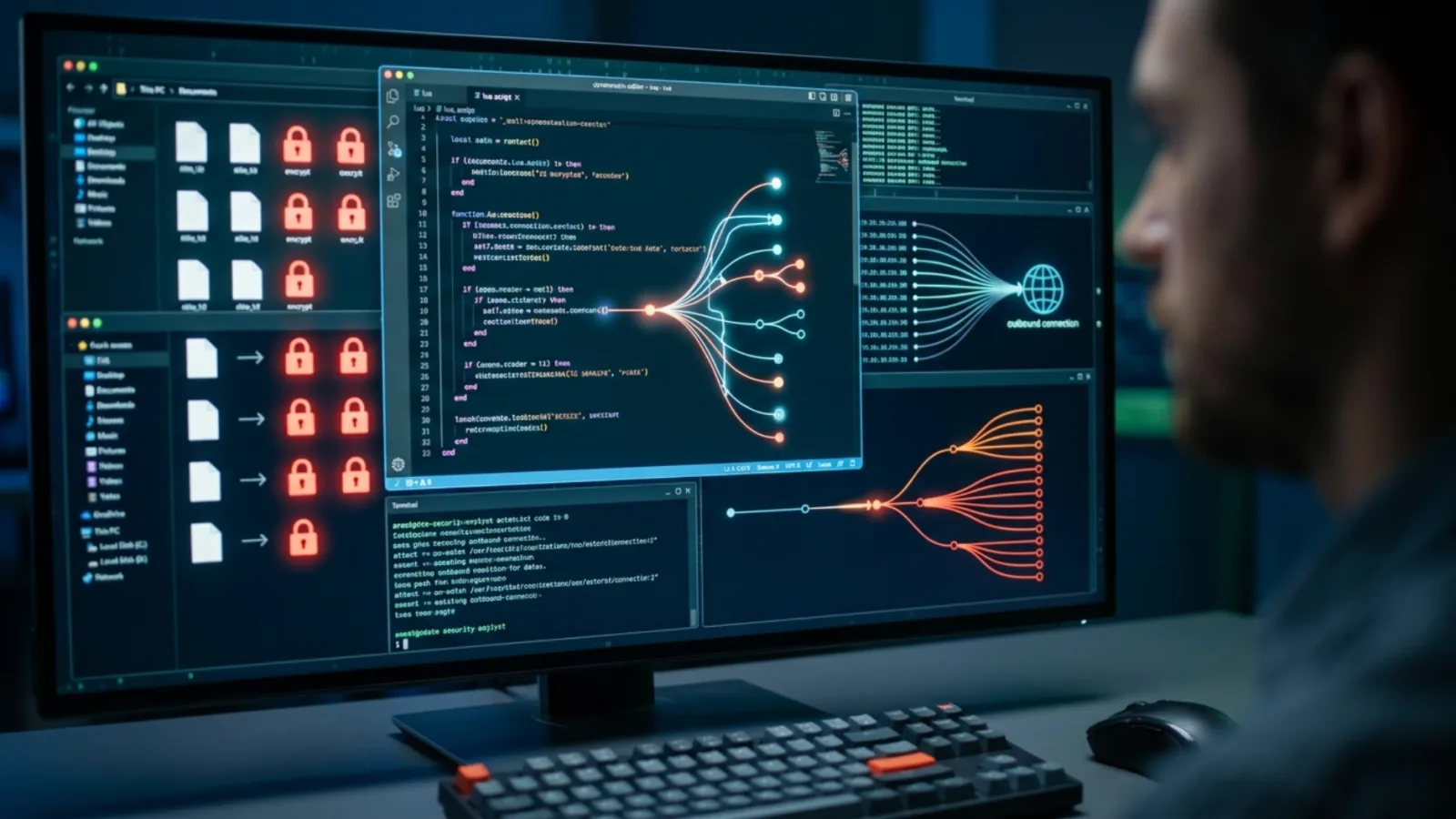
PromptLock drew attention because it showed that ransomware could use an LLM to dynamically generate parts of the attack process.
According to ESET's report, PromptLock accesses an AI model running locally through the Ollama API and generates Lua scripts during execution. The generated scripts could be used for enumerating files, inspecting data, exfiltrating information, encryption and more.
Splunk's analysis also describes the PromptLock PoC sending prompts to the Ollama API to generate and validate Lua code. The observed tasks included collecting system information, gathering files, uploading files, deletion and code validation.
What matters here is that not all of the malicious behavior is built in as fixed code in advance.
When some of the behavior is generated at runtime, each attack may behave slightly differently. For defenders, this is a factor that makes detection and analysis harder.
PromptLock Should Be Seen as a Warning Sign, Not a Real-World Attack
We shouldn't stoke excessive fear about PromptLock.
ESET also explains that PromptLock appears to be a proof of concept or a work in progress rather than ransomware observed in real attacks.
In other words, looking at PromptLock and concluding that "AI ransomware is already running wild autonomously all over the world" isn't accurate.
But it isn't something to ignore either.
Attackers may move toward using AI to shorten the attack process, make detection harder and craft more personalized extortion. It's realistic to think of PromptLock as a sample that gave us an early glimpse of that future.
How It Differs from Traditional Ransomware
Traditional ransomware is serious enough. It's an attack that encrypts files, halts business and applies pressure through the threat of data leaks.
AI-driven ransomware may add "judgment," "adaptation" and "personalization" to that.
| Comparison | Traditional ransomware | AI-driven ransomware |
|---|---|---|
| Code behavior | Mainly pre-written routines | May generate scripts at runtime |
| Selecting target data | Broad encryption, or manual selection by the attacker | AI may infer value from file names and contents |
| Ransom note | Often template-like wording | Easier to tailor wording to the company and stolen data |
| Technical skill required of attackers | A certain level of expertise needed | AI assistance lowers some technical hurdles |
| Detection | Sometimes detectable through known patterns | Behavior changes and may be harder to track with signatures alone |
| Scalability | Depends on how much work the attacker puts in | Easier to scale through automated reconnaissance and writing |
| Psychological pressure | Centered on threats of encryption and data publication | Easier to apply personalized pressure based on what was stolen |
The big difference is that attacks may become more likely to "change to fit the environment."
Why 2026 Is a Turning Point

In 2026, AI is ceasing to be just a tool for writing phishing emails.
Google Threat Intelligence Group reported that in 2025 it identified code families that use LLMs during execution to dynamically change malware behavior. A direction is beginning to emerge in which AI is used to obfuscate code or generate malicious functions on the spot.
This suggests the operating model of cybercrime may change.
For attackers, AI doesn't completely replace human attackers. But it's more than enough of a tool to speed up reconnaissance, coding, writing, data analysis and preparing extortion.
Defenders need to look not only at "whether AI will attack everything automatically," but at "how much of the attackers' work will be shortened."
Five Ways AI Makes Ransomware More Dangerous
1. Faster reconnaissance
In a ransomware attack, attackers try to understand the environment in order to maximize the damage.
Which servers are important? Where are the shared folders? Where are the backups? Where are the customer data and financial documents? There's a stage of looking for this kind of information.
AI may speed up this checking work.
Summarizing directory structures, inferring purposes from file names, classifying data that looks important. When work like this is automated, attackers can get close to the information that gives them the most leverage in a short time.
2. Easier to choose which data to steal
Recent ransomware isn't just about encryption. Double extortion, where data is stolen and then the threat of publishing it is dangled, is widespread.
With AI involved, it becomes easier to find the information that would hurt a company most among the stolen data.
- Customer databases
- Contracts
- Financial documents
- Payroll and HR information
- Materials related to intellectual property
- API keys and tokens
- Highly confidential emails
The problem isn't just stealing large numbers of files, but that it becomes easier for attackers to understand which data will serve as bargaining chips.
3. Personalized ransom notes
Ransomware is a technical attack, but at the same time it's an attack that applies psychological pressure.
Many traditional ransom notes were close to a template: "We've encrypted your files. Pay and we'll decrypt them."
With AI, ransom notes may be tailored more closely to each company.
- Referring to stolen contracts or customer names
- Pointing to circumstances such as audits, listings or dealings with business partners
- Exploiting industry-specific regulations and reputational risks
- Tailoring the wording to executives or the relevant department
- Writing extortion messages in natural Japanese
Messages like these feel very heavy to the victim company, because the attackers appear to understand its circumstances.
4. Behavior that's harder to pin down
With traditional malware, you could analyze the code, identify characteristic strings and behaviors, and write detection rules.
Of course, attackers have also used obfuscation and evasion techniques, but even so, detection based on known patterns is effective in many situations.
With AI-driven malware, some scripts may be generated at runtime.
If a slightly different script is used in each attack, it becomes harder to track with fixed signatures alone.
As a result, going forward there will be a growing need to look not only at detecting individual files but at behaviors such as:
- Enumerating and reading large numbers of files in a short time
- Running script engines that aren't normally used
- Suspicious access to AI frameworks or local LLM APIs
- Large-scale file changes before and after encryption
- Unusual data transfers to external destinations
- Attempts to delete backups or logs
5. More people able to take part in attacks
An easily overlooked effect of AI is that it widens the pool of attackers.
It isn't only sophisticated ransomware groups that are a threat. With AI, even inexperienced attackers can get help writing code, fixing errors, drafting phishing emails and organizing stolen data.
AI doesn't turn attackers into experts overnight.
But it may bring people who previously lacked the technical ability close enough to attempt attacks. For companies, this is a big problem in the sense that the number of attacks increases.
What Happens If You're Hit by AI-Driven Ransomware?

If we assume AI-driven ransomware, the flow of an attack may become more precise than before.
First, attackers try to get in through phishing, stolen credentials, unpatched vulnerabilities, remote access appliances, the software supply chain and so on.
After getting in, AI-powered tools examine the environment and look for files that seem important, databases, backups, credentials and core business systems.
They may then exfiltrate the important data, encrypt it and write a ransom note tailored to the company.
The company suffers impacts such as:
- Business systems going down
- Customer data leaking
- The risk of contracts and confidential documents being published
- Lost sales opportunities
- Dealing with legal matters, regulators and personal information protection requirements
- Explaining the situation to business partners and customers
- Higher recovery and investigation costs
- Long-term damage to trust
If traditional ransomware is "an attack that encrypts files to stop you," AI-driven ransomware moves closer to "an attack that applies pressure after understanding what's inside the company."
Why Traditional Defenses Alone Aren't Enough
Many companies have built their security measures on assumptions such as:
- Malware behaves like malware
- Phishing emails have something unnatural about them
- Ransomware can be detected through known patterns
- Vulnerabilities can be fixed in order after they're disclosed
- With detection tools in place, attacks can be stopped in the initial response
AI gradually erodes these assumptions.
Phishing emails become natural, scripts change at runtime, and attackers quickly understand the data they've stolen and apply pressure tailored to each company.
That doesn't mean EDR, SIEM, email security, vulnerability assessments and log monitoring become unnecessary. If anything, they're needed more.
But rather than simply deploying each one on its own and calling it done, you need defense in depth that combines prevention, detection, containment and recovery.
Measures Companies Should Revisit in 2026
1. Protect identities first
Stolen credentials remain a very large risk as an entry point for ransomware.
The more natural AI makes phishing, the more dangerous it becomes to rely on passwords alone.
- Make multi-factor authentication mandatory for administrator accounts
- Apply MFA to VPNs, cloud, email and development environments as well
- Delete unnecessary accounts
- Reduce shared accounts
- Audit the usage history of privileged accounts
- Move toward granting privileges only when they're needed
What matters is a design in which a single stolen password doesn't spread across the entire organization.
2. Protect backups from attackers
Backups are important for ransomware defense. But having backups doesn't mean you can rest easy.
If attackers can delete or encrypt the backups too, you lose your means of recovery.
- Prepare offline or immutable backups
- Separate backup accounts from regular administrators
- Run recovery tests regularly
- Set recovery priorities for each critical system
- Monitor for backup deletion and mass changes
It's important to check not only "whether backups are being taken" but also "whether they can be deleted" and "whether you can restore from them."
3. Monitor for suspicious use of AI and scripts
In the PromptLock style of thinking, local LLMs, AI APIs, script generation and runtime code generation could be used in attacks.
So going forward, AI-related usage will also come into the scope of monitoring.
- Use of local LLM environments such as Ollama
- Unexpected access to AI APIs
- Suspicious execution of PowerShell, Python, Lua and so on
- Access to large numbers of files in a short time
- Encryption, compression or deletion that differs from normal
- Suspicious file transfers to external destinations
There's no need to see the use of AI itself as bad. But AI tools and script execution that aren't expected in the course of business need to be made visible.
4. Train on the assumption of AI-generated phishing
Traditional phishing training has tended to focus on spotting "unnatural Japanese," "suspicious links" and "unknown senders."
In the age of AI, that alone isn't enough.
Training needs to assume that emails written in natural Japanese, appearing to come from real business partners or relating to real internal work, will arrive.
- Emails posing as invoice confirmations
- Emails posing as contract reviews
- Emails posing as re-authentication for the internal portal
- Emails posing as cloud service notifications
- Emails posing as urgent requests from a manager or executive
There's a limit to simply asking employees to "always see through them." You should also put in place procedures they can use to verify when in doubt, an easy channel for reporting, and a design in which stolen credentials don't easily spread.
5. Protect the software supply chain
Ransomware's entry points aren't limited to email and VPNs.
Development environments can also become entry points through poisoned packages, compromised developer accounts, CI/CD secrets, or leaked keys and tokens.
- Take inventory of dependency packages
- Remove unnecessary dependencies
- Restrict the sources packages are pulled from
- Minimize the permissions of CI/CD tokens
- Reduce long-lived secrets
- Make sure logs and operation history for build environments can be reviewed
- Use SBOMs to keep track of the components in use
The development workflow is an attractive route for attackers too. You need to consider the possibility of attacks slipping into the development processes you trust.
6. Don't let your incident response plan stay on paper
If you start thinking about ransomware response after it happens, you're already behind.
Who makes the initial decisions? Which systems do you shut down? Who handles external communication? In what order do you restore from backups? When, and what, do you tell customers and business partners?
This flow needs to be decided in normal times.
- Appoint a person responsible for the initial response
- Set up a contact tree
- Decide when legal, PR and senior management get involved
- Test backup recovery procedures
- Organize who to consult among outside experts, the police and relevant authorities
- Run tabletop exercises regularly
With AI-driven attacks, the attackers may move faster. The first few hours of the response can make a big difference to the extent of the damage.
AI Is Both a Defensive Tool and an Offensive Tool

AI can be used to strengthen security.
It can help summarize logs, triage alerts, find signs of attack and work out how to respond. For understaffed teams, AI is a very reassuring presence.
But attackers use the same technology.
Generating code. Fixing scripts. Analyzing stolen data. Writing extortion messages for each company. Changing malware behavior. Defenders should take uses like these as a given.
Rather than thinking "we're safe because we've adopted AI," you need to look at "where would our company start to crumble if attackers used AI?"
If Attacks Get Smarter, Strengthen Your Defense Through Structure
PromptLock and Ransomware 3.0 are important signs for thinking about where ransomware is heading.
PromptLock itself is considered closer to a proof of concept than ransomware widely used in real attacks. It's better not to overestimate it.
But the possibility that AI will advance ransomware's reconnaissance, data selection, script generation and personalization of ransom notes should be viewed realistically.
Ransomware in the future may go beyond simply encrypting files, moving toward understanding a company's important data, increasing psychological pressure and slipping past detection.
What defenders can do isn't limited to always running faster than the attackers. Strengthen identities. Protect backups. Narrow down privileges. Know your externally exposed assets. Protect development environments. Make suspicious use of AI and scripts visible. Train for the initial response.
Each of these is unglamorous on its own, but together they create an environment that's hard for attackers to get into, hard to spread through and hard to apply pressure in.
Ransomware defense in the age of AI isn't just about deploying AI tools. It's important to take another look at your own defenses on the assumption that attackers are using AI too.