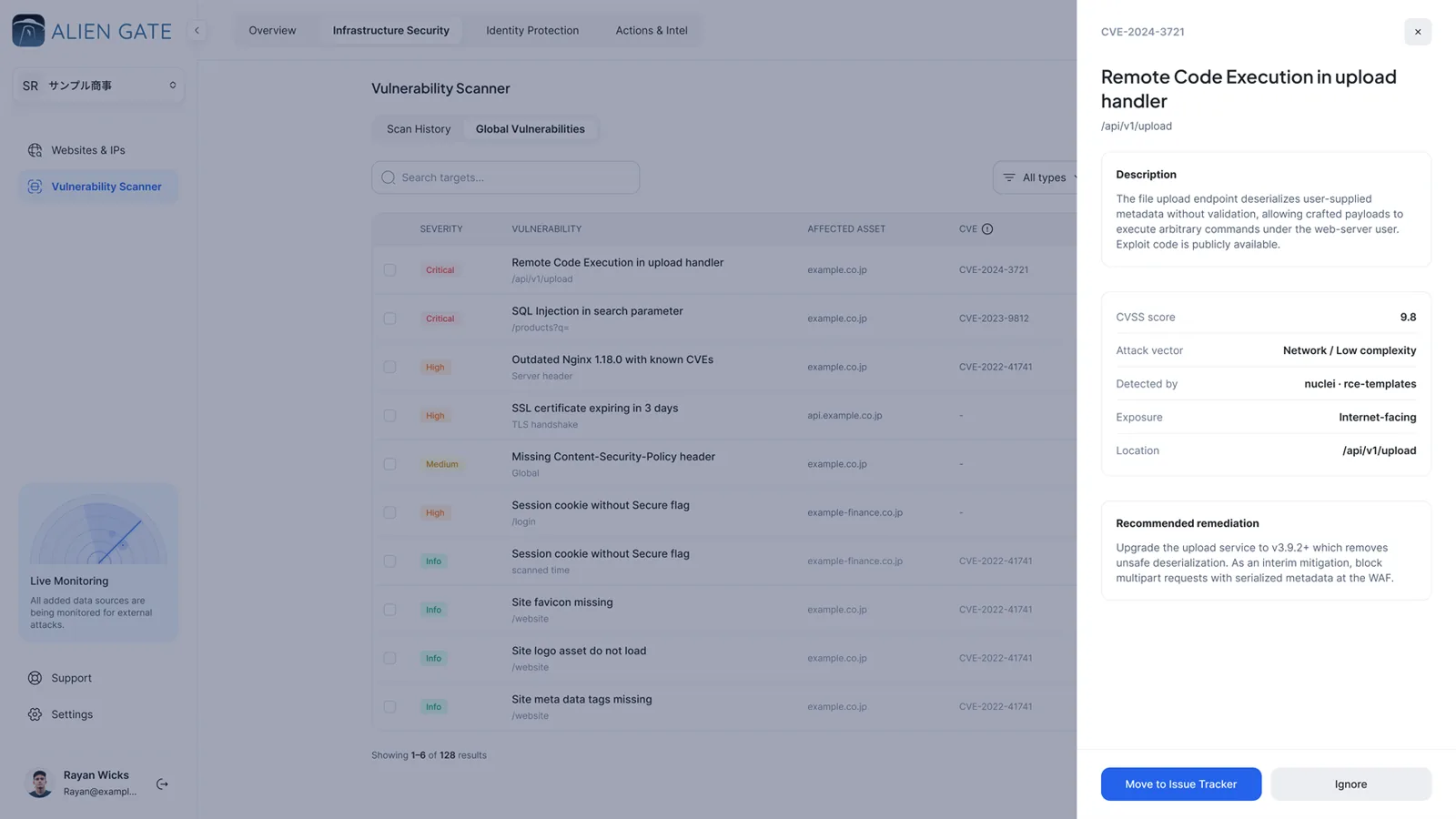


[ Vulnerability Scanning ]
Point it at your perimeter. Get the CVEs before they do.
Eight scanning engines run across every domain, subdomain and IP you own: network, web application, SSL/TLS, WordPress, cloud, Kubernetes, website recon and subdomain discovery. Pick a ready-made profile or compose your own. The console tells you the cost in minutes before a single packet leaves.
8
Scanning engines
CVSS 3.1
Risk analysis on every finding
Retest
Fixes verified by re-scan
EN · JA
PDF report per scan
[ Engines ]
Eight engines, one console
Quick Perimeter Scan and Full Web Application Audit are ready-made. Custom lets you pick engines one by one, grouped as web and network, platform scanners and reconnaissance.
Engine
What it checks
Typical run
Network Scan
Open ports, running services and versions, known CVEs on exposed infrastructure
~15 min
Web Application Scan
Injection, XSS, file inclusion, broken authentication, security headers and misconfiguration, with or without a login
~30 min
SSL/TLS Analysis
Protocol versions, cipher strength, certificate trust and expiry
~10 min
WordPress Scan
Core, plugin and theme vulnerabilities, user enumeration, exposed files
~20 min
Cloud Scan
AWS, Azure and Google Cloud misconfigurations, public buckets, exposed metadata
~15 min
Kubernetes Scan
Exposed API servers and dashboards, cluster misconfigurations
~20 min
Website Recon
Technology fingerprinting: servers, frameworks, libraries and their versions
~20 min
Subdomain Finder
Discovers hostnames under your domains and adds the untracked ones to the asset inventory
~15 min
[ Evidence and risk ]
Every finding with the proof and the fix
A finding is only useful when an engineer can reproduce it and a manager can rank it. Each one carries both.

Captured request and response
The exact HTTP exchange that triggered the finding, with a Replay button to send it again from your browser.
01 · EVIDENCE

CVSS 3.1 risk analysis
The metric breakdown behind the score, and a plain-language explanation that stays inside the severity the scanner assigned.
02 · RISK

Authenticated scans
Login form, cookies or headers, checked with a headless browser before the scan runs. Credentials are encrypted and discarded after use.
03 · AUTH

AI remediation steps
Ask for a step-by-step fix written for the specific finding, when you want one. Steps are a checklist, not a gate.
04 · REMEDIATION
[ Issue Tracker ]
A finding nobody owns is not a finding
Every record can carry an owner, a due date and a status, and the evidence travels with it when you push it outward.
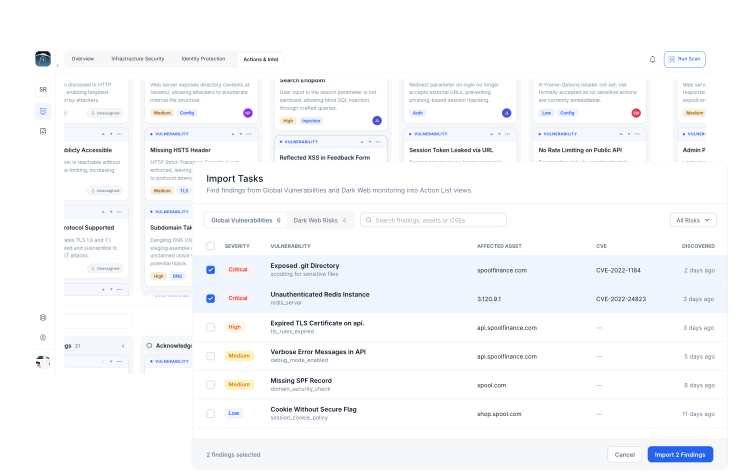


Kanban board
Worked where it was found
Drag a ticket from acknowledged to in progress to fixed. Won't-fix is a recorded decision, not a deletion.
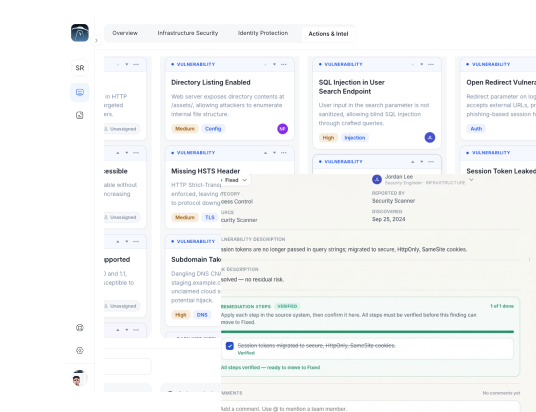


Open a ticket
One click from finding to ticket
Assign an owner and a due date. The source, malware family and confidence grade come with it.
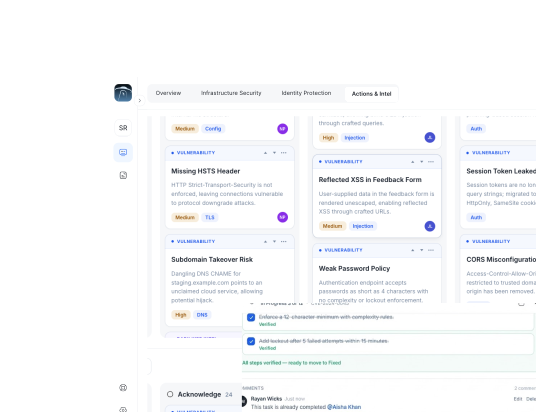


Audit trail
The compliance artifact
Every state change timestamped and attributed, exportable when someone asks for proof.
[ Workflow ]
Scan, fix, re-scan, prove it
The loop every finding goes through. FixTrail, the remediation timeline, shows where each one sits, per website and server.

Scope and launch
Pick the targets and the engines. The console shows the estimated minutes, the scanner IPs to allow-list and the authentication state before you start.
01 · SCAN
Triage and assign
Findings land graded with CVSS and CVE ids. Move the ones that matter to the Issue Tracker, ignore the ones that don't, delete the noise.
02 · TRIAGE
Fix with the evidence
The engineer gets the request, the response, the CVSS breakdown and, on request, AI-written remediation steps.
03 · FIX

Re-scan and verify
Run the same scan again. What the scanner no longer sees is marked Fixed and Verified by retest, with the time to fix recorded.
04 · VERIFY
[ Severity ]
What to fix first, and what can wait
Severity follows CVSS 3.1. The report groups findings the same way, so the board and the engineers read the same list.
9.0 – 10.0 · 7.0 – 8.9
Critical and High
Direct exploit opportunities with strong evidence: injection, remote code execution, privilege escalation, data exposure. Immediate containment and a patch.

4.0 – 6.9
Medium
Weak controls that amplify an attack chain: missing cookie flags, outdated libraries, weak TLS. Short-cycle fixes with an owner.
0.1 – 3.9 · Info
Low and Informational
Hardening and hygiene: security headers, server banners, exposed files. Planned backlog items that lift the posture over time.
[ Faq ]
Frequently asked questions
Common rollout and operating questions from security and engineering teams.
Find out what's already out there. It takes about forty seconds.
Run a free exposure check on your domain, then scan it. If the scan comes back clean, you've lost half an hour. If it doesn't, you've found out before someone else did.


