![How to Check Whether Your Data Is on the Dark Web: Four Free Tools and What to Do If You've Been Leaked [2026]](/images/blog/how-to-check-dark-web-leaks/cover.en.webp)
"I want to know whether my email address or phone number has leaked somewhere." "I got a notification saying 'your information was detected on the dark web' and now I'm worried." When that happens, the important thing isn't to click a suspicious link in a panic, but to first verify the facts in a reliable way. In fact, today even ordinary users have leak-check options they can start using for free. And even if a leak turns up, that doesn't mean damage is a done deal at that moment. As long as you get the first response right, you can prevent secondary damage in most cases.
Note that Google's "dark web report," which used to be widely used, ended on February 16, 2026. New scans stopped on January 15, 2026, so you now need to check another way. In this article, from the perspective of CyberCrew's white-hat hackers, we sort out the leak-check options available today and lay out, in practical terms, what to do if your data has leaked.
This article covers three things:
- What to use now that Google's dark web report has been retired
- Four recommended leak-check tools you can start using for free
- What to do, and in what order, if your data has leaked
CyberCrew offers dark web monitoring tailored to your needs, from one-off spot investigations to regular monthly monitoring. Because our own white-hat hackers handle it, we can start an investigation as early as the same day and respond flexibly to urgent "we need to check right now" cases. Feel free to start with a free consultation.
Google's Dark Web Report Was Retired in February 2026
The first thing to understand is that Google's dark web report is no longer a current way to check. As of 2023, Google was promoting the dark web report as a feature that could monitor personal information such as your name, address, email address and phone number, but the feature has since ended. You can no longer check for dark web leaks on a Google dashboard the way you used to.
Two features that are easy to confuse with it are Google's "Results about you" and "Password Checkup." The former finds your address, phone number, email address and so on in Google Search results and helps you request their removal. The latter checks whether any passwords saved in your Google Account or Chrome are weak or have already been leaked.
Both are useful, but neither is a substitute for dark web monitoring itself. In other words, what Google can do now is "manage personal information in search results" and "check the safety of saved passwords," which is a different role from the old dark web report.
So what should you use now that it's gone? At this point the realistic options are these four: ALIENGATE, Norton, Have I Been Pwned (HIBP) and Trend Micro ID Protection. Which one suits you depends on whether you want to check once on the spot or keep watch continuously, but at the very least you're not in a position where "Google is gone, so there's no way to check anymore."
What Is the Dark Web, and What Happens When Your Personal Information Leaks?
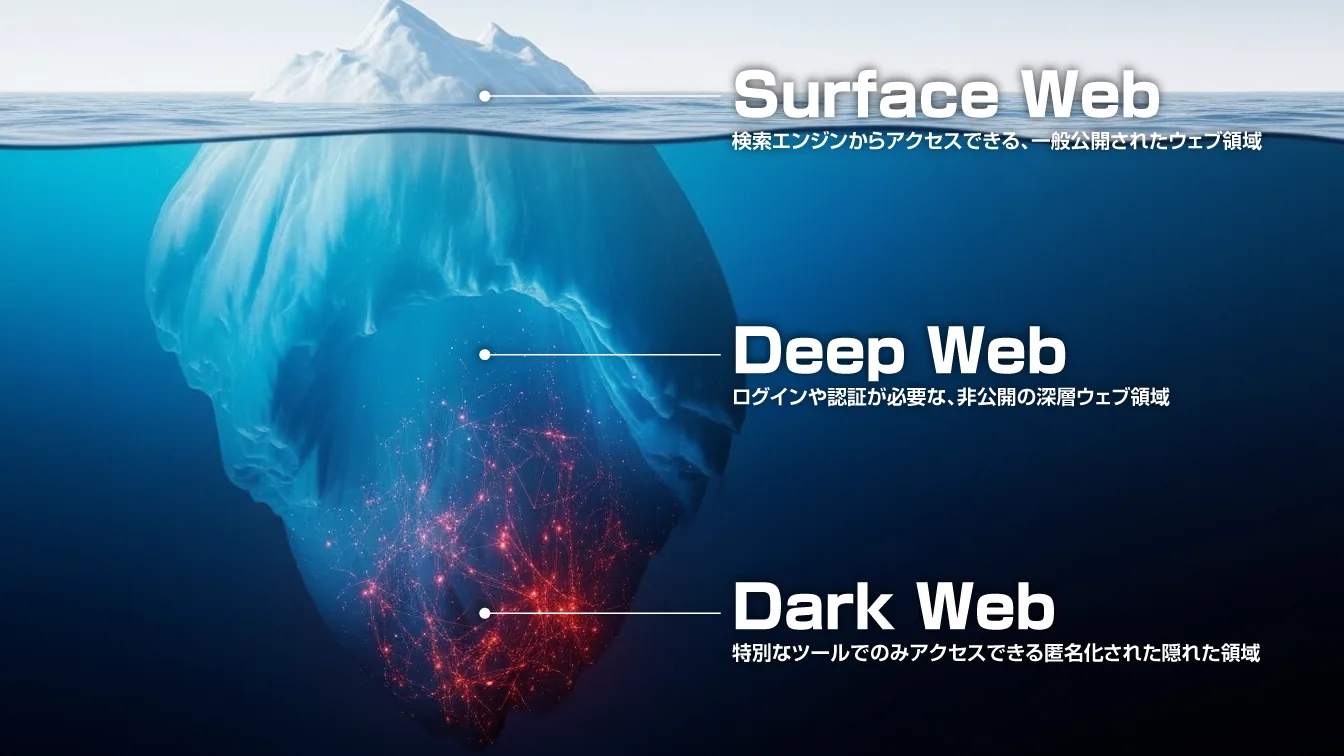
This section covers the basics. If you just want to know how to check, feel free to skip ahead to "Four Recommended Tools."
What is the dark web?
The dark web is a part of the internet that ordinary search engines can't find and regular browsers can't open directly. It includes sites built on anonymizing systems such as Tor, and because it's hard to see from the outside, it's sometimes used as a breeding ground for illegal trading and fraud.
Of course, the dark web itself isn't 100% illegal, but as a place where leaked credentials and personal information are traded, it's a monitoring target that security practitioners can't ignore. Even if you've never accessed it yourself, information leaked from a service you used can end up there.
What harm can a personal information leak cause?
Leaked information can be used for credit card fraud, impersonation, more convincing phishing scams and account takeovers. The FTC also notes that if a third party uses your name, address, card information or bank account information, it can lead to financial loss and misuse of your identity.
The most dangerous cases are not an email address on its own, but several pieces of information circulating together, such as email address + password or name + phone number + address. That said, finding a leak doesn't mean you've been harmed. If you change passwords and set up multi-factor authentication early, you can prevent a great deal of damage.
The main causes of personal information leaks
Broadly speaking, there are two causes of personal information leaks.
The first is a breach on the service provider's side, which you can't fully prevent yourself. A company, e-commerce site or membership service you use is hit by hacking or ransomware, and member information leaks from there.
The second is phishing and password reuse. Entering your details on a fake site, or credentials leaked from one service working as-is on another, are still extremely common patterns. In other words, this isn't a topic where "as long as I'm careful, I'll definitely be fine." That's exactly why regular leak checks make sense.
[2026 Edition] Four Recommended Tools for Checking Dark Web Leaks
Now for the practical part. We introduce four tools, taking into account both how easy they are to start using for free and how far they let you dig. We recommend trying one first, then layering on a second or third check if needed.
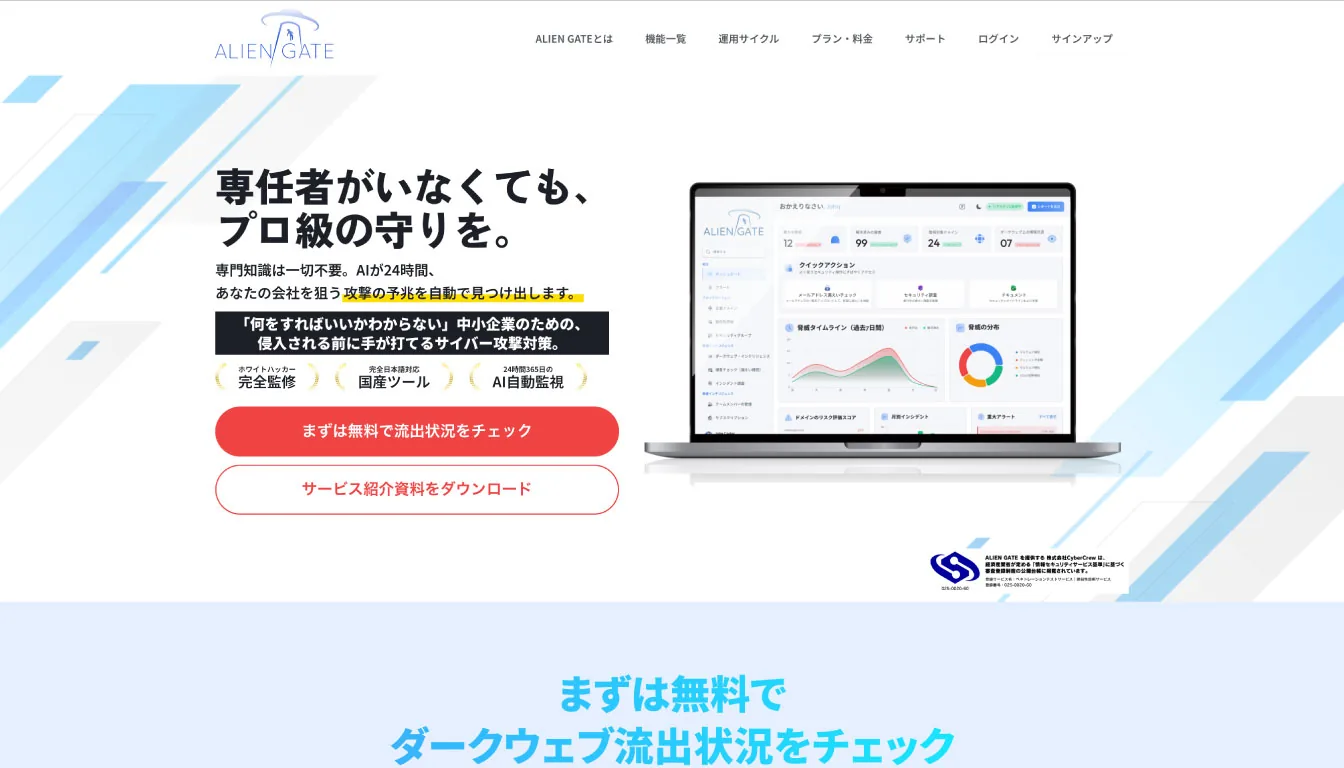
① ALIENGATE: a free quick check, with detailed review available when you need it
If you're looking for a dark web leak-check tool, ALIENGATE is the first one we'd like you to know about. On the official website, you can run a quick leak check on the spot just by entering an email address. It's easy to use for anyone who wants to quickly confirm "is my information out there?", and the design makes it easy to adopt both for personal checks and as a first step for companies trying it out. The official site also says "start by checking your exposure for free," making it clear that the quick email address check is the entry point.
On the other hand, what you can use for free is mainly the quick check. ALIENGATE lets you start on the Free plan and then expand step by step into its core features: leak monitoring, external asset management, vulnerability assessment, and investigation and response management. In other words, it meets the need to "find out for free whether there's a leak," but if you're looking at checking leaked information in more detail, continuous monitoring or operating at the organization level, a paid plan is assumed. Because this line is clearly drawn, it's easy to picture what you can do and how far once you start using it.
ALIENGATE's strength is that it doesn't stop at checking whether there's a leak. The official site describes "external asset management," which continuously monitors externally exposed assets such as public domains, subdomains and ports; "leak monitoring," which detects leaked information on the dark web and in public sources; "vulnerability assessment" covering web, network and cloud; and "investigation and response management," which centralizes response procedures, history and evidence. Vulnerability assessment is designed to go beyond detection to present recommended actions, re-verify through rescans and provide remediation guides, so it's easy to check at the moments you need to, such as after a fix or before a release. The big difference with ALIENGATE is that it's not a one-off quick-check tool; it makes it easy to carry through to what you do after finding something.
② Norton's free email address leak check
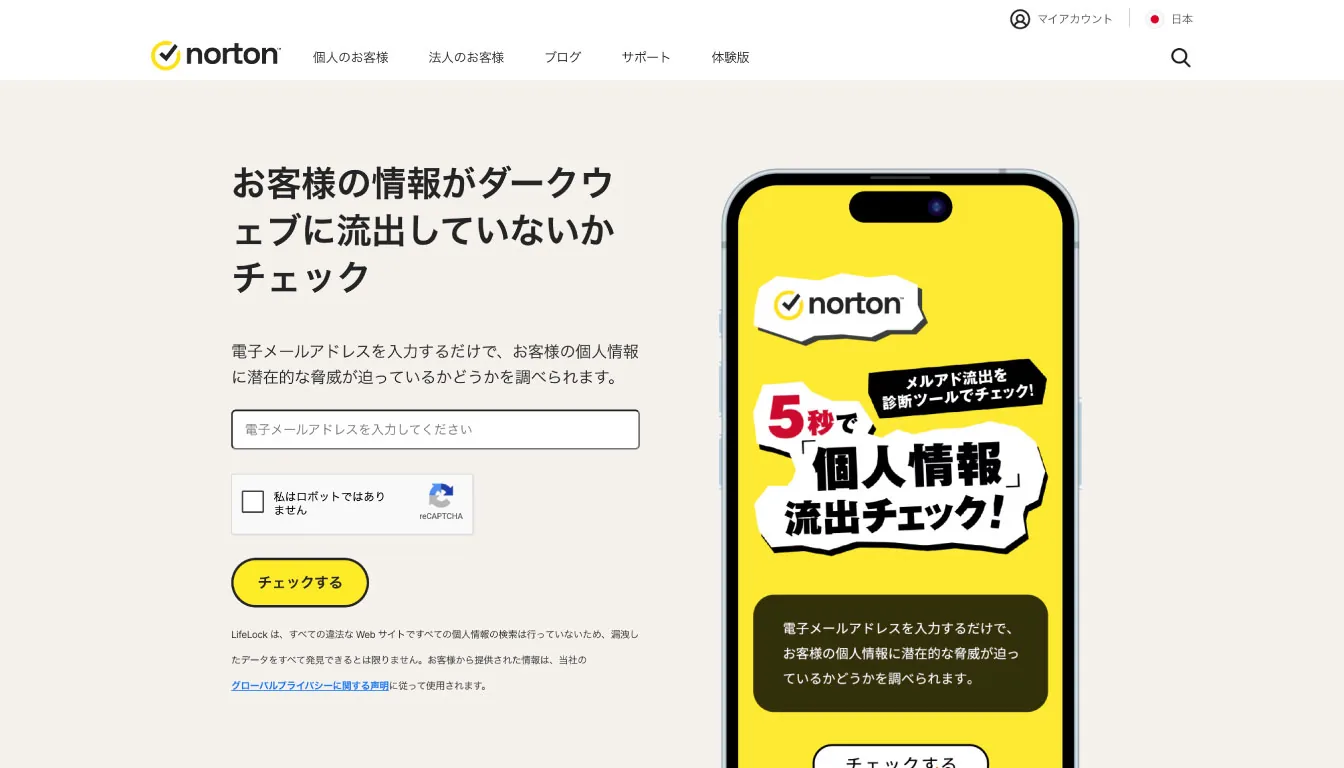
Norton's free check is simply very easy. The official page, titled "Check whether your information has leaked to the dark web," lets you check just by entering an email address. When you run the check through reCAPTCHA, it shows the number of leaks and the most recent leak date if any are found, and says so clearly if none are. There's no sign-up and you can check instantly, so it's a very convenient starting point for people who "just want to check one address first."
Reading the results isn't hard either. If a leak is found, move on to dealing with it; if not, take it as some reassurance for now. That's enough. However, Norton's page also states clearly that it may not find all leaked data. In other words, it's more accurate to read "nothing detected" not as "absolutely safe," but as "no major signs were found, at least within what Norton knows about." A realistic approach is to do a quick check with Norton first and, if you're still concerned, double-check with another tool such as HIBP.
Norton excels as an entry point for people who want to check right now. Because its focus isn't organization-level monitoring or post-leak operations management, it's hard to get lost in, and its appeal is that ordinary users can try it easily. It's especially well suited as a first step for people who "suddenly got worried after seeing the news" or who "received a notification and first want to confirm whether there really is a leak."
③ Check with Have I Been Pwned (HIBP)
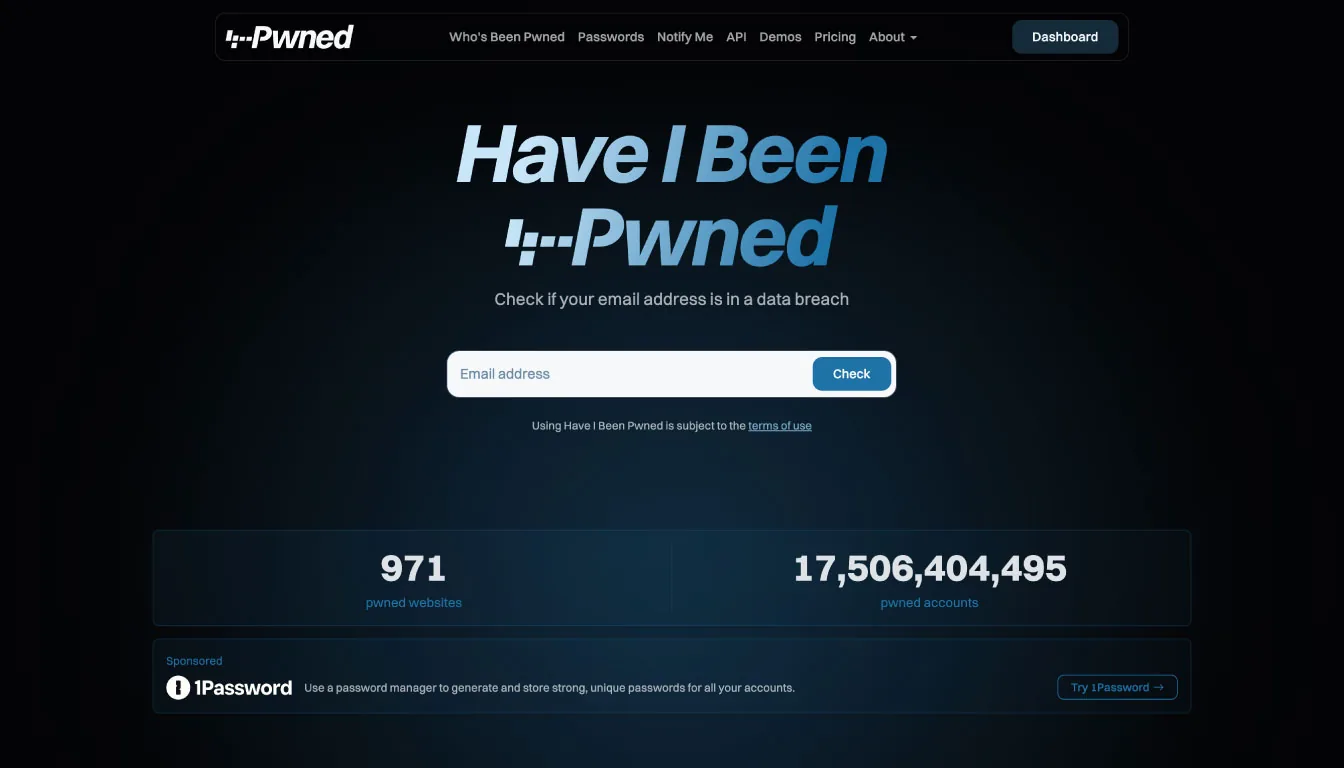
The go-to place to check in the security industry is Have I Been Pwned (HIBP). It's an English-language site, but using it is very simple: just enter your email address in the search box on the home page. On the results screen it shows "Good news — no pwnage found!" if nothing is found and "Oh no — pwned!" if something is, and you can trace which breaches the email address was included in. HIBP's big strength is that it doesn't just tell you "leaked or not leaked"; it makes it easy to see which service the leak came from.
Part of why this tool is so trusted is that it lets you check based on facts without stoking excessive fear. Its operator, Troy Hunt, explained at the launch of HIBP 2.0 that he is mindful of "not being a place to scare people, but providing facts and information that lead to concrete action." It's a good match for ordinary users who want to check the situation calmly without getting too emotional.
One thing to note: since HIBP 2.0 in May 2025, phone number search and username search on the website have been discontinued. It's more natural to think of the current web version as primarily an email address checking tool. It's very strong for checking email address leaks, but if you also want to check phone numbers, you'll need to combine it with another option such as Trend Micro.
④ Trend Micro ID Protection
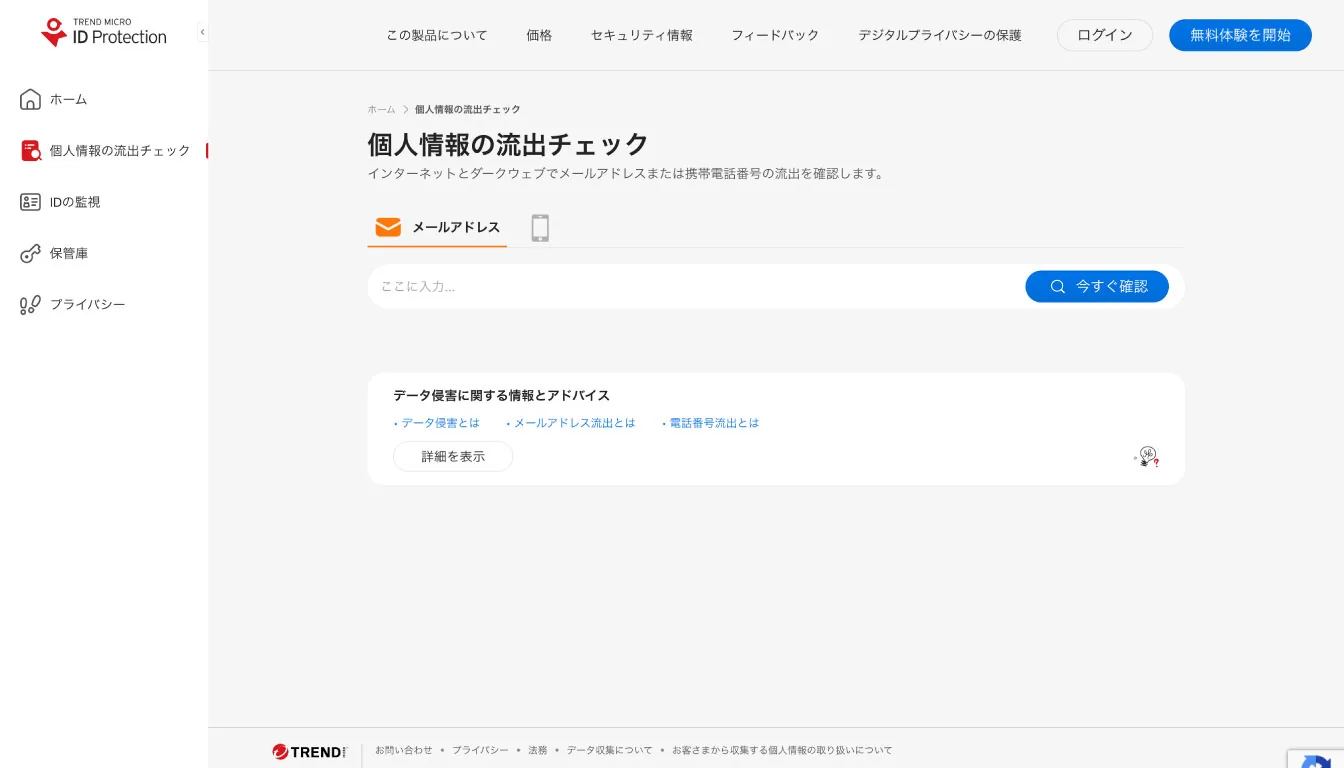
Trend Micro's ID Protection is also a strong option. Its official "personal information leak check" says it can check whether your email address and phone number have leaked to the internet and the dark web. It can be used for a one-off check, and it also guides you through what to do next, so it's easy to understand "how to act after something is found" at the same time.
In addition, ID Protection's "personal information monitoring" feature lets you register several kinds of personal information for monitoring, including email addresses, phone numbers, credit card numbers, bank account numbers, driver's license numbers and passport numbers. Its strength is that it doesn't end with a free quick check; it has room to grow for people who want to keep watch continuously. If you just want a quick look at an email address, Norton or HIBP is enough, but for people who want to manage phone numbers and card information too, this type of service is a better fit.
Trend Micro also explains that its leak check matches personal information using hash values, showing a design that pays attention not just to "finding" but also to how the data is handled. If you think of it as HIBP for one-off checks, Norton for convenience, ALIENGATE for moving smoothly from a quick check to full-scale operation, and Trend Micro for expanding into continuous monitoring, it becomes easier to see which option suits you.
With CyberCrew's dark web monitoring, white-hat hackers review even the "truly dangerous information" that tools can't catch, and we cover everything from spot investigations to regular monitoring. If you feel you've hit the limits of checking in-house, it's more practical to judge not by "can we search for it?" but by "can we build a setup that doesn't miss anything?"
[By Result] What to Do Whether or Not Your Data Leaked
What the result means depends on what you do after you get it. Especially if you're anxious after receiving a notification, stay calm and work through these steps in order.
If the result is "no leak found": don't stop at feeling relieved
"No leak found" is certainly not a bad result. But strictly speaking, it means nothing was found within the leaked data that particular service knows about. No tool fully covers every piece of leaked information in the world. So you should treat it as reassurance, not as complete proof of safety.
At this point, there are three things you should do:
- Don't reuse passwords. IPA advises using long, complex passwords and avoiding reuse.
- Turn on multi-factor authentication. What matters is making sure a leaked ID and password alone aren't enough to get in.
- Make a habit of checking regularly. Leaks happen not only because of your own actions, but also because of incidents at the services you use.
If the result is "leak found": a priority checklist of what to do now
If a leak is found, respond in the following order.
- Scan your device first
If your credentials were stolen through phishing or a malicious app, failing to check the device first risks having your new password stolen again. Microsoft explains how to start a scan with Defender if you suspect an infection. - Change the password for the affected service
If you know where the leak came from, change that one first. Changing to a long password you don't reuse matters more than churning out short, complex ones. - Change it on every other service where you used the same password
Attackers try credentials leaked from one place on other sites. Stopping that spread is the top priority for preventing actual harm. - Turn on multi-factor authentication
Even if someone knows your password, additional authentication blocks most unauthorized logins. Google and IPA also emphasize multi-factor authentication as a measure to prevent recurrence after a leak. - Check your credit card and payment statements
If card information is involved, check your statements and contact your card company early. Some cases start with small fraudulent charges. - Take additional steps depending on the type of information leaked
The response differs slightly for email, phone numbers, addresses and card information. Use the quick guide below.
Additional steps by type of leaked information
Email address
First change the password for the email account itself and set up multi-factor authentication, then check that forwarding settings and recovery addresses haven't been altered. Because email is the reset channel for other services, it's the information you should protect first.
Password
List every service where you used the same string and change them all. Using a feature like Google Password Checkup makes it easier to see the risky spots among your saved passwords.
Phone number
Watch out for SMS phishing and attempts to trick you out of verification codes. Never open URLs in SMS messages, and never share verification codes you receive with anyone by phone or message.
Credit card
Check your statements and contact your card company right away if you see any charges you don't recognize. Depending on the situation, the card may need to be stopped or reissued.
Address
An address alone doesn't immediately lead to an account takeover, but combined with your name and phone number it makes scams more convincing. If your address appears in Google Search results, you can consider requesting removal through "Results about you."
[If You Received a Notification] Is "Your Information Was Detected on the Dark Web" Real or a Scam?

If you searched for this after receiving such a notification, this is probably what you most want to know. The short answer: it can be genuine, but it's safer not to judge by appearance alone.
How to tell a genuine notification from a scam (phishing) notification
The first thing to check is the sender's domain. Norton publishes a list of its legitimate domains on an official page for checking whether an email is genuine. If you receive a suspicious email, it advises you not to click links in the email and to forward it, with attachments, to spam@norton.com. Trend Micro also states that its legitimate emails are sent from the @trendmicro.com domain, so be careful if a public email service or an odd contact address is mixed in.
The next important thing is not to click links in the email directly. If you're curious about a URL, you can check it in advance with Google's Safe Browsing site status, but the safer approach is to go to the official website or app yourself from the start. Google itself advises that if you receive a compromised-password notification, you should go directly to Password Checkup to confirm it's genuine rather than following the link in the notification. If an email claims to be a "new alert from Google's dark web report," be especially cautious, given that the service itself has ended.
What to do if it's genuine
Once you've confirmed the notification is genuine, there's nothing extra to do. Just follow "If the result is 'leak found': a priority checklist of what to do now" above. Notifications are scary, but being able to act the moment something is found is far better than leaving it unaddressed without knowing. The top priorities are checking your device, changing passwords, eliminating reuse and enabling multi-factor authentication.
Dark Web Monitoring Backed by CyberCrew's White-Hat Hackers
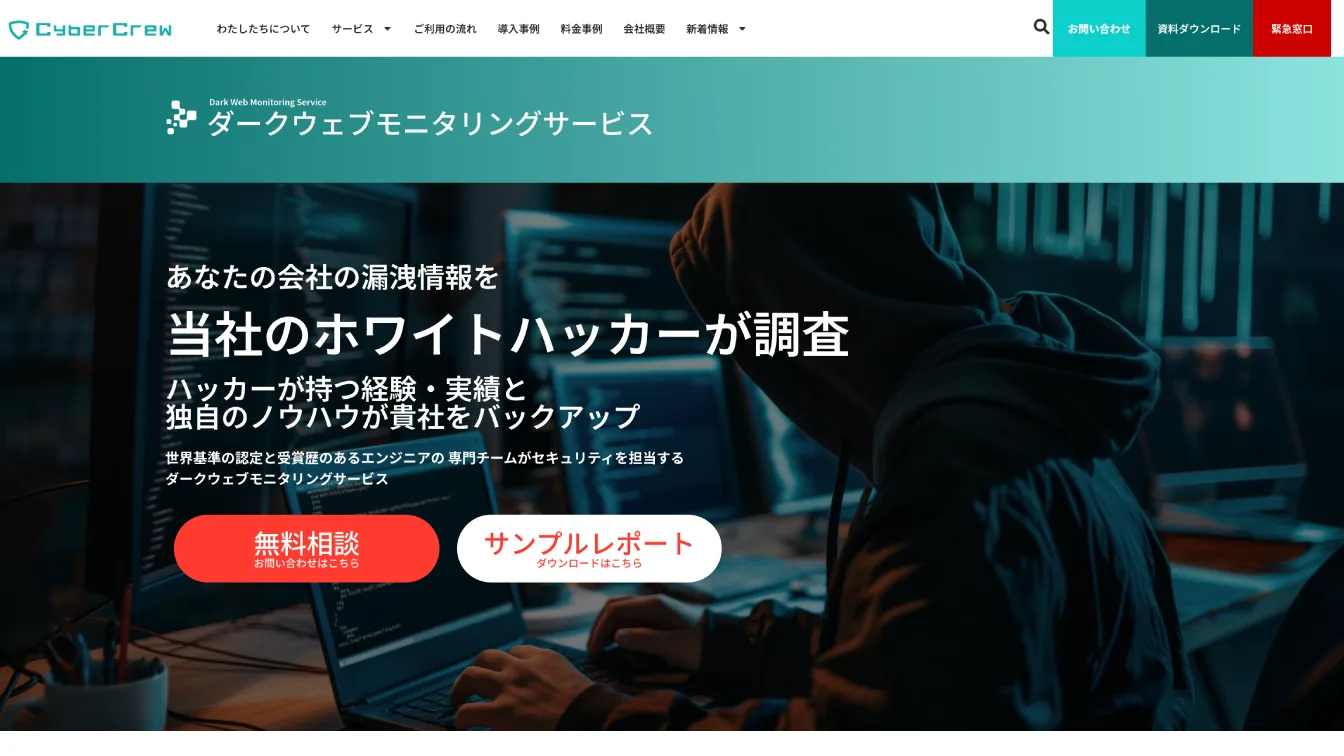
The tools introduced so far are very useful for individuals checking their own email addresses and phone numbers. For companies, though, what you need to watch changes. The problem isn't just a single individual's leak, but leaked credentials tied to your company domain, externally exposed assets, vulnerabilities, and combinations of information that attackers can easily use as a foothold. Free tools for individuals can't show you that big picture.
At CyberCrew, we draw on white-hat hacker expertise to help organizations monitor and understand these risks. In particular, ALIENGATE is designed to handle not only leak monitoring but also external asset management, vulnerability assessment, and investigation and response management in a single flow. For companies that want to go beyond "is there a leak?" and address "what do we stop if there is one?" and "where will the next entry point be?", this kind of approach fits real-world operations better.
If a quick personal check still leaves you uneasy, or if you're a company that wants to monitor at the level of your own domain, it's time to talk to CyberCrew.
Frequently Asked Questions (FAQ)
Q. What Google feature can I use to check whether my information has leaked to the dark web?
Google's dark web report has now ended. What you can use on Google today are "Results about you" and "Password Checkup," but they serve a different role from the old dark web report. If you want to check for leaks, the realistic choice is to use ALIENGATE, Norton, HIBP and similar tools.
Q. How can I check for dark web leaks on my smartphone?
You can check using just your smartphone's browser. ALIENGATE's official website and Norton's free check page let you run a quick check on the spot just by entering an email address. Many options work without an app, so starting there is perfectly fine.
Q. What happens if my information leaks to the dark web?
The risk of misuse and fraud goes up. Typical examples are credit card fraud, phishing and account takeovers. However, if you change passwords and set up multi-factor authentication as soon as a leak is found, you can prevent a great deal of damage.
Q. Can I look up a phone number on Have I Been Pwned?
On the current website, phone number search is basically not available. Phone number and username search were removed with HIBP 2.0 in 2025. If you also want to check phone numbers, it's better to combine it with another option such as Trend Micro or ALIENGATE.
Q. Are Norton's dark web detection notifications genuine?
They may be genuine, but always check the sender's domain. Norton publishes a list of its legitimate domains and advises forwarding suspicious emails to spam@norton.com. It's safest to check by going directly to the official website rather than through a link in the email.
Q. Is Google's dark web report really gone?
Yes, it's gone. It ended on February 16, 2026. The "Results about you" and "Password Checkup" features Google currently offers are useful, but they aren't a direct replacement for the old dark web report.
Q. Which free site is the most reliable for checking whether my personal information has leaked?
For checking email addresses only, HIBP and Norton are the standard choices. In addition, ALIENGATE's strength is that it's easy to get into through a free quick check and easy to carry forward into monitoring and deeper investigation. For one-off checks, Norton or HIBP; if you also want a continuous view, ALIENGATE and Trend Micro are also candidates.
Summary: Leak Checking Isn't "Do It Once and Done" but an Ongoing Measure

Finally, let's sum up just three key points.
First, Google's dark web report can no longer be used. To check for leaks now, you need another option such as ALIENGATE, Norton, HIBP or Trend Micro.
Second, finding a leak isn't the end of the road. If you carry through with a device scan, password changes, eliminating reuse and multi-factor authentication, you can greatly limit secondary damage.
Third, a quick personal check and continuous corporate monitoring are different things. If you just want to know right now whether there's a leak, free tools are enough, but if you want to see leaked information and the warning signs of an attack at the organization level, a continuous service like ALIENGATE is better suited to real-world operations. What's more, ALIENGATE is designed so that you can start with a free quick check, while full-scale investigation and continuous monitoring are clearly separated into paid plans, which makes it easy to choose how to use it.
What you should do today isn't difficult.
Check one email address with ALIENGATE, Norton or HIBP. From there, your next steps will become much clearer.
CyberCrew offers dark web monitoring tailored to your needs, from one-off spot investigations to regular monthly monitoring. Because our own white-hat hackers handle it, we can start an investigation as early as the same day and respond flexibly to urgent "we need to check right now" cases. Feel free to start with a free consultation.