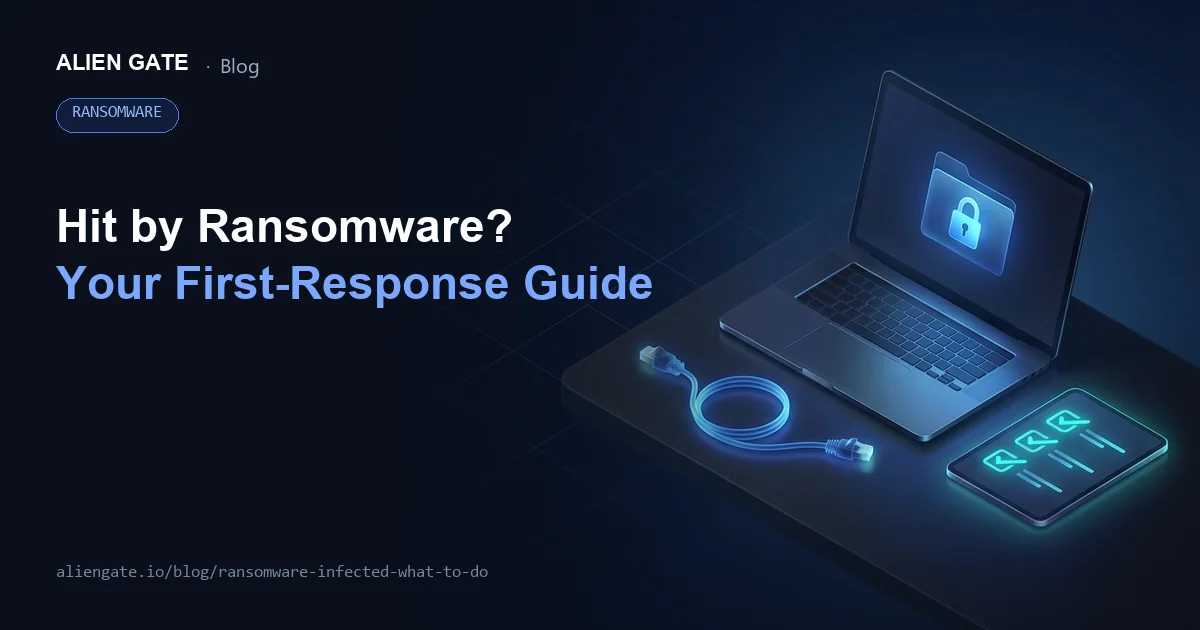
"We've been hit by ransomware... it's over." The moment you feel that way is exactly when your actions in the first few minutes decide how much damage you take. The bottom line: there are only three things you need to do first.
- Cut the network connection (stop the spread)
- Don't restart or power off (preserve evidence and your chances of recovery)
- Don't pay the ransom (no guarantee of recovery, risk of repeat attacks, added exposure)
After that, the next steps (who to report to, how to investigate, how to approach recovery) differ significantly between businesses and individuals.
In this article we lay out, from a practitioner's point of view, emergency first response, mistakes you must not make, how to tell whether it's really ransomware, the response flow for businesses, what individuals should do (including finding free decryption tools), and concrete steps to prevent a repeat.
Ransomware defense is all about preparation. At CyberCrew, our white-hat hackers verify how attackers could actually break in through vulnerability assessments and penetration testing, so you can put the right security measures in place. We also take emergency response inquiries, so please get in touch.
[Emergency] Three Things to Do Right Now If You're Hit by Ransomware
Even if you've just discovered a ransomware infection and are in a panic, do these three things first.
Recovery, root-cause investigation and internal reporting can come afterward. Securing "containment" and "evidence preservation" in the first few minutes is the shortest path to minimizing damage.
The more you click around in a hurry, the worse things tend to get. If you're unsure how to respond, contact CyberCrew's emergency response desk for a free consultation right away, before the damage gets worse.
① Disconnect from the network immediately
The top priority is to stop lateral movement (the spread to other devices and servers).
Ransomware rarely stops at one machine; it can use shared folders and administrator privileges as stepping stones to spread across the entire organization.
- Wired LAN: Unplug the LAN cable (keep the cable as it is)
- Wi-Fi: Turn off the device's Wi-Fi (airplane mode if possible)
- On VPN: Disconnect the VPN (and check VPN use on other devices at the same time)
- Shared storage: Cut off access to NAS and file servers (disconnect shares, change ACLs, isolate the network)
Pay particular attention to backups. If your backups sit on the same network and are writable, the backups themselves can get encrypted.
Isolate the backup storage first and cut off your "last line of defense" from the network.
② Don't power off or restart
"If it's not working, restart it" is normally a golden rule, but with ransomware it can backfire. There are two main reasons.
- Risk of encryption resuming or speeding up: A restart can relaunch malicious tasks and widen the damage.
- Risk of losing evidence: Logs, traces in memory and running processes needed for the investigation can be lost, making root-cause analysis and recovery harder.
The National Police Agency (NPA) advisory also explicitly says "do not turn off the power" on affected devices.
Keep the device in its current state and focus on photographing the screen (the ransom screen, changed file extensions, error messages) and preserving the ransom note files.
③ Never pay the ransom
Paying the ransom can look like the "quickest way out" when you're under pressure, but the reality is different.
- No guarantee of recovery: Paying doesn't mean you'll get everything back. A Sophos survey reported that only 8% of organizations that paid recovered all of their data.
- Further demands and repeat attacks: The moment you pay, you're marked as "an organization that pays," making you a likely target for additional demands and re-intrusion.
- Social and legal risk: The recipient could be a sanctioned party, among other things, so sending money on your own judgment is dangerous (you must work with legal, the police and specialists).
Make sure you properly understand how to decide on a ransom demand.
The question of "whether to pay" should only be considered after containment and evidence preservation are done, and it must involve management, legal and external communications.
For the recovery process after first response, see the article below.
How to Recover from a Ransomware Attack (2026): Costs, Timelines and Success Rates
What You Must Never Do After a Ransomware Infection
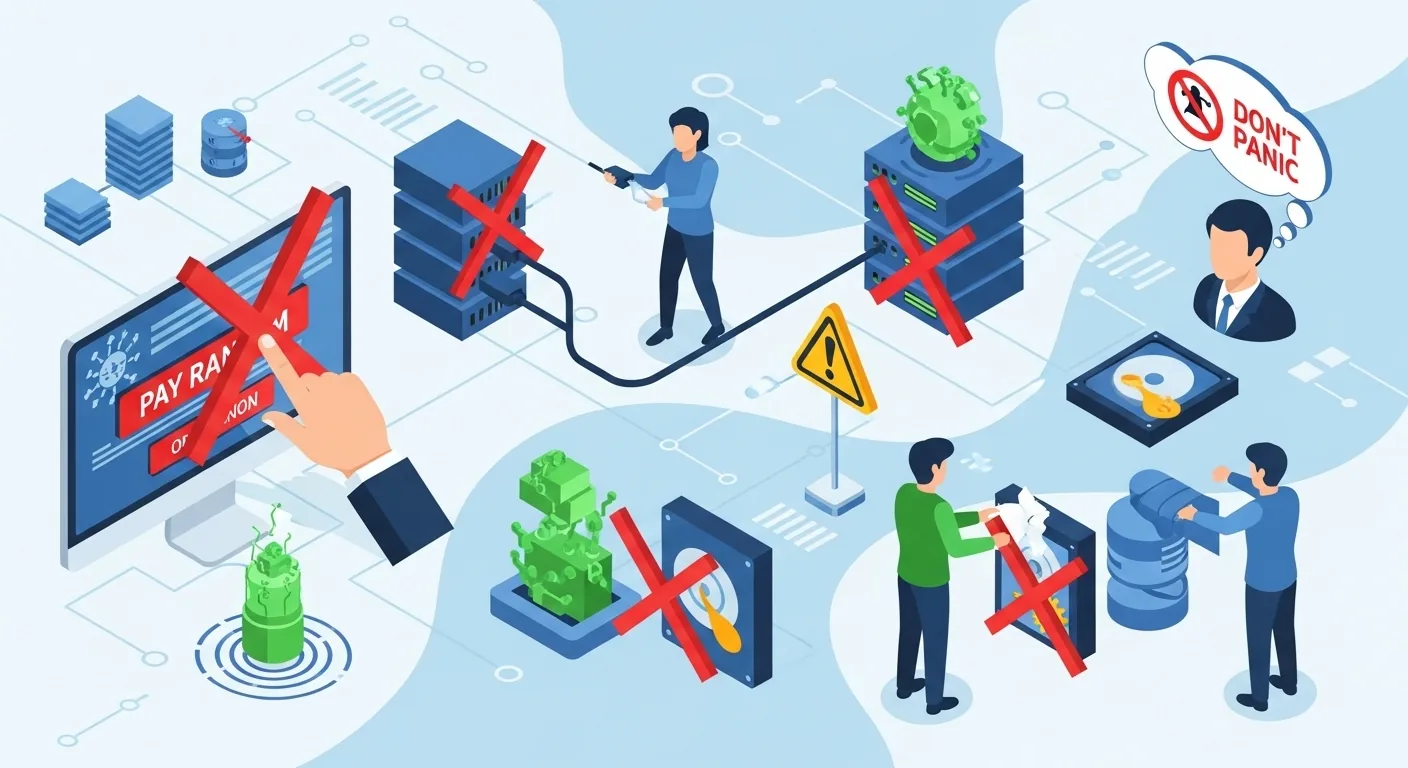
Taking the "wrong action" in the first response not only lowers your chances of recovery, it can rapidly widen the scope of the damage.
The more you do in a hurry, the more evidence you lose and the more complicated recovery becomes. Below are the mistakes we commonly see in real incidents.
Restarting or shutting down the infected device
Restarting or cutting power can resume encryption and destroy evidence.
It's not unusual to hear "files I could still open were all unreadable after the restart."
Be careful: the logs and ransom notes that are clues to recovery are easily lost. When in doubt, don't touch it. The right first move is to keep the power on and cut only the network.
Paying the ransom in a panic
You pay and get nothing back, or only part of it, and then another demand arrives. That is the typical pattern.
Even if you receive a decryption key, the process may be incomplete and corrupt data, or recovery may take extra time and money. Paying also funds the attackers and makes you complicit in a system that spreads the damage. On top of that, you're more likely to be targeted again as "an organization that pays."
Taking a backup after infection
"Let's back everything up now, just in case" is dangerous. Encrypted files and malware-related files get backed up too, and can overwrite your healthy backups.
Saving to a shared folder or NAS can also spread the damage to other devices. Backups are something you prepare "in advance." After an infection, isolate and investigate first.
Trying to remove the malware yourself
Removing malware with off-the-shelf tools or deleting files risks erasing information needed for recovery (the ransom note, execution traces, clues to the intrusion route).
When a forensic investigation is needed, this can amount to destroying evidence.
Isolating or deleting things on your own judgment delays identifying the cause and leaves the risk of re-intrusion.
The order is: "stop the bleeding (disconnect)" → "preserve" → "investigate."
Hiding the infection and not reporting it
For a business, this is the worst possible path. The longer reporting is delayed, the harder it becomes to deal with the spread, data leakage and external communications.
In addition, if a leak of personal data is suspected, you may be required to report to the Personal Information Protection Commission (PPC) and notify the affected individuals.
"It's awkward to tell anyone internally" creates the most expensive situation of all. Sharing early is an advantage both for minimizing damage and for accountability.
[Checklist] Is This Ransomware? Five Symptoms That Confirm an Infection
To tell whether this is really ransomware or a fake warning screen (a tech support scam), start by checking the following symptoms.
Getting it wrong can lead to unnecessary actions or an unnecessary payment. IPA (Information-technology Promotion Agency, Japan) has also published guidance on the differences between the two and what to watch out for.
Symptom 1: A screen demanding a ransom appears
This is the most obvious sign. Typical examples:
- The desktop wallpaper changes to a threatening message
- A full-screen pop-up tells you to "pay"
- Text files such as "README" or "HOW_TO_DECRYPT" appear in folders (the ransom note)
*Note, however, that fake warnings in the browser (tech support scams) often "disappear when you close them," and try to get you to install remote-control software.
Symptom 2: Files won't open, or their extensions have changed
This is typical of encrypting ransomware.
- Extensions change to ".locked", ".encrypted", ".crypt" and so on
- Files won't open when clicked and show an error
- File names turn into random strings
In this case, the more you tamper with the files, the harder recovery can become. Don't copy or delete anything yet; preserve the current state.
Symptom 3: The PC becomes extremely slow
When encryption is running in the background, CPU and disk usage spike and the PC slows down.
However, updates or low disk space can cause similar symptoms, so judge it together with other signs. Don't conclude it's ransomware from slowness alone; also check for ransom notes and changed extensions.
Symptom 4: There are files or apps you don't recognize
Watch out for suspicious executables, shortcuts that suddenly appear and unfamiliar resident processes.
Limit yourself to "just looking" at Task Manager or the process list, and be careful about ending or deleting anything. If you accidentally destroy evidence, you may lose the clues needed to identify the cause and recover.
Symptom 5: Your security software has been disabled
Recent attacks often disable defenses after getting in and only then start encrypting.
If you see signs like "it stopped at some point" or "it won't update," suspect an infection.
Also check whether settings have changed on their own and whether there has been suspicious activity using administrator privileges.
[For Businesses] A Five-Step Response Flow for Ransomware Infections

Corporate incident response falls apart if you act on momentum. We recommend first setting up "overall traffic control" (who decides what, and who reports to whom).
Simply fixing the decision criteria and chain of command up front greatly reduces hesitation and rework in the first response. Here are five steps you can use on the ground.
STEP 1: Isolate infected devices and cut the network
- Identify affected devices (departments where support calls are concentrated, the same network segment, users of the same shared folders)
- Disconnect the devices from the network (unplug LAN cables, turn off Wi-Fi)
- Isolate shared folders, NAS and backup storage (stop the chain of encryption)
- If possible, cut off by segment ("stop the bleeding" within the minimum necessary scope)
NPA statistics also list VPN devices and similar equipment as ransomware intrusion routes, underlining the importance of disconnecting and inspecting them. Be especially alert to misuse of administrator accounts.
STEP 2: Assess the infection and determine the scope of damage
This investigation is for "designing the recovery." At a minimum, establish the following.
- The range of encrypted devices and servers
- Affected business operations (core systems, email, file servers, AD, etc.)
- Whether there is a ransom note, the file extensions, and other traces (clues to identifying the variant)
- The possibility of data leakage (signs of data theft / double extortion)
Don't conclude at this point that "we can probably recover." In many cases the attackers got in well before encryption, and recovering without closing the intrusion route leads to a repeat attack.
STEP 3: Report to internal departments and executives
What executives want are the facts known so far and the information needed for the next decision. Keep the report short and to the point.
Initial report template (example)
- What is happening: Suspected ransomware (encryption / ransom screen / business impact)
- Current containment status: Scope already disconnected, number of isolated devices, impact of business stoppage
- What is still unknown: Whether data was leaked, the intrusion route, the outlook for recovery
- Next moves: Investigation team (internal + external), who to report to and consult, recovery approach
- Immediate decision points: Whether to make a public announcement, switching to the BCP, arranging external support
We recommend bringing legal, PR and HR in as early as possible. If they join later, it tends to take longer to sort out "what to say and what not to say" externally.
STEP 4: Notify and consult external authorities
External contact points aren't only "for the criminal investigation." They're also valuable for information sharing, preventing recurrence and helping coordinate among the parties involved.
- National Police Agency / prefectural police cybercrime consultation desks: list of contact points
- IPA: Reporting and consultation desk for viruses, unauthorized access, etc.
- JPCERT/CC: Incident response request and reporting form
- If a leak of personal data is suspected: Report to the Personal Information Protection Commission and notify affected individuals (requirements apply)
*Filing a damage report may not be completed by phone or online form alone. Follow the guidance and consult the police station with jurisdiction. It goes more smoothly if you jot down the time of occurrence, the symptoms and the actions already taken before you call.
STEP 5: Consult specialists and carry out recovery
Recovery isn't just "decrypting." Recovery includes closing the intrusion route and preventing recurrence.
- Forensic investigation (intrusion route, lateral movement, whether data was exfiltrated)
- Recovery design (verifying backup integrity, the order in which priority operations are restored)
- Re-intrusion countermeasures (ID management, VPN/RDP, EDR, network segmentation, stronger monitoring)
In Japan, a high proportion of ransomware cases are reported to have recovery costs of "10 million yen or more" and recovery periods of "one week or more" (based on commentary on an NPA report).
[For Individuals] What to Do If Your Home PC Is Infected with Ransomware
Individuals have the advantage of not needing internal coordination, so it's easier to work through "what you can do right now" in order. Rather than doing a lot in a hurry, prioritize stopping the damage from spreading and keeping things as they are. Here are the steps one by one.
STEP 1: Disconnect from the internet
- Wired: Unplug the LAN cable
- Wi-Fi: Turn off the device's Wi-Fi (airplane mode if possible)
- Turning off the router is also an option, but disconnecting the device itself is enough at first (and it makes troubleshooting easier during recovery)
The goal is to "stop the bleeding" before the damage spreads to a home NAS, other PCs or smartphones. If shared folders or cloud sync are active, consider pausing sync as well.
STEP 2: Keep the current state without restarting
Even if you think "maybe a restart will fix it," avoid restarting for now.
A restart risks advancing the encryption or erasing evidence needed for investigation.
First cut the network and keep your actions to a minimum. Photographing the screen, the ransom note and the changed extensions with your smartphone will help later when troubleshooting and explaining the situation to whoever you consult.
STEP 3: Identify the type of ransomware
Knowing the variant increases the chance of finding a decryption tool. A well-known identification service is ID Ransomware.
Matching is basically done using the ransom note, the extensions of the encrypted files and the characteristics of the displayed message.
*Don't force yourself to upload files that may contain personal or confidential information. Follow the service's instructions, check with the minimum necessary sample, and if in doubt, it is safest to consult a specialist.
STEP 4: Look for a free decryption tool (No More Ransom)
The best-known source of decryption tools is the No More Ransom project.
It's an initiative that involves Europol, the European law enforcement agency, and it brings together published decryption tools and guides.
Steps (the safe way):
- First disconnect the network and avoid restarting
- Narrow down the variant with ID Ransomware or a similar service
- Look for a matching tool on No More Ransom
- Read the tool's notes and test decryption on copies (to avoid accidental overwrites)
*The numbers are updated over time, but according to official announcements (as of 2022), a large number of decryption tools have been published, covering multiple ransomware variants.
STEP 5: If you can't decrypt, reset the PC
If you can't find a decryption tool, a full recovery may be difficult. In that case there are two realistic options.
- If you have a backup: Reset the PC → return to a clean state and restore
- If you have no backup: Consult a data recovery company (no guarantee of success / can be expensive)
What matters is keeping at least a minimal record of "what happened" before resetting (the ransom note, the extensions, the screens shown). It also helps with preventing recurrence. If possible, recording the times and the actions you took in a separate note makes things easier to sort out.
Seven Ways to Avoid Ransomware Infection

The way to limit ransomware damage is twofold: prevention so you don't get infected, and advance preparation so that damage stays minimal even if you do.
What matters is building up measures you can start today, one at a time. Thorough updates, backups and stronger authentication pay off more than flashy initiatives.
① Regular backups (the 3-2-1 rule)
"We think we're backing up" isn't good enough. To make backups that will hold up in a recovery, start with the 3-2-1 rule.
- Keep 3 copies
- Spread them across 2 types of media (e.g., external drive + cloud)
- Keep 1 off-site / offline (disconnected from the network)
Against encrypting ransomware, what saves you in the end is an "untouched backup." Think of backup storage together with "minimal write permissions" and "generation management (keeping older versions)." If possible, run restore tests regularly as well.
② Keep your OS and software up to date
The entry point is surprisingly often a "known vulnerability."
Make automatic updates the default not just for the OS, but also for browsers, VPN clients, business software and remote tools. Devices whose updates have stalled or that have exceptions configured are the ones that tend to get targeted.
It's also important to regularly take inventory of any "devices that don't get updated" in your organization.
③ Install and update security software
In addition to antivirus, consider EDR (Endpoint Detection and Response) if possible. Today, the question is whether you can detect suspicious behavior after an intrusion (lateral movement, credential theft).
Ransomware in particular explores the network and seizes administrator privileges before encrypting, then spreads the damage all at once. The faster you detect and contain it, the smaller the outage and the lower the recovery cost. Even rolling it out in stages, starting with critical and administrator devices, is effective.
④ Don't open suspicious emails or links
Simply knowing "what to look for" in suspicious emails prevents much of the damage before it happens.
- Attachment extensions (.exe, .js, .iso, etc.)
- Something off about the sender (only the display name is right, the domain is different)
- Wording that rushes you (urgent, by end of day, account suspension, etc.)
A lot of damage can be prevented with "a single confirmation phone call." Making it an internal rule to verify through a different channel (phone, chat) whenever something looks suspicious keeps judgments consistent.
⑤ Introduce multi-factor authentication
It's essential especially for VPN, remote desktop and cloud admin consoles. Today, password-only defenses should be designed on the assumption that "they will be broken eventually."
Simply introducing multi-factor authentication greatly lowers the success rate of unauthorized logins. Also consider enforcing MFA on administrator accounts and conditional access (country and device restrictions), which makes lateral movement after an intrusion easier to prevent.
⑥ Update the firmware on VPN devices
Damage trends in Japan also show that VPN devices and remote desktop are common intrusion routes.
Attackers target known vulnerabilities and weak authentication, so be thorough: update firmware, change default passwords, close unnecessary ports and keep admin consoles private (or expose them with IP restrictions if necessary). MFA on administrator accounts and log monitoring are also effective.
⑦ Security training for employees
Finally, the most important element is people.
Just knowing "who to report to when something looks off," "don't touch the device, cut the network" and "take a screenshot" raises the quality of the first response a notch.
Rather than stopping at a once-a-year training session, continuing with short monthly reminders and simple drills makes it stick. Keeping contact details easy to find and creating an atmosphere where people can ask for help when in doubt also helps minimize damage.
We've summarized security software for preventing recurrence in the article below.
Best Ransomware Protection Software Compared (2026): A Guide for Individuals and Businesses
For Ransomware Defense and Recovery Support, Talk to CyberCrew First
When you're infected with ransomware, or when you're putting countermeasures in place, work on the ground often stalls because "there isn't enough information to decide," "opinions inside the company are split," or "the report to management has to come first."
That's exactly when an outside perspective helps. Bringing in a third party clarifies priorities and decision points and reduces rework in the first response.
At CyberCrew, we take a white-hat hacker's perspective, pull everything that needs doing, from emergency response to preventing recurrence, into a single plan, and work through the next move with you.
- Prioritizing the first response (so you never hesitate over the order: contain, preserve, investigate)
- Identifying the intrusion route and the scope of damage (assessing lateral movement and the possibility of data leakage)
- Recovery planning and preventing recurrence (backup verification, monitoring design, through to operational improvements)
Please also reach out if you want to turn "what to do first when infected with ransomware" into something you can explain internally. For the first consultation, just sorting out the situation is perfectly fine.
Frequently Asked Questions (FAQ)
We've gathered common questions. These Q&As cover the points people tend to struggle with right after an infection. Start with the item closest to your situation.
Q1. Can data be recovered after a ransomware infection?
Whether you can fully recover is almost entirely determined by "whether an untouched backup remains" and "which ransomware it is (whether a free decryption tool exists)."
First check whether a matching decryption tool has been published on No More Ransom, then calmly review your backup generations (how far back you can restore) and their isolation status (whether they were affected by the infection).
Q2. What happens if I've already restarted the infected PC?
A restart can set the encryption running again and widen the damage, or erase logs and execution traces needed for the investigation.
Even if you've already restarted, the important thing is not to start poking around in a panic.
First cut the network to stop things from getting worse, record the screens and the ransom note, and contact your internal help desk or a specialist as soon as possible.
Q3. Is paying the ransom a crime?
The risk of paying depends on the situation, but "pay and you'll definitely get it back" is not guaranteed.
On the contrary, there are cases where paying leads to further harm: you can't recover, you get more demands, or you get targeted again.
There's also a non-zero chance the recipient is linked to a sanctioned party, so deciding alone without working with legal, the police and specialists is dangerous. Public authorities also generally do not recommend paying.
Q4. How much does ransomware recovery cost?
It's hard to generalize, but materials published by the NPA show that a certain proportion of cases took "one week or more" to recover, and that investigation and recovery costs reached "10 million yen or more" in some cases.
That said, the amount varies widely depending on the range of operations that stopped (core systems, email, file servers, etc.), whether usable backups exist, and how far the investigation (forensics) goes.
Q5. Can personal PCs get ransomware too?
Yes, personal PCs can also be infected with ransomware.
There are several entry points: in addition to email attachments and suspicious downloads, there are cases where a fake "your computer is infected" warning on the web (a tech support scam) leads people to install remote-control software.
Even if such a message appears, don't rush to pay or call; first disconnect and check the situation.
Q6. Can smartphones and iPhones get ransomware?
The risk of ransomware, or damage close to it, is not zero on smartphones either.
On Android in particular, installing apps from "unofficial" sources such as third-party stores or sideloaded APKs increases the chance of picking up a malicious app.
iPhones are relatively safer, but damage can still occur through phishing that steals credentials or through malicious configuration profiles that let attackers snoop on traffic. The basics are: "use only the official store," "keep the OS and apps up to date" and "don't click suspicious links."
Q7. Who should I contact if I'm infected?
For businesses, start with the prefectural police cybercrime consultation desk, and also consider IPA's reporting and consultation desk as a point of contact for technical triage and information sharing, and JPCERT/CC's reporting form as needed.
Individuals can also use police consultation desks and IPA's security consultation desk. When you get in touch, a short note on "since when / what is happening / what you've already done" makes the guidance go more smoothly.
Q8. Are No More Ransom's decryption tools free?
Yes, they are free to use.
No More Ransom is an initiative run jointly by law enforcement agencies (police organizations and others) and security companies, and it brings together published decryption tools and instructions on how to use them.
Before jumping at a dubious "paid decryption service," we recommend checking here first for a matching tool.
Summary: Stay Calm If You're Hit by Ransomware
The moment you realize "we've been hit by ransomware," there are three principles to protect first. The more you click around in a panic, the more the damage spreads and the fewer recovery options you have. In the first few minutes, prioritize "stopping the bleeding" and "preserving evidence" above all.
- Cut the network (stop the spread)
- Don't restart or power off (preserve evidence and your chances of recovery)
- Don't pay the ransom (no guarantee / risk of further harm)
Once these three are covered, the next moves differ for businesses and individuals. For businesses, rather than acting on momentum, it's safest to work through the five steps "isolate → assess → report → notify → recover" without gaps (just deciding in advance who decides and who reports to whom reduces confusion).
For individuals, the realistic path is to identify the variant first and look for a possible decryption tool on sites such as No More Ransom.
Finally, we want to stress that what prevents the next incident is "the groundwork you lay in normal times." Untouched backups (generation management + isolation), OS and device updates, thorough MFA, checking VPN and remote access routes, and training and communication structures: these unglamorous basics are what protect your organization and data when it counts. When in doubt, don't carry it alone; consult early, gather the information you need to decide, and choose your next move calmly.
If you discover a ransomware infection, consult outside experts early and gather the information your organization needs to make decisions. The faster your first response, the more recovery options you'll have.