Ransomware is no longer a threat you can comfortably dismiss as something "only large companies get targeted by."
According to materials published by the National Police Agency (NPA), there were 116 reported ransomware incidents in the first half of 2025 (January to June), and the damage remains at a high level.
Start by getting a grasp of the basics of ransomware.
In addition, the "10 Major Information Security Threats" published every year by the IPA (Information-technology Promotion Agency, Japan) consistently lists ransomware as a major threat to organizations. Our impression on the ground is also that it is less a case of "the victims having some reason to be targeted" and more that attackers "come in wherever it is easiest," and as a result organizations of every size and type are being hit.
In this article, we explain the types of ransomware by attack method and present a list of 16 strains. Understanding what characteristics each attack has will help you take effective countermeasures.
What you will learn in this article
- Types of ransomware (five categories by attack method)
- 16 major strains (characteristics and example file extensions)
- How to identify a strain from its file extension and where to find decryption tools, for use when you are hit
- The latest trends for 2025–2026, and the countermeasures to prioritize now
Advance preparation is key to dealing with ransomware attacks, and vulnerability scanning and penetration testing are effective. CyberCrew has several white-hat hackers on staff who assess your risk with realistic tests that start from the points attackers actually target. Contact us for a free consultation.
What is ransomware?
Ransomware is a serious cyber threat that causes system outages and data leaks, targeting organizations such as companies, healthcare providers and local governments.
In recent years the scale of the damage has grown, and it is now recognized as a business risk that goes far beyond a simple "virus infection."
In this section, we lay out its definition, how it differs from other malware and what happens when you are infected, explaining in plain terms the basics you need to know in practice.
Definition and origin of the term
Ransomware is a combination of Ransom + Software, and generally refers to malware that "holds data or systems hostage and demands money in exchange for restoring them or keeping information private."
Looking back through history, the "AIDS Trojan (PC Cyborg), an attack delivered via floppy disks containing a virus," reported in 1989, is often cited as an early example. That said, the attacks of that era are not the same as today's threats.
Today's ransomware does not simply encrypt and stop there. A whole sequence, "break into the organization, move laterally and seize privileges, steal information, encrypt, and threaten to publish (the ransom demand)," has become highly refined.
As a result, the decisive difference is that cyberattacks now run as an industry, operated as a "business."
The difference between ransomware, malware and viruses
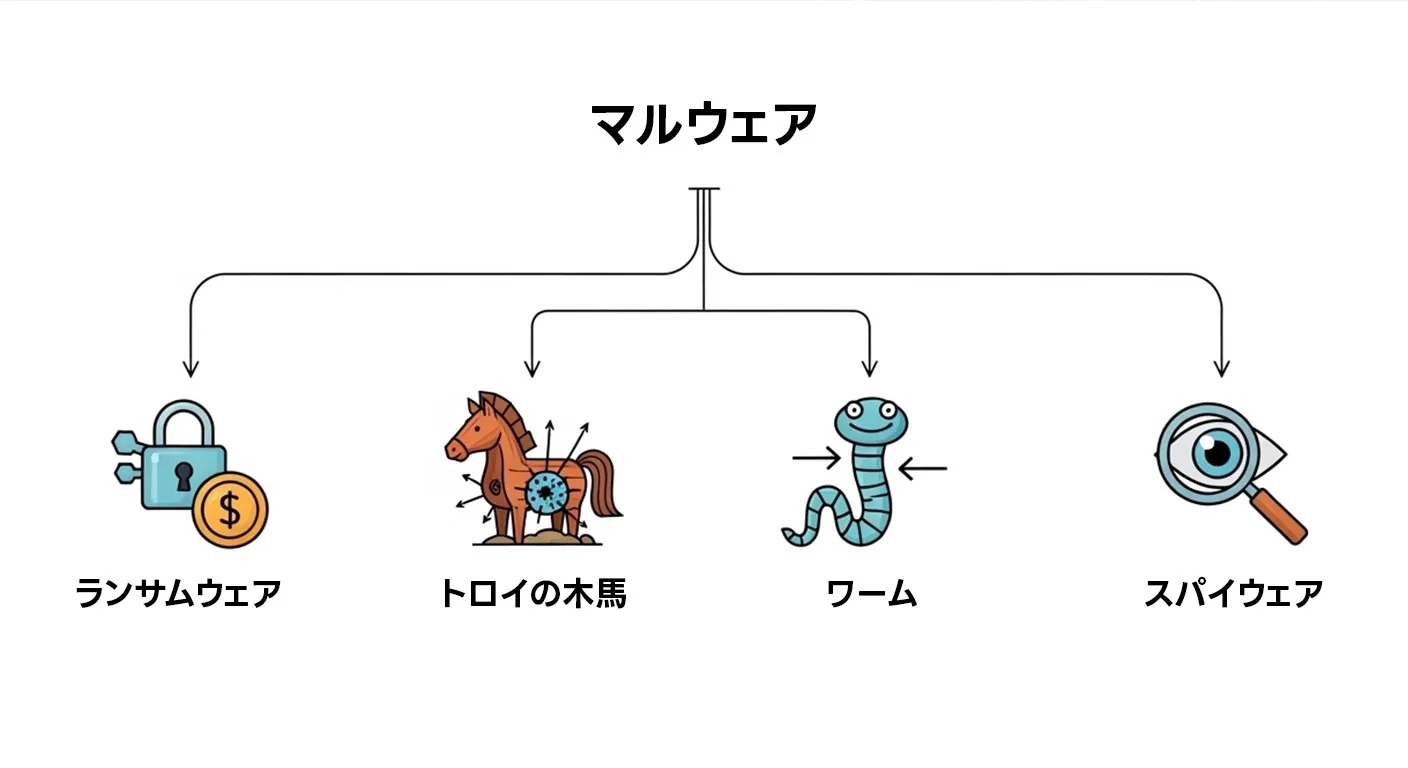
Because the terms are similar they are often confused, but ransomware is "one category within malware," and viruses, for their part, are "a type of malware that self-replicates."
- Malware: The umbrella term for malicious software (the highest-level concept)
- Ransomware: A type of malware, characterized by "ransom demands (extortion)"
- Virus: A type of malware that self-replicates (spreads infection) (*not all malware self-replicates)
The news sometimes lumps everything together as "infected with a virus," but in practice the countermeasures change depending on "what it is designed to do and how it behaves." For example, because ransomware centers on encryption and threats to publish information, blocking intrusion routes, designing backups and having a response plan that assumes data has leaked are important.
What happens when you are infected with ransomware?
When ransomware strikes, people on the ground often first notice something is wrong because "they can't work the way they normally do."
Typically, events like the following occur simultaneously.
- Files are encrypted and won't open / business applications stop working
Data on shared servers and endpoints becomes unusable, and functions such as ordering, accounting and production management grind to a halt. - A ransom demand (ransom note) appears on endpoints and servers
It specifies a deadline, a payment method (such as cryptocurrency) and a means of contact, putting psychological pressure on the victim. - (The recent mainstream) In addition to encryption, information is stolen and its publication is dangled as a threat
Even if you can recover from backups, the "leak risk" remains and has to be handled as a separate issue.
And what makes ransomware attacks so troublesome is that the impact does not stop at "IT going down."
If business disruption drags on, it can escalate into delivery delays to business partners and contractual problems, and if a data leak is involved, it brings damage to trust, accountability obligations and, in some cases, mandatory reports and notifications.
Furthermore, NPA materials also show that recovery involves forensic investigation, rebuilding and stronger monitoring, so costs and timelines tend to balloon.
Types of ransomware [five categories by attack method]
Ransomware tends to be discussed in terms of "famous names such as the ransomware group 'LockBit,'" but what you should grasp first on the ground is the attack method, which determines how the damage plays out.
Classifying by method lets you quickly judge "what will happen," "what to prioritize protecting" and "what you will need for recovery and external response." Here we organize them into five representative types.
[Comparison of the five categories (quick reference)]
| Category | Main method | Representative examples | Essence of the damage | Key defenses |
|---|---|---|---|---|
| Encryption | Encrypts files and demands payment in exchange for decryption | WannaCry, etc. | Business disruption | Entry-point defense + recovery design |
| Screen locker | Locks the screen so the device cannot be used | WinLocker, etc. | Device outage | Isolate and clean the device, privilege management |
| Leakware (double extortion) | Encryption + theft + threats to publish | REvil, etc. | Disruption + leak | Post-intrusion detection, exfiltration prevention, IR |
| Destructive (wiper) | Destroys or deletes data, making recovery difficult | NotPetya, etc. | Destruction | BCP, segmentation, recovery drills |
| Encryptionless ransom | Steals data and threatens to publish without encrypting | Increasing in recent years | Leak | DLP/monitoring, detecting external transfers, IR |
(1) Encryption ransomware (the most common type)
Of all ransomware, the most typical type, and the one whose damage is easiest to recognize, is encryption ransomware.
Attackers encrypt file servers, PCs, virtualization platforms (VM environments) and more within the organization to halt operations, then demand money in exchange for the decryption key.
This corresponds to the so-called "files won't open" or "all the shared folders are gone" situation.
- Representative examples: CryptoLocker, WannaCry, LockBit
In recent years, not only has encryption itself become faster, but there are also more cases in which deleting backups and destroying snapshots is carried out as part of the package to hinder recovery. Furthermore, when schemes such as public-key cryptography are used, as a rule, decryption is technically impossible unless you obtain the attacker's key (the decryption key).
Attackers play on the psychology of "maybe it will come back if we pay," but it is dangerous to assume in the first place that "the data will come back." That is exactly why the top priority is closing the holes before an intrusion (VPN/RDP, public-facing assets and so on), and the next most important thing is a backup design that lets you restore operations even after an attack.
(2) Screen-locker ransomware
Screen-locker ransomware forcibly locks a device's screen, leaving the user unable to operate it, and demands money.
Compared with encryption ransomware, where an entire file server is encrypted at once, there are many patterns in which the data itself is not encrypted (that is, the files remain), and the damage may stay confined to a single device (there are exceptions, of course, so don't let your guard down).
- Representative examples: WinLocker, Police Ransomware, etc.
With this type, the situation can sometimes be resolved using device-side recovery methods (booting in safe mode, isolating from the network, removing the malware, using restore points and so on).
However, what has become mainstream in recent corporate incidents is "organizational intrusion," where attackers break into the organization through VPN, RDP and the like, seize privileges, spread laterally and then move on to encryption and extortion. Screen lockers are somewhat different in nature, and it is easier to make sense of them if you understand them as a method closer to a "threat" that is self-contained on an individual device.
(3) Leakware (double extortion)
Since 2019, the type that has become mainstream in corporate ransomware incidents is leakware (double extortion).
This does not simply end with encryption. It combines (1) encryption with (2) theft of confidential information and (3) extortion through threats of publication, applying double pressure (or triple, sometimes adding things like "we will contact your business partners too" or "we will hit you with DDoS").
- Representative examples: Maze, REvil, LockBit 2.0 and later, etc.
What makes this type troublesome is that it breaks the assumption that "as long as we have backups, we can recover." Even if you recover from the encryption, the stolen information itself does not come back.
In other words, even if you avoid business disruption, separate business risks arise: assessing the impact of the leak, explaining it externally, dealing with contractual and legal obligations, and damage to trust.
Security measures include MFA, EDR, log preservation and detecting data exfiltration.
(4) Destructive ransomware (wipers)
Destructive ransomware (wipers) does not encrypt data to "give it back in exchange for a decryption key"; instead, it destroys or deletes data, making recovery difficult (and in some cases impossible). Even if it looks "ransomware-like," for example by displaying a ransom note, in some cases its real aim is not collecting a ransom but disrupting business or sabotage.
- Representative examples: NotPetya (widely recognized as a wiper), Shamoon, etc.
What makes this type troublesome is that the premise "maybe it will come back if we pay" may not hold in the first place. If it is destruction rather than encryption, it is entirely possible that negotiating or paying will not improve the situation.
For that reason, from a BCP (business continuity plan) perspective, you also need to plan on the worst-case assumption that "recovery is impossible." Specifically, it is important to prepare alternatives for critical operations, recovery priorities, procedures for rebuilding systems and even drills (recovery exercises).
(5) Encryptionless ransom (extortion without encryption)
Encryptionless ransom (extortion without encryption) is a relatively new trend. Rather than encrypting files to halt operations, it steals data and demands money by threatening to publish it.
Because no encryption takes place, there are few "obvious anomalies" on screen, and by the time the victim realizes "something is off," the data may already have been taken out.
The troublesome part of this type is that there are few immediate signs like "files won't open" or "the shared folder is broken," as with encryption ransomware, and as a result detection tends to be delayed.
In addition, even perfect backups cannot prevent the "leak" itself. That is why the main battleground shifts from recovery to how to detect and deter external exfiltration (leaks). Specifically, a design that does not miss post-intrusion behavior becomes important: monitoring external transfers, detecting abuse of privileged IDs, long-term log retention, access control for important data, and catching signs of exfiltration with DLP and EDR.
We have compiled the actual damage caused by the various types of ransomware in the following article.
15 Ransomware Incidents in Japan (2026): KADOKAWA, Toyota, Hospitals and Lessons for Defense
16 major ransomware strains [names, characteristics and file extensions]
From here on, we organize ransomware by "name (family name)."
First, we look at the overall picture in a table so you can quickly grasp "what method this name uses and what makes it troublesome."
Then we break down the key points of the major strains from the table one by one.
On the ground, names tend to take on a life of their own, so understanding them together with their attack method (encryption, leakware and so on) speeds up decisions in an emergency.
Note that the file extensions referenced in this article are only representative examples.
Even under the same name, they can change with variants, and random strings may be appended on each infected device.
Do not conclude based on the extension alone; also use identification steps (checking the ransom note, using identification services and so on).
[Table of 16 strains]
| Name | First seen (approx.) | Main category | Example extensions | Characteristics (key points) |
|---|---|---|---|---|
| WannaCry | 2017 | Encryption (worm-like spread) | .WNCRY / .WCRY | Spread worldwide by exploiting a vulnerability |
| LockBit | 2019– | Leakware (RaaS) | .lockbit, etc. | Extremely active as RaaS; takedowns and decryption support also reported |
| REvil | 2019 | Leakware (RaaS) | .sodinokibi, etc. | Known for high ransom demands (many cases) |
| Conti | 2020 | Leakware (RaaS) | .CONTI | Known for cases targeting healthcare and similar sectors |
| BlackCat/ALPHV | 2021 | Leakware (RaaS) | Random | Written in Rust; activity seen on multiple operating systems |
| Ryuk | 2018 | Encryption | .RYK, etc. | Tends to be deployed after a large-scale intrusion |
| Maze | 2019 | Leakware | Random | Cited as a pioneer of double extortion |
| CryptoLocker | 2013 | Encryption | .encrypted, etc. | Famous as an early "modern" strain |
| CryptoWall | 2014 | Encryption | Random | A lineage that spread its damage over a long period |
| Petya/NotPetya | 2016/2017 | Leaning destructive | None | Caused major damage by destroying boot areas, etc. |
| GandCrab | 2018 | Encryption (RaaS) | .GDCB, etc. | Known for the release of decryption tools |
| Phobos | 2018 | Encryption | .phobos, etc. | Often discussed in connection with RDP intrusions |
| 8Base | 2023 | Leakware | .8base | Frequently mentioned in incidents at small and midsize companies |
| RansomHub | 2024 | Leakware (RaaS) | Random | Warnings issued about its rapid expansion from 2024 |
| Akira | 2023 | Leakware | .akira | Warnings issued, including for critical infrastructure |
| BlackSuit/Royal | 2023– | Leakware | .royal, etc. | Warnings issued about its transition from Royal |
The "availability of decryption tools" here changes with circumstances. The reliable way is to check the status of tools released for the family in question on No More Ransom (described later).
WannaCry
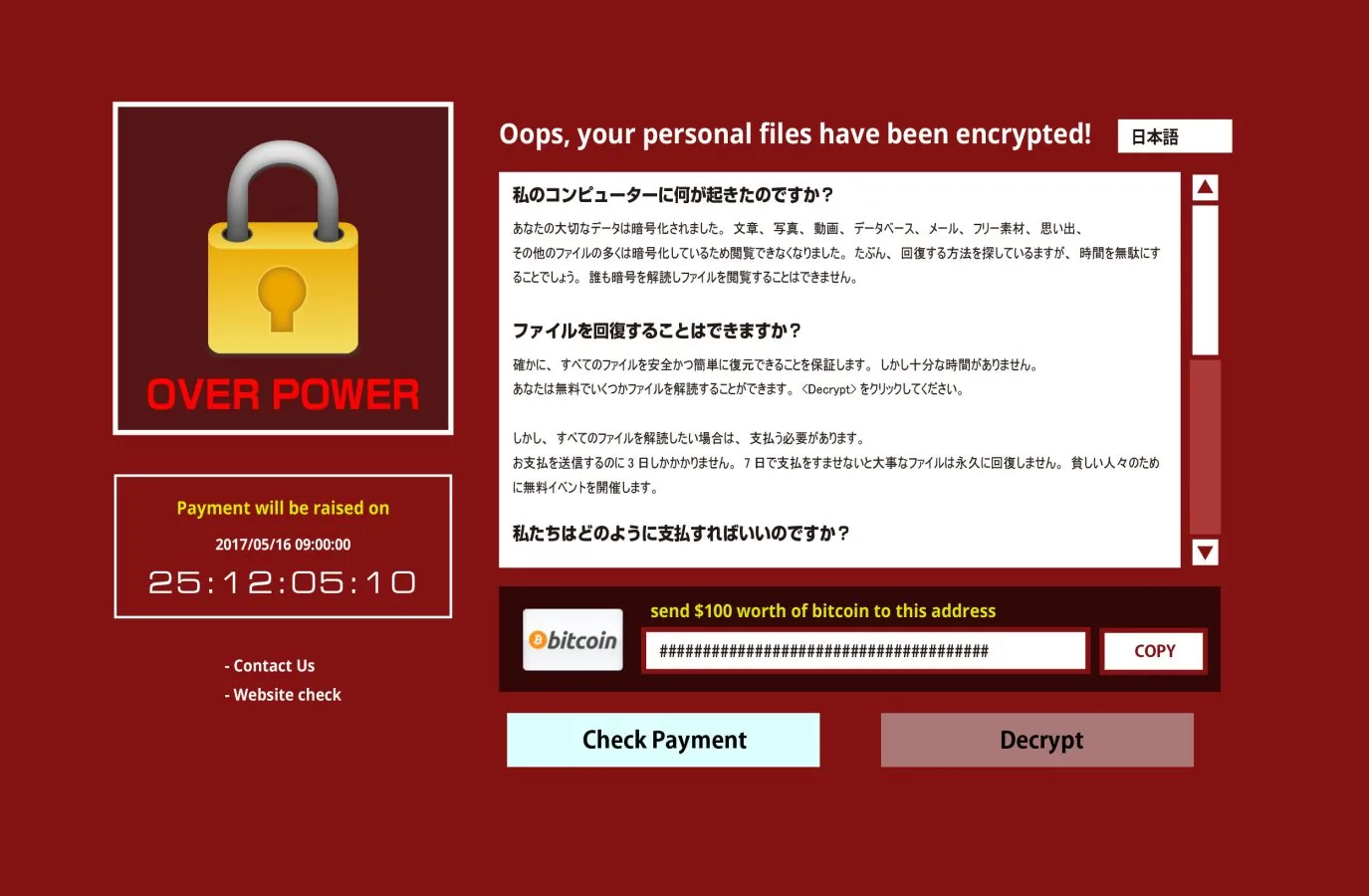
WannaCry is encryption ransomware known for spreading worldwide in 2017. It spread infection by exploiting an OS vulnerability and reached many organizations in a short time.
Because damage was reported even in sectors where outages have a major social impact, such as healthcare, it is described as a symbolic event that strongly impressed "the threat of ransomware" on the general public. For WannaCry, tools (for example, WanaKiwi) are known that make decryption possible only when certain conditions are met.
However, they are not a cure-all. Whether decryption is possible depends on factors such as the state of the device after infection, for example whether the information needed for decryption remains in memory, or whether it has been lost through a reboot or the passage of time.
So rather than thinking "there's a tool, so we're safe," the realistic approach is to prioritize isolation and evidence preservation first.
LockBit
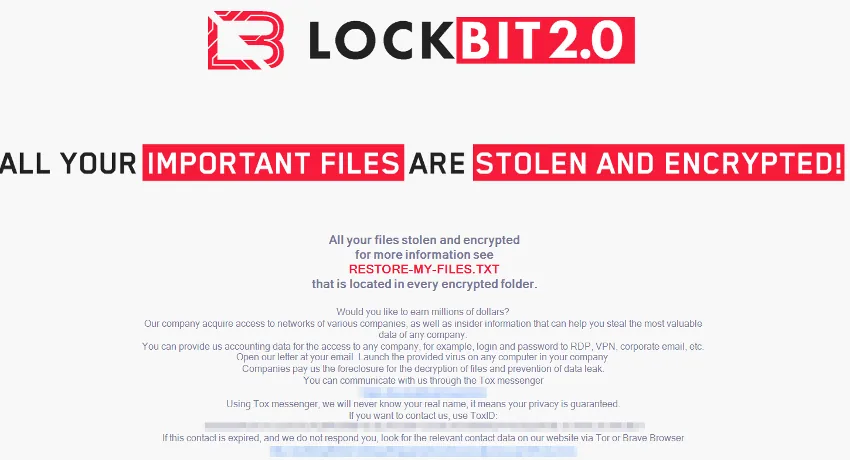
Source: Trend Micro
LockBit is one of the representative ransomware groups whose activity as RaaS (described later) has been observed over a long period.
It drew a great deal of attention when the international investigation "Operation Cronos" led to the seizure of related infrastructure and to reports of support for victims (including efforts to help with decryption).
Even so, what you must not misunderstand here is that this does not mean "if it's LockBit, you'll be saved."
Even where public decryption tools and support exist, their scope may be limited by factors such as the targeted variant, the encryption scheme and when the infection occurred. Moreover, there are cases where derivatives and copycats are mixed in under the same "LockBit" name, so judging by appearance alone is dangerous.
Therefore, the realistic order is not to expect too much about decryption from the outset: first prioritize isolation, evidence preservation and understanding the scope of impact, while checking the conditions in official decryption information (No More Ransom, etc.).
REvil / Sodinokibi
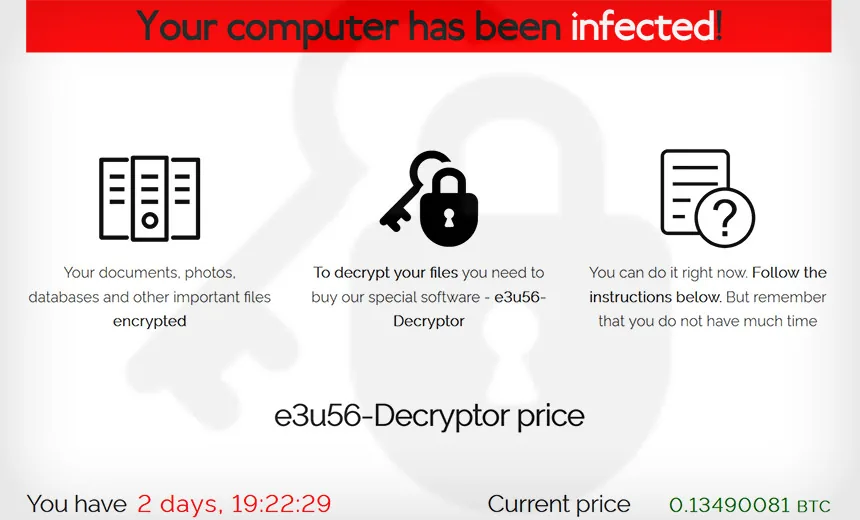
Source: BankInfoSecurity
REvil (Sodinokibi) drew attention for its activity from around 2019 and is often named as a group with "high attack capability," including damage via supply chains.
Its defining feature is that it does not simply spray malware around; as a classic example of the RaaS model, the whole sequence of an attack,
"intrusion (securing initial access) → encryption and data theft → negotiation → exposure (leak)," is established as a "system."
From a practical standpoint, it is easier to make sense of it if you see the essence not as "REvil countermeasures" but as how to eliminate the foundations that make RaaS work (exposed VPN/RDP, authentication strength, privilege management, log monitoring).
Conti
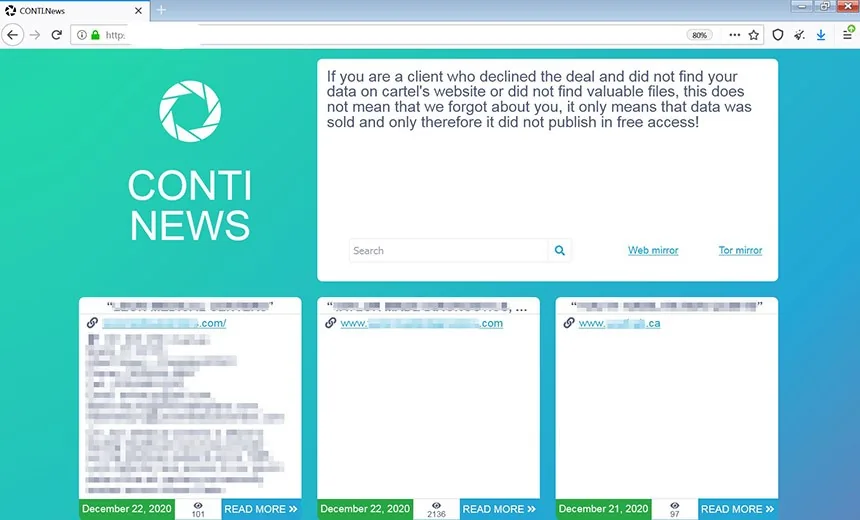
Source: BankInfoSecurity "How Conti Ransomware Works"
Since 2020, Conti has frequently been named in the context of leakware.
Cases targeting areas where a system outage directly hits business continuity, such as healthcare and the public sector, drew particular attention, driving home the reality that "the less an organization can afford to stop, the more effective extortion is."
What matters in practice is not to treat Conti as "a standalone piece of malware."
In many cases, after breaking in through an entry point, the attackers seize privileges, move laterally and deploy it across multiple servers and endpoints at once.
In other words, because the attack proceeds as an "operation" that spreads across the entire organization after the intrusion, the key lies not only in entry-point defenses but also in designing privilege management, monitoring and containment.
BlackCat / ALPHV
BlackCat (ALPHV) is known for being developed in the Rust language, and with activity reported across multiple environments rather than a single OS, it is described as a representative example of "modern RaaS."
What you should grasp here is that focusing only on the visible damage of encryption leads you to misjudge its essence. In reality, it is not uncommon for the sequence to come as a package: exfiltrating information after intrusion, then applying pressure by hinting at publication on a leak site.
In other words, having backups you can recover from does not necessarily mean you are safe, and you need to assess everything including "what may have been stolen" and "whether there are traces of exfiltration."
On the ground, it is important to understand encryption, theft and extortion as a single "operating model."
Ryuk
Ryuk is ransomware that is more often discussed in the context of being deployed at a later stage after another intrusion has served as a foothold, rather than "you open an email and are suddenly infected with Ryuk."
For example, picture credentials being stolen or remote access being breached first, letting attackers into the network, where they move laterally and seize privileges, and only at the end drop Ryuk as the "finishing blow."
So what you should consider in practice is not "countermeasures specific to the name Ryuk." What matters is closing the intrusion routes in the first place (VPN/RDP, phishing, contractor connections and so on), and being able to spot and block internal activity after an intrusion.
Specifically, designs that stop the attack at intermediate stages are effective, such as MFA, privileged access management, log monitoring and detecting lateral movement with EDR.
Maze
Maze is ransomware that is frequently mentioned as a "pioneer" when discussing the trend of double extortion (threatening to publish information in addition to encryption).
The approach of not just encrypting and demanding a ransom, but exfiltrating data beforehand and pressuring victims with "pay or we publish," became widely recognized. What makes this trend troublesome is that it destroyed the idea that had been at the center of conventional countermeasures: "as long as we have backups, we can recover."
Even if operations can be restored, the exfiltrated information does not come back, and external explanations, legal and contractual obligations, and reputational risk remain. After Maze, this kind of "leak extortion" became commonplace, and it became necessary to think about ransomware response as including not only recovery design but also detecting and deterring data exfiltration.
CryptoLocker
CryptoLocker is often named as a representative encryption ransomware from around 2013.
Encrypting corporate and personal files to make them unusable and demanding money in exchange for decryption is a method that is taken for granted today, but it can be said to be one of the examples that made this model of "causing business disruption through encryption and pressing for payment" widely known.
At a time when the image of infection was dominated by things like "the PC gets slow" or "ads pop up," CryptoLocker made the threat of "holding the data itself hostage" a reality.
As a result, people became keenly aware of the importance of backups and the need to review entry-point defenses (email attachments, malicious sites and so on), and it became a turning point that moved thinking about ransomware countermeasures up a level.
CryptoWall
CryptoWall is often described as a successor or relative of CryptoLocker and is known as a lineage whose damage spread over a long period.
The basic structure of encrypting and demanding a ransom is the same, but it is easiest to understand it as having become more "troublesome in practical terms" operationally. For example, elements aimed not just at encryption but at creating a "no way back" situation came into focus, such as targeting backups and restore features to obstruct recovery.
Seen against this background, you can see the era in which the main battleground of countermeasures shifted from "dealing with it somehow after infection" to "closing the entry points before an intrusion" plus "building a recovery design that lets you restore operations even if you are hit."
Petya / NotPetya
The Petya family is discussed less as the typical type that "encrypts files and demands a ransom in exchange for decryption" and more in a context where it tampers with areas such as the MBR (boot area) to prevent the OS from starting, with the strong effect of halting operations.
Even if the damage looks file-level, the burden on the ground jumps sharply when devices won't boot and recovery work can't move forward.
NotPetya in particular, while having the "look" of ransomware, is often recognized in reality as a wiper (aimed at destruction), and it is emphasized that the premise "it will come back if we pay" is unlikely to hold.
From a BCP (Business Continuity Plan) perspective, it is important to factor in types like this as the worst case. Specifically, you need to prepare everything from procedures that assume rebuilding to alternative operations, recovery priorities and recovery drills.
GandCrab
GandCrab is one of the most widely known RaaS-type ransomware strains and is described as a representative example showing that "RaaS really works," both in how its damage spread and in its operating model.
It is also sometimes cited as an example where decryption tools were released through the No More Ransom initiative. However, it is dangerous to relax at this point. Even when a decryption tool exists, it cannot necessarily be applied to every infection.
Whether decryption is possible depends on conditions such as the targeted variant, the encryption scheme and when the infection occurred (version). On the ground, the important attitude is that the moment you hear "there seems to be a tool," you should calmly check the official explanation and applicable conditions, and prioritize isolation, evidence preservation and root-cause analysis rather than relying entirely on decryption.
Phobos
Phobos is one of the ransomware strains often named in incidents at small and midsize companies, and is frequently discussed in connection with intrusions via RDP (Remote Desktop) in particular.
Indeed, cases in which an externally exposed RDP is breached, followed by lateral movement and encryption after the intrusion, are known as a classic pattern.
What matters is the fundamental design: how RDP and VPN are exposed as entry points, and how strong authentication is (whether MFA is used, password strength, access restrictions, management of privileged IDs).
Not just Phobos: if the same conditions are present, other ransomware will target you in the same way. Eliminating weaknesses in entry points and authentication is the top priority.
8Base
8Base is a ransomware family that has been mentioned more and more since 2023 in the context of leakware (encryption + data theft + threats to publish).
What makes it troublesome is that, beyond business disruption through encryption, by threatening to "publish the stolen information," it can corner an organization regardless of whether it recovers. In Japan, the ISETO incident was widely reported, and the company announced the possibility of a personal information leak, so many people may have felt keenly how real leakware is. (Reference: ISETO Corporation, "Regarding the Occurrence of Ransomware Damage")
Looking at cases like this, it is clear that whether you can restore operations from backups is not enough on its own; you need preparation that includes detecting data exfiltration and handling external response in the event of a leak.
RansomHub
RansomHub is one of the emerging players, with activity confirmed in 2024, about which public agencies such as the US CISA have also issued warnings.
Watching these developments shows that it is not as simple as "a famous group was taken down, so we're safe." Even when a major group's infrastructure is dismantled, the flow tends to repeat itself: some members relaunch under a different name, or affiliates switch to another RaaS, and the balance of power reshuffles.
That is why, in practice, rather than chasing "the names that are common right now," it is more rational to strengthen the foundations: closing entry points (VPN/RDP/public-facing assets), detecting post-intrusion behavior and having a design that lets you recover.
Akira
Akira has drawn attention because its damage to a wide range of organizations, including critical infrastructure, is regarded as a problem, and because CISA, the FBI and others have jointly updated advisories about it.
What you should grasp here is that it goes beyond a story of "endpoints being encrypted": intrusion routes and attack footholds are diversifying. In recent years there has also been discussion of the possibility that edge devices at the company's perimeter (VPN appliances, gateways and so on) and the backup infrastructure that is central to recovery may be targeted.
What this trend means is that the reassurance of "we have backups, so in the end we can restore everything" is becoming less valid.
If backups are encrypted or deleted, or the restore point is contaminated, the recovery plan itself collapses.
That is why backups need to be redesigned to cover not just "taking" them but also isolation (offline/immutable), access rights management and recovery testing.
BlackSuit / Royal
CISA's warning explicitly states that the group transitioned (rebranded) from Royal to BlackSuit, revealing how attack groups keep operating while changing their names and how they present themselves.
In other words, while defenders are chasing "this name has calmed down" or "a different name is trending next," the attackers swap their signboard and continue with the same methods.
What you need to protect in practice is a design that stops the sequence of intrusion → lateral movement → theft → encryption at some point.
Reducing entry points (VPN/RDP/public-facing assets) and MFA, improving the management of privileged IDs, log visibility and behavior detection with EDR, and backups you can recover from: with this foundation in place, you can minimize the damage even when the signboard changes.
Recommended security software that works regardless of type is covered below.
Best Ransomware Protection Software Compared (2026): A Complete Guide for Individuals and Businesses
[Urgent] How to identify the type of ransomware from the file extension

To give the conclusion first: the extension on encrypted files is a clue, but it is dangerous to conclude the type from the extension alone.
That is because extensions can change with variants even under the same name, and random strings may be appended.
That said, it is still well worth using as material to organize the situation in the first response and decide what to investigate next.
Here we lay out the steps for checking, starting from the extension, as a procedure so you won't get lost.
Quick reference: ransomware by file extension
The extension added to encrypted files is a clue for guessing the type of ransomware. However, the extension can change with variants or differences in operation even under the same name, and it is not unusual for a random string to be appended on each device.
So please use this table not to "conclusively identify the type" but as a tool to avoid confusion about what to check first in the initial response.
First isolate and preserve evidence, and then determine "whether decryption may be possible" and "whether a leak is involved." Decryption tools in particular, even when they exist, may have limited applicable conditions, so checking official information is essential.
| Example extension | Likely candidate | Decryption tool availability (approx.) | What to check first |
|---|---|---|---|
.WNCRY / .WCRY |
WannaCry | Available, depending on conditions (e.g. WanaKiwi) | Isolating the device comes first. Avoid rebooting and check the conditions for possible decryption |
.lockbit |
LockBit | Partially available (check conditions) | Check whether it is covered by public decryption support and the applicable conditions such as variant and timing |
.akira |
Akira | – (needs checking) | Assume leakware and start assessing leak impact in parallel with recovery |
.phobos |
Phobos | – (needs checking) | Simultaneously review the exposure of entry points (RDP/VPN) and authentication strength (MFA, etc.) |
.8base |
8Base | – (needs checking) | Prioritize checking whether there are leak threats and any traces of exfiltration |
*In reality, there are also random extensions, no extension and double extensions.
Do not draw conclusions from the extension alone.
How to obtain decryption tools (No More Ransom)
When looking for a decryption tool, the first place to check is No More Ransom.
It is run as a public-private partnership involving Europol and others, and for supported ransomware families, decryption tools and step-by-step guides are published. In the sense of "checking first through an official, public framework," it is the least confusing option as a starting point for the initial response.
However, it is equally important not to expect too much here. There are two caveats to keep in mind.
- Not every ransomware strain has a decryption tool.
In reality, it is more realistic to assume that cases where no decryption tool is (or can be) provided are the majority. - Even "the same name" may not be covered.
Even within the same family name, conditions differ by variant, encryption scheme and period of activity, and the tool may not apply. Do not judge solely by whether a tool exists; always read the applicable conditions written in the guide and confirm whether your case qualifies.
The possibility that "there might be a tool" offers hope, but it is also an area where misunderstandings arise all the more easily the more you rush recovery decisions. It is safest to check carefully and proceed step by step.
What to do if you cannot identify the type
If you lack information, for example because the extension is random or encryption and theft are happening at the same time, an identification service such as ID Ransomware can narrow down candidates from encrypted files and the ransom note (ransom demand).
The advantage is better accuracy than relying on the extension alone, and a clearer view of "what to check next."
Even so, there are cases where identification is difficult. In particular, if there are signs that the damage is not limited to a single device and has spread to organizational infrastructure such as servers, Active Directory (AD) or VPN appliances, this is an area where the more you act on your own judgment, the worse the situation tends to get.
At this stage, consult experts, starting with a cybersecurity company, on the premise of forensics (evidence preservation and root-cause analysis). If you erase logs or repeatedly reboot during the initial response, identifying the intrusion route and designing the recovery becomes difficult, and as a result the difficulty and cost of recovery shoot up.
How a ransomware attack unfolds
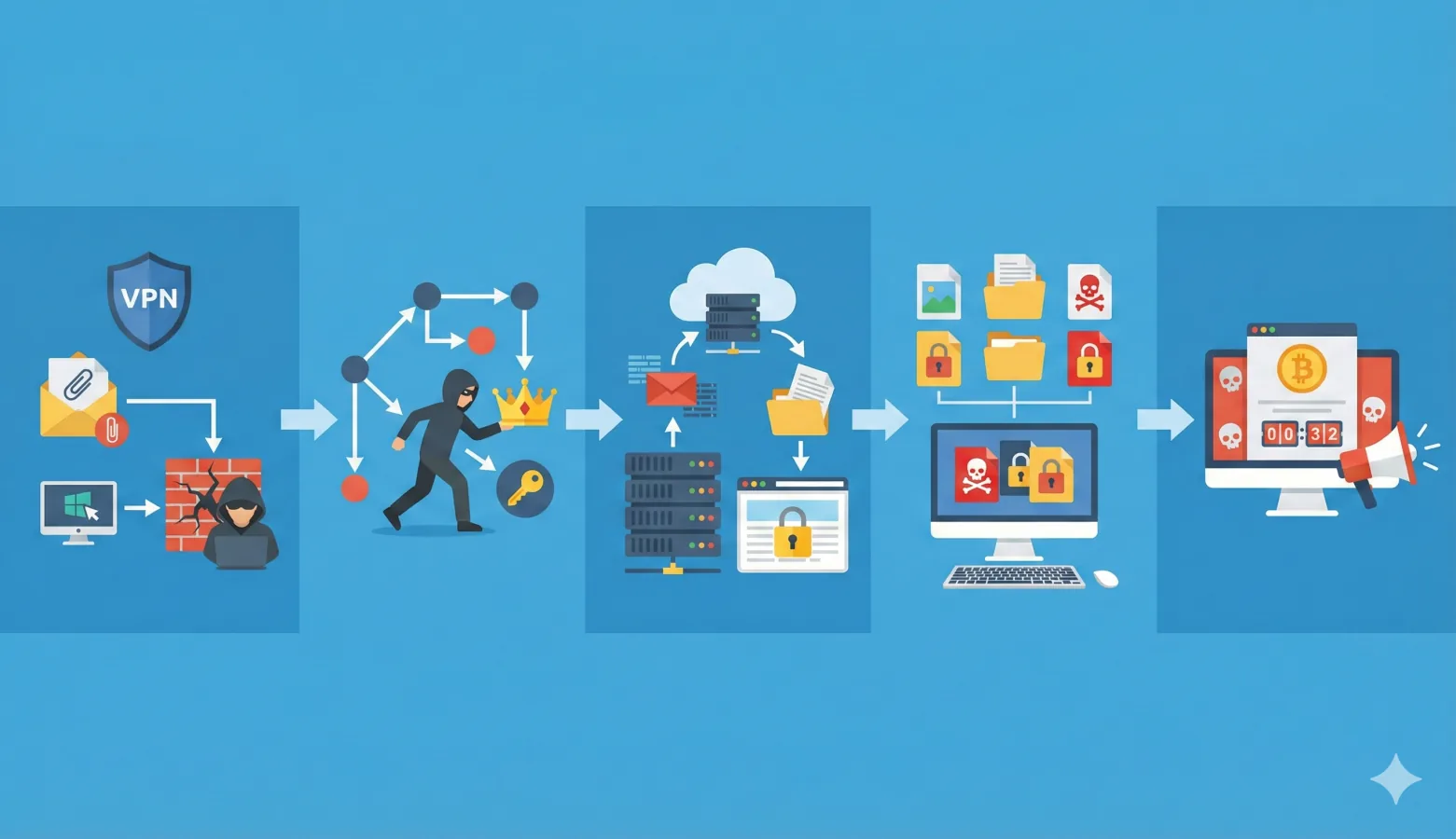
Ransomware is not just a matter of "one day, everything suddenly gets encrypted." In most real organizational incidents, things progress in stages from intrusion to encryption.
After breaching the entry point, attackers seize privileges inside, move laterally, exfiltrate information if needed and then encrypt.
We explain each stage in detail below.
(1) Initial access (via VPN, email or RDP)
NPA statistics also repeatedly highlight VPN appliances and Remote Desktop (RDP) as ransomware intrusion routes.
In practice, too, as long as there is "an entry point reachable from outside," attackers will target it as the shortest route.
On the other hand, it is also dangerous to think only in terms of VPN/RDP. On the ground, "traditional" entry points like the following are still used:
- Phishing emails
- Attachments (disguised as invoices, quotes and so on)
- Compromised websites and malicious downloads
- Via contractors and business partners (supply chain)
In the end, you cannot "bet on a single" entry point.
That is why the realistic answer is not to narrow down which entry point to watch, but to eliminate exposed entry points one by one.
Inventorying public-facing assets, shutting down unnecessary remote connections, mandating MFA, updating devices and managing vulnerabilities: the more you build up these basics, the more surely the probability of intrusion goes down.
(2) Internal activity (lateral movement and privilege escalation)
Once an intrusion succeeds, attackers do not stop there. What they do next is lateral movement, moving sideways through the internal network, and privilege escalation, raising their privileges.
The first device used as a foothold is merely the entry point; from there attackers move to other servers and endpoints while going after stronger privileges.
Especially important is the hub of authentication and privilege management, such as Active Directory (AD).
Once it is taken over, attackers can act as legitimate administrators and use Group Policy and management features to deploy ransomware across the entire organization at once. In other words, the moment AD is taken, it is no longer "an individual device problem," and damage readily accelerates company-wide. It is important to design countermeasures and monitoring on this premise.
(3) Data theft (in the case of leakware)
What makes leakware (double extortion) troublesome is that data theft (exfiltration) is built in as a step before encryption.
Attackers prioritize collecting important data, personal information, contracts, design documents and the like, send it to external servers, and then use it as leverage, threatening "pay or we publish."
Think of encryption as being layered on afterward as a way to corner the victim through "business disruption."
Because this stage exists, the story does not end even if you can restore systems and files from backups.
The exfiltrated information does not come back, and "separate problems" remain: assessing whether and how far data leaked, external explanations, dealing with business partners, and legal and contractual procedures.
That is why it is important to prepare not only a recovery design but also monitoring that can detect post-intrusion behavior (mass access and outbound transfers), log preservation and access control for important data.
(4) Ransomware execution and encryption
Once the attacker's preparations are complete, the next phase is to "shut everything down at once." They deploy to multiple endpoints and servers simultaneously, run the encryption and paralyze operations wholesale.
By this point, it is not a one-off infection but an attack targeting the entire organization. Especially with strains that encrypt quickly, the time from the start of encryption to the spread of damage is short, and by the time people on the ground notice the anomaly, it is not unusual for shared servers and endpoints across multiple departments to already be caught up in it.
Moreover, before encrypting, attackers often take steps to make recovery difficult, such as destroying backups and restore features or attempting to disable security software.
That is why it is important not to rely solely on responding after encryption begins, but to have a design that can detect and stop post-intrusion lateral movement and suspicious administrator operations early.
(5) Ransom demand and extortion
Once encryption is complete, a ransom note (ransom demand) is usually left on endpoints and in shared folders.
It specifies the payment deadline, means of contact and payment method (such as cryptocurrency), pressing the victim to make a decision within a short grace period. With leakware, it is also typical to hint at posting the stolen data on a "leak site" to rush payment.
A recent characteristic is that even this "negotiation" is not improvised but packaged as an operation from the start. Attackers have templated messages, negotiators and payment confirmation mechanisms in place, with procedures built on the assumption of the victim's confusion and panic.
That is why it is important not to respond ad hoc, but to prioritize initial isolation, evidence preservation and consulting experts, and to align your internal decision criteria before entering the negotiation phase.
Latest ransomware trends for 2026
Even in 2026, the ransomware threat shows no sign of subsiding. Many incidents were reported in the first half of 2025 alone, and recovery costs and periods of business disruption are having a major impact on corporate management.
Infections occur mainly via VPN and remote access, and the expansion of RaaS is broadening the base of attacks. In this section, based on the latest damage situation, attack trends and domestic cases, we lay out the direction of the countermeasures to prioritize now.
The damage situation in 2025
According to materials published by the NPA, the number of incidents nationwide in the first half of 2025 was 116.
It is not just the "number of incidents"; recovery costs and recovery time are what create the business impact. NPA materials show that recovery costs were high (e.g. 10 million yen or more) in 23 of 39 cases (59%), so investing early in prevention is the rational choice.
VPN and Remote Desktop are the most important infection routes
NPA materials (2025) show a breakdown of intrusion routes of VPN appliances 62% / Remote Desktop 22%, indicating that VPN appliance vulnerabilities and remote access are the main entry points.
Now that "remote work as a given" has become the norm, perimeter devices (VPN/FW), authentication (MFA) and contractor connections are the areas to review as a top priority.
The expansion of RaaS (Ransomware as a Service)
RaaS (Ransomware as a Service) is a division-of-labor model in which developers provide the ransomware itself and its management infrastructure (victim sites, leak site operations, key management, negotiation mechanisms and so on), while the operators (affiliates) handle everything from intrusion and deployment to encryption, theft and extortion.
The further the division of labor goes, the lower the barrier to entry, and the faster methods improve and operations become templated. Even if defenders keep chasing "which names are trending," the situation changes as signboards are swapped and newcomers enter.
The rational approach is to solidify, "in a form that runs as an operation," the inventory and updating of entry points (VPN/RDP and public-facing assets), MFA and least privilege, monitoring that catches post-intrusion behavior (EDR/log preservation), and a backup design that lets you recover.
Major incidents (Japan)
In recent years, damage from cyberattacks has been reported one after another at major companies and critical infrastructure operators in Japan, regardless of industry or size.
Here, based on each company's official announcements, we organize the type of incident, the impact and the response. Rather than drawing conclusions about specific methods or perpetrators, understanding the facts of "what happened and how it was handled" leads to practical countermeasures.
| Case | Year | Incident type | Main impact | Main response |
|---|---|---|---|---|
| KADOKAWA / Niconico | 2024 | Cyberattack on servers in a data center | Suspension and unavailability of "Niconico" services | Taking affected equipment out of service, resetting accounts, strengthening communications security, rebuilding in a new environment |
| Port of Nagoya (Nagoya United Terminal System / NUTS) | 2023 | Ransomware infection | NUTS outage, suspension of terminal operations such as container loading and unloading | Recovery work, investigation of the intrusion route, consideration of measures to prevent recurrence |
| ISETO | 2024 | Unauthorized access to servers (including ransomware infection) | Failures in part of internal systems, possible data leak | Investigation and recovery with external experts, consultation with relevant authorities |
| Saizeriya | 2024 | Unauthorized access (cyberattack) | Failures in internal systems, possible data leak | Investigation and recovery with external experts, implementation of measures to prevent recurrence |
How to prevent ransomware damage before it happens
To give the conclusion first: once ransomware gets in, everything after the intrusion plays out on the attacker's terms, and your time and options are cut away.
That is why the most realistic and effective approach is to build up, in order of priority, keep them out (close entry points) / keep it from spreading (stop lateral movement) / be able to restore (a design that lets you recover).
Addressing vulnerabilities in VPN appliances and network devices
Since they repeatedly turn out to be the point of intrusion, VPN and perimeter devices (FW, UTM, remote access appliances and so on) are the top priority for action.
For attackers, they readily become "an entry point that can be reached from outside and connects directly into the company," and if they are left outdated, other countermeasures you stack up will lose much of their effect.
On the ground, it is realistic to turn this into something that runs as an operation, in the following order:
- Regular firmware updates (inventory, and clear responsibility for updates)
Updates only continue once you inventory each device's model number, location, administrator and maintenance contract and decide "who updates it and when." - Monitoring vulnerability information (JVN, CISA, etc.)
What matters is not "reading" it but having a mechanism that lets you make a decision immediately when an affected device appears. Link it to your list of target devices and prioritize the response. - Reducing unnecessary exposure (ports and admin panels)
Review whether external exposure is truly necessary, and move admin panels to internal-only access or access via a jump host. Simply reducing exposure shrinks the attack surface significantly. - Considering zero trust (phased adoption)
Rather than an all-at-once migration, it is realistic to start with high-risk paths (VPN/RDP/administrator access) and gradually shift them toward "stronger authentication + device requirements + least privilege."
Perimeter devices tend to be operated on a "don't touch it so it doesn't break" basis, but for ransomware defense the opposite is true.
Keeping them in a state where you can touch and update them is itself the greatest defense.
Introducing multi-factor authentication and access control
Authentication is where ransomware countermeasures "really work," so if in doubt, it pays to shore this up first. What attackers target in particular are VPN and RDP, which readily become entry points, and administrator accounts, which lead directly to company-wide deployment once taken. Make no exceptions here and enforce it thoroughly as an operation.
- Mandate MFA for VPN / RDP / administrator accounts
This stops attacks that depend on cracking passwords. For administrative accounts, "mandatory" is the baseline. - Layer on restrictions where possible (IP restrictions, country/time-of-day restrictions, conditional access)
Simply ending "anyone, anytime, from anywhere" lowers the success rate of intrusions. Introduce these in phases while balancing the operational burden. - Enforce least privilege (no everyday use of privileged IDs, JIT / PAW, etc.)
Shift to an operation where people normally work with standard privileges and are granted elevated privileges only when needed. If you can use PAWs (privileged access workstations) or JIT (Just-In-Time access), you can greatly reduce the risk of lateral movement and privilege abuse.
Rather than "we've introduced MFA, so we're safe," building up MFA + access restrictions + least privilege as a set narrows the attacker's "path" and makes it easier to contain the spread of damage after an intrusion.
The 3-2-1 backup rule
For backups, start with the basics of 3-2-1 (3 copies / 2 types of media / 1 offsite).
On the ransomware front line, however, merely "taking" backups is not enough to protect you. Because attackers come to destroy your means of recovery, it is now a given that you design the following three points as a set.
- Immutable (tamper-resistant): Make backups hard to delete or encrypt even if administrator privileges are stolen
- Offline (air-gapped): Disconnect them from the network to lower the risk of "being hit at the same time"
- Recovery testing: A backup that won't restore when it matters is meaningless. Regularly confirm that you "can restore"
Furthermore, on the premise of leakware, "we recovered" does not mean "it's resolved." Information exfiltrated before encryption does not come back, and leak response remains as a separate issue.
That is why, in parallel with backup design, you should advance exfiltration detection (signs of abnormal outbound transfers or mass access) and log preservation (the retention period and granularity to trace things later).
Whether you can run recovery and leak response at the same time is what determines whether the damage drags on.
Security education for employees
The key to security education is not to depend on individual attentiveness but to create a system that lets people act correctly when they are unsure.
Email-borne intrusions in particular have a wide entry point, so design on the premise that they "cannot be reduced to zero."
- How to spot phishing (attachments and links)
Beyond odd-looking senders or subject lines, fix the "checkpoints," such as the domain of the link destination, the type of attachment (Office macros, compressed files and so on) and urgent language in the body. - A culture of "if in doubt, don't open it / report it"
Being able to stop when in doubt is what prevents damage. Consolidating the reporting point (IT department / CSIRT) into one, and even preparing a reporting template (attaching screenshots and so on), speeds up action. - Don't turn targeted email drills into "punishment"
If it becomes a hunt for who failed, reports get delayed and damage spreads. A realistic approach is to use not only the "click rate" but also the reporting rate and initial response speed (time to report) as KPIs and connect them to improvement.
In addition to "don't open suspicious emails," it is important to stop it quickly and share it quickly. If you get this right, the damage will differ greatly even when you face the same attack.
Introducing endpoint protection such as EDR/XDR
Traditional antivirus (AV) is still effective for detecting known malware, but what becomes the problem in actual ransomware damage is the activity "after the intrusion."
For example, hands-on operations using legitimate tools (configuration changes with administrator privileges, remote execution, lateral movement) and activity that seizes privileges step by step can, in some situations, not be fully stopped by signature-based detection alone.
This is where EDR/XDR proves effective. By continuously monitoring the behavior of endpoints and servers, it detects process anomalies, unnatural use of privileges, signs of lateral movement, suspicious outbound communication and more, and can trigger responses such as isolating the device or blocking execution.
Furthermore, by linking this with 24/7 monitoring (SOC/MDR), you can shorten the time from "noticing to stopping" even at night and on holidays, and as a result increase the probability that the damage does not progress to "company-wide encryption."
What matters is not ending with deployment, but running it including the design of alert operations and initial response procedures.
What to do if you are infected with ransomware [first-response manual]
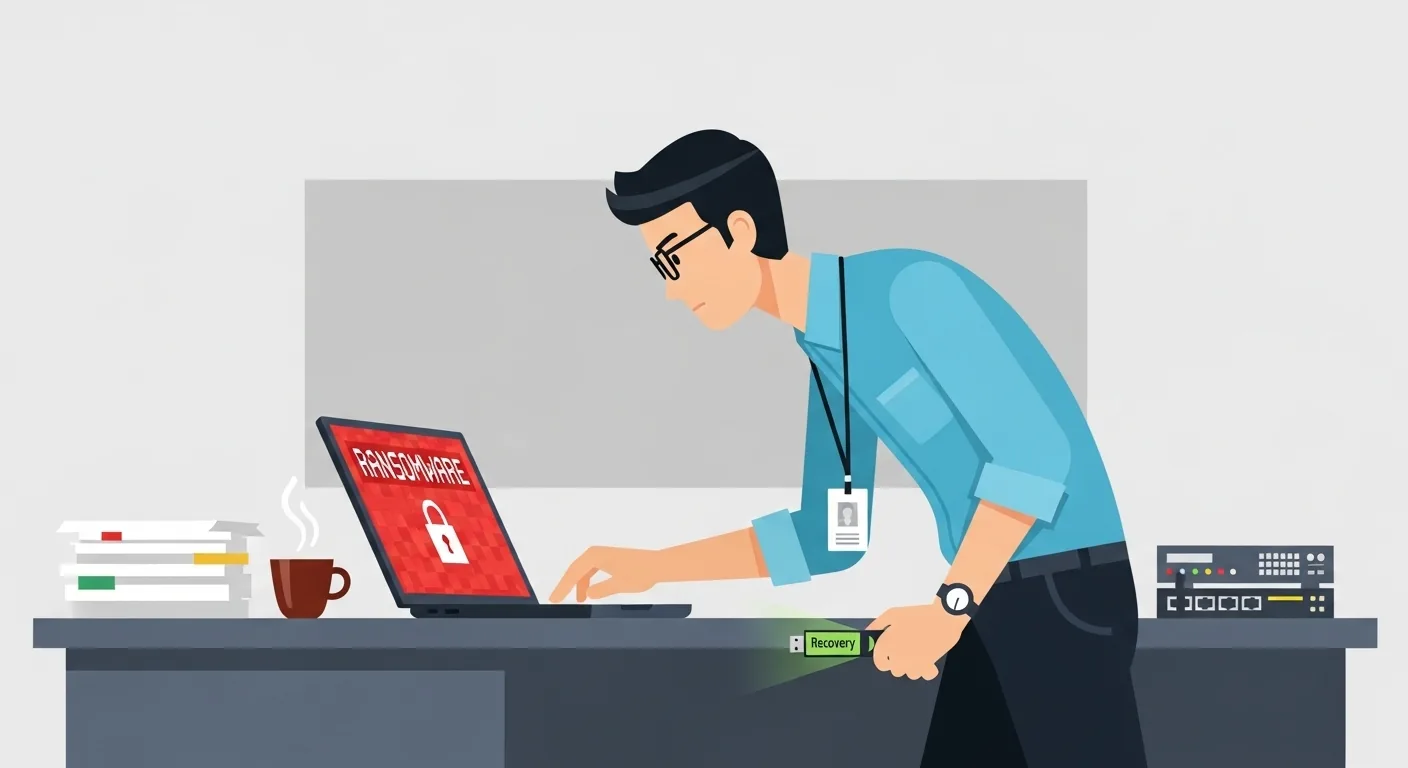
If you do get infected with ransomware, what determines the scale of the damage is "your first moves."
If you get the order of isolation, recording and reporting wrong in the initial response, lateral movement and data exfiltration advance, and both recovery and external response become much harder.
In this section, so that you won't hesitate in an emergency, we turn the five steps of the initial response into a procedure, and also lay out, with reasons, the things you must never do.
Taking the wrong actions from the very start will make the situation more serious. If you have any doubts, we recommend contacting a security company's emergency hotline right away.
STEP 1: Immediately isolate from the network
The top priority is stopping the infection from spreading. What to do is simple: it comes down to "disconnecting from the network." Specifically, promptly isolate any endpoints or servers suspected of infection using one of the following methods.
- Unplug the LAN cable
- Disconnect Wi-Fi (airplane mode also works)
- Disconnect the VPN connection (a particular priority if working remotely)
The aim is to stop the damage from spreading to other endpoints and file servers on the same network. If lateral movement has begun, the damage can spread within minutes to tens of minutes.
What is extremely important here is do not turn off the power / do not reboot. Rebooting can erase information remaining in memory and traces of what was running, potentially destroying evidence needed to identify the cause and make recovery decisions.
Also, depending on the situation, a reboot can trigger encryption to resume or cause logs to be overwritten, making the investigation harder. First "disconnect and stop it," then "move on to the next step with the evidence intact": keep to this order.
STEP 2: Report to the relevant parties
What to do next is report to and contact the relevant parties. What matters here is not contacting people in whatever order comes to mind, but setting priorities and creating a state in which the "chain of command" and "external response" can run at the same time.
If reporting is delayed, information becomes confused and responses to business partners fall behind, which can lead to secondary damage (loss of trust, suspension of business dealings).
- Executives and IT department (establish the chain of command)
First consolidate the internal decision-making point into one, and align policies on decisions to shut down, recovery priorities and external explanations. - Police (cybercrime consultation desk)
Report and consult early to obtain the necessary advice and cooperation. - If a leak is possible, reports and notifications required by law and contract (to the Personal Information Protection Commission, etc.)
Where personal information or contracts with outsourcing partners are involved, proceed in parallel with deciding whether reports and notifications are required. - Business partners and customers (if affected)
Once the scope of impact becomes clear, share it early on a factual basis. Delays in contact amplify distrust.
Before "what to say," firming up "who decides and who communicates" is the first step toward keeping confusion under control.
STEP 3: Assess and record the damage
Once the damage is contained and communication has started flowing, the next step is recording the situation. "We'll look into it later" doesn't work here. If information is missing from the initial response, not only can you not put together recovery steps, but everything from insurance claims to legal and contractual obligations and external explanations becomes difficult. As far as possible, record the following "on a factual basis."
- Which endpoints and servers were affected
List encrypted endpoints, inaccessible servers, shared folders, halted business systems and so on. - Roughly when the anomalies began
Record not just the time you first noticed, but also timeline clues such as "logging in worked the day before" or "it started suddenly this morning." - Preserve anything that could serve as evidence
Secure the ransom note (demand) / file extensions / logs / screenshots of the screen. If possible, also note the ransom note's file name and location, and any contact details or IDs displayed.
This record is not just for identifying the cause later. It affects almost every step of the emergency response: the precision of the recovery plan, the basis for measures to prevent recurrence, explanations for insurance claims, and decisions on reports and notifications. Act with the mindset of preserving "the information as it is at this very moment" as much as possible.
STEP 4: Consult experts
With organization-wide ransomware damage, the more you tinker on your own, the further recovery can slip away.
For example, rebooting indiscriminately, deleting logs or hastily wiping devices makes it difficult to identify the intrusion route and determine the scope of impact, often resulting in a state of "recovering without knowing what happened."
This also raises the risk of reinfection and repeat attacks.
At this stage, it is realistic to act on the premise of consulting a forensics company or security vendor.
- Containment: Stop the infection from spreading (network isolation, temporarily suspending privileges and so on)
- Root-cause analysis (forensics): Determine the intrusion route, lateral movement and whether data was exfiltrated
- Recovery: Identify a clean restore point and proceed with rebuilding or restoring from backups
- Preventing recurrence: Simultaneously start fixing entry points (VPN/RDP, etc.), enforcing MFA and strengthening monitoring
STEP 5: Recovery work
Recovery work needs to be thought of not as "just getting things back," but as a single sequence that goes as far as restoring safely and not letting the attackers back in. The priorities are as follows.
- Restore from backups (confirm they are "clean" before restoring)
What matters first is that the restore source is not contaminated. If the intrusion was ongoing, rogue accounts or backdoors may already have been planted at the time of the backup. Before restoring, confirm the likely intrusion route, the scope of impact and the safety of what you are restoring. - Check whether decryption is possible on No More Ransom
Even if a decryption tool exists, its applicable conditions are limited. Don't expect too much, and calmly check whether your case meets the conditions in the official guide. - Rebuild if necessary (clean install)
If there is no trustworthy restore point, or if the damage has spread to core systems (AD, management servers and so on), rebuilding may be the fastest route. Include the decision to return the environment to "a state you can trust from zero" among your options.
The goal of recovery is not just that "files open."
Close the intrusion route, update any credentials that may have been stolen, and resume operations with monitoring and logging in place: only when you go this far can you prevent the same attack from happening again.
[Absolutely NO] Things you must never do
The more urgent the situation, the more important it is to keep in mind what you must not do. Get this wrong and not only does recovery slip further away, the situation worsens, including leak response and legal response.
- Paying the ransom
Even if you pay, there is no guarantee you will get all your data back, and there are risks such as incomplete decryption keys, additional demands and drawn-out negotiations. Furthermore, being seen as "an organization that paid" can invite repeat attacks, and the fact that it becomes a source of funding for criminals cannot be ignored. In fact, the reality of recovery and payment is repeatedly discussed in various annual surveys, and the reality is that "paying ≠ resolution." - Rebooting and destroying evidence
Rebooting or forcing a shutdown erases traces in memory and the state of execution, making it harder to identify the intrusion route and scope of impact. As a result, recovery decisions waver or reinfection follows. - Removing it on your own judgment (loss of evidence, making recovery impossible)
Responses such as hastily running virus removal tools or deleting encrypted files not only erase evidence needed for the investigation, but can also hinder decryption and insurance claims. - Leaving it alone (lateral movement and exfiltration advance)
"Wait and see" is the worst option. Lateral movement and data exfiltration advance, and the damage spreads company-wide and to business partners. If in doubt, isolate first, set up a chain of command and get experts involved.
These four are actions people tend to take out of panic or good intentions, but all of them are "landmines" that readily deepen the damage.
Keep to the order of isolate, record, contact and consult experts, stop the damage from spreading first, and then move on to recovery and preventing recurrence.
The winning formula for ransomware defense comes down to "close the entry points, stop movement after intrusion, and be in a position to recover." Rather than trying to win things back after you've been hit, the realistic mindset is to build up, in order, keeping them out, keeping it from spreading and being able to restore.
Above all, the top priority is entry points (VPN / public-facing assets / authentication), where damage most often starts. The more you shore these up, the more visibly your overall risk drops.
For ransomware defense, CyberCrew's vulnerability scanning and penetration testing
Why vulnerability scanning and penetration testing work as ransomware defense
Most ransomware incidents are not one-off accidents where "you come into the office in the morning and suddenly everything has been encrypted."
In reality, they often proceed in stages: attackers break in through "holes at the entrance" such as VPN, remote access and public-facing servers, gather credentials inside the company to seize privileges, move laterally, and only at the end encrypt.
That is why it is not unusual for attackers to have already gotten inside and finished their preparations by the time encryption begins. Given this structure, what tends to offer the best cost-effectiveness is not "winning things back after they get in" but closing the holes before an intrusion.
Specifically, the foundation is vulnerability scanning, which identifies and prioritizes weaknesses in exposed assets, VPN appliances, web servers and the like.
Going further, penetration testing realistically verifies, from an attacker's perspective, what desk checks alone cannot reveal: "whether an attack can really get from intrusion all the way to lateral movement."
If you can get ahead of both the entry points and internal activity and close them off, you can greatly reduce the probability of ransomware reaching its "final blow."
Features of CyberCrew's vulnerability scanning and penetration testing
CyberCrew's strength is that we have several white-hat hackers on staff and can assess risk based on the points attackers actually target.
Rather than simply "detecting" with tools, we organize the likelihood of intrusion and the degree of impact from the realistic perspective of "where an attacker would get in and how far they could spread." We also place importance on not ending with a mere "list" of the issues found, but organizing them in a way that conveys priorities.
This not only makes it easier for IT staff to decide the order in which to tackle things, but also makes it easier to show executives "what is most important and how far you need to go to reduce risk."
We also help design the scope to fit your circumstances on the ground. Target environments and modes of operation, such as web applications, networks and the cloud, differ from company to company, so we work with you to build a reasonable testing scope that takes into account the assets to protect, the exposed surfaces and your constraints.
Furthermore, we support improvement proposals based on the results, in a form you can realistically move forward with, taking into account the constraints of implementation and operations (staffing, allowable downtime, renewal cycles and so on).
*The above is a general description based on CyberCrew's publicly available information. The specific scope of support varies with requirements.
Pricing plans and cost
The cost of vulnerability scanning and penetration testing varies greatly depending on the scope (number of target assets, depth of testing, duration).
For example, the effort, and therefore the quote, changes with conditions such as having many public-facing web applications, wanting to include cloud configuration, or wanting to test AD and the internal network.
Put the other way around, the earlier you align on your goals and priorities, the leaner the design can be.
Also, the value of an assessment is not only in "carrying it out." An attacker's-eye view of what to look at is also effective at the stage of sorting out the question people on the ground often struggle with: "what should we check first (VPN / public-facing assets / AD and so on)?"
Rather than starting with a full scope right away, the realistic approach is to begin with a free consultation and quote to confirm your current state and priorities, and narrow it down to the most direct scope.
About ransomware: frequently asked questions (FAQ)
Here we summarize, in Q&A form and with just the key points, the questions we are asked most often about the types of ransomware and countermeasures.
What is the most common ransomware intrusion route?
In materials and warnings published by the NPA, VPN appliances and remote access (RDP, etc.) are repeatedly highlighted as ransomware intrusion routes.
They are entry points reachable from outside, and if there are configuration flaws, delayed updates or weak authentication, they readily become the "shortest route" for attackers. The realistic place to start is inventorying what is exposed, updating firmware, mandating MFA and enforcing access restrictions.
Should you pay the ransom if infected with ransomware?
Paying the ransom is generally not recommended. Even if you pay, your data may not be fully recovered, and there is a risk of inviting additional demands and repeat attacks.
It also funds criminals and may encourage further attacks. In fact, the reality of payment and recovery is repeatedly discussed in various research reports, so prioritize isolation, evidence preservation and consulting experts on the premise that "paying ≠ resolution."
Can personal computers be infected with ransomware too?
Yes, personal computers can be infected with ransomware too. Typical entry points include email attachments and links (phishing), compromised websites, and downloads of fake or cracked software.
To avoid damage, it is effective to keep your OS, browser and apps up to date and, as a set, install and enable security software and keep backups in case the worst happens (stored disconnected, for example on an external drive).
How much does it cost to recover from ransomware?
NPA materials show that recovery costs were high (e.g. 10 million yen or more) in 23 of 39 cases (59%).
Note that the costs do not end with "recovery work."
Costs also pile up for forensic investigation (evidence preservation and root-cause analysis), system rebuilding, recurrence prevention such as stronger monitoring and authentication, and, if a leak is possible, external explanations and notifications.
It is important to grasp the scope of impact early and proceed in order of priority.
Which ransomware causes the most damage?
The attack groups (family names) that stand out at any given time change as a result of takedowns, rebrands and new entrants. In recent years, emerging players such as RansomHub and Akira have drawn attention and are featured in warnings from public agencies and in threat reports.
What matters is not countermeasures that depend on names, but solidifying the fundamentals of entry points, detection and recovery.
Summary | Understand the types of ransomware and take the right countermeasures

Based on everything covered so far, the points to grasp in ransomware defense boil down to three: "understanding the types," "entry-point defense," and "a set playbook for the initial response."
It is easy to be distracted by names (LockBit and so on), but in practice, understanding the shape of the damage and the flow of the attack makes internal explanations and decision-making more consistent. Finally, here are just the key points.
- Ransomware can be classified into five types by attack method (encryption / screen locker / leakware / destructive / encryptionless ransom). First, it is important to be able to articulate "what type of damage could occur."
- In recent years, new methods have been increasing, such as leakware (double extortion), which involves exfiltration and threats to publish in addition to encryption, and encryptionless ransom, which focuses on theft and extortion without encryption. Take as your premise that even if you can recover from backups, the "leak problem" remains as a separate issue.
- VPN appliances and Remote Desktop (RDP) account for the vast majority (about 84%) of intrusion routes, and almost all are "intrusions via remote access." Eliminating entry points (VPN / public-facing assets / authentication) one by one is the most direct countermeasure.
- If you do get infected, the basic order is isolate → report (without turning off the power) → consult experts. The more you tinker on your own, the more evidence is lost, and in some cases recovery slips further away.
- And the iron rules are don't pay the ransom / don't reboot. Payment does not guarantee resolution and carries the risk of repeat attacks and fueling crime. Rebooting can lead to loss of evidence and a worsening situation.
In the end, the most rational approach to ransomware defense, and an investment that raises the certainty of business continuity, is to put "keep them out, keep it from spreading, be able to restore" in place during peacetime.