Through 2024 and 2025, ransomware attacks on Japanese companies stopped being "something that only happens to a few large enterprises." Behind the cases that make headlines, more and more incidents are spilling over to business partners, group companies and even smaller firms.
A defining feature of recent years is that the main points of entry are no longer just virus-laden email attachments; attackers increasingly come in through "externally exposed entry points" such as VPN appliances and remote access (RDP).
Fear alone will not stop ransomware. In real incidents, we have seen many cases where defenses fell behind because the organization had never worked out "where attackers get in," "what stops working" and "what to prioritize first."
This article is organized around those questions: how attackers get in, where the damage escalates, and which gaps you need to close to realistically lower your risk.
We walk step by step through the basic mechanics of ransomware, the characteristics of the double-extortion model that now dominates, the reality of VPN-based intrusions, the actual impact on companies, and both "the defenses to start on today" and "the initial response if the worst happens."
When it comes to ransomware, preparation in advance is what matters. Through vulnerability scanning and penetration testing, CyberCrew's white-hat hackers verify whether an attacker could actually break in, taking the attacker's position, and help you put the right security measures in place.
What is ransomware? An overview

Ransomware is a type of malware (malicious software) that encrypts files on PCs and servers so they cannot be used, or locks systems, and then demands money in exchange for restoring them.
In recent years, it no longer ends with encryption. "Double extortion," in which data is stolen beforehand and the threat of publishing it is used to force payment, has become the norm. In other words, ransomware must be treated not merely as an IT problem but as a management issue that includes business disruption, reputational damage and legal response.
What the word "ransomware" means
Ransomware is a combination of ransom and software.
In Japanese it is sometimes called a "ransom-demanding virus," but strictly speaking it is not limited to viruses; it is a broad category of malware. In a single sentence, it is "a malicious program that takes data or systems hostage and demands money in exchange for restoring them."
For a company, what is held hostage is sales, production and customer service themselves. That is why an infection is not "an accident for the IT department alone" but a matter of company-wide crisis management.
How ransomware works
A typical ransomware attack proceeds in this order: (1) intrusion, (2) privilege acquisition, (3) lateral movement, (4) encryption/locking, (5) extortion.
The most common intrusion routes are vulnerabilities in VPN appliances, externally exposed Remote Desktop (RDP), and abuse of leaked credentials. Once inside, attackers exploit misconfigurations and reused passwords to seize administrator privileges and spread across the internal network. They then encrypt servers and shared folders all at once and demand a ransom through a ransom note.
Demands are usually made in cryptocurrency, and there are cases where the decryption key is never handed over even after payment, or recovery is incomplete. On top of that, double extortion, in which data is stolen before encryption and the attacker threatens "pay or we publish it," has become more common, so the impact does not end with recovery.
How it differs from malware and viruses
Main categories of malware
| Category | Main goal | Typical behavior | Typical impact on companies |
|---|---|---|---|
| Ransomware | Extort money | Encryption / locking / threat of publication | Business disruption, recovery costs, data-leak response |
| Virus | Spreading, destruction, etc. | Attaches to files and replicates | Endpoint failures, data corruption |
| Worm | Self-propagation | Spreads rapidly over the network | Large-scale infection, bandwidth exhaustion |
| Trojan horse | Intrusion, remote control | Disguises itself as legitimate software | Unauthorized access, further compromise |
| Spyware | Information theft | Monitors keystrokes, screens, etc. | Credential leaks, fraudulent transfers, etc. |
First, malware is the umbrella term for "malicious software," which includes viruses, worms, Trojan horses, spyware and ransomware.
A virus usually refers to something that replicates itself and spreads by attaching to other files, but in practice people often mistakenly call all malware "viruses."
Ransomware is a type of malware whose defining feature is that its goal is to demand money (extortion). Merely destroying an infected device is something a prankster might do, but ransomware exploits the disruption of a company's operations to extract payment.
What is more, recent ransomware also steals data, so the risk of a leak remains even after recovery, making a full "incident response," including legal, communications and business-partner handling, indispensable.
Types of ransomware: the three main kinds
Ransomware is not monolithic. Alongside the long-standing "encrypting" type and the "locker" type that makes a device unusable, the dominant type in recent years is "double extortion" (leak-based) ransomware. Double extortion in particular is more serious in nature, because the risk of a data leak remains even if you manage to recover.
Which type you plan for also changes the priorities of your own defenses (backups, access control, log monitoring, a response that assumes data has leaked, and so on).
Encrypting ransomware
The encrypting type is the most common. It encrypts data on file servers and endpoints, leaving business data unreadable. Changed file extensions and strange-looking file names are typical signs.
WannaCry, LockBit and Qilin are well-known examples, but ransomware has a huge number of variants and modified versions, and it is not unusual for families with different names to behave in much the same way.
What makes the encrypting type so dangerous is that once it reaches shared folders and backup storage, your recovery options narrow dramatically. Effective countermeasures are therefore backup storage design (offline, with separate permissions) and intrusion prevention (VPN/RDP hardening).
Locker (screen-locking) ransomware
The locker type locks a device's screen or OS operations, making it unusable, and demands payment in exchange for unlocking it. There was a period when it drew attention for affecting individuals, including on smartphones.
Compared with the encrypting type, the data itself is sometimes not encrypted, so recovery can be easier depending on the situation. Even so, a locker infection in a corporate environment is no cause for relief.
The lock is merely the visible symptom; credential theft and further compromise may be under way behind the scenes. So don't simply wipe the device and call it done; preserving logs and identifying the intrusion route are essential.
Double-extortion (leak-based) ransomware: the dominant type today
Double extortion is a two-pronged attack: (1) encryption halts operations, and (2) the attacker threatens to publish stolen data. Attackers apply pressure such as "if you don't pay, we'll publish it on the dark web" or "we'll notify your business partners too," pushing for a quick decision.
The key point is that even if you pay and successfully decrypt, the stolen data does not "come back." It stays in the attacker's hands, with the risk of being used for further extortion or resale.
That is why backups alone are not enough: you need to prevent intrusion, detect it early, and prepare a response plan that assumes data has leaked (communication lines, legal and public relations).
Ransomware infection routes: VPNs account for over 60%
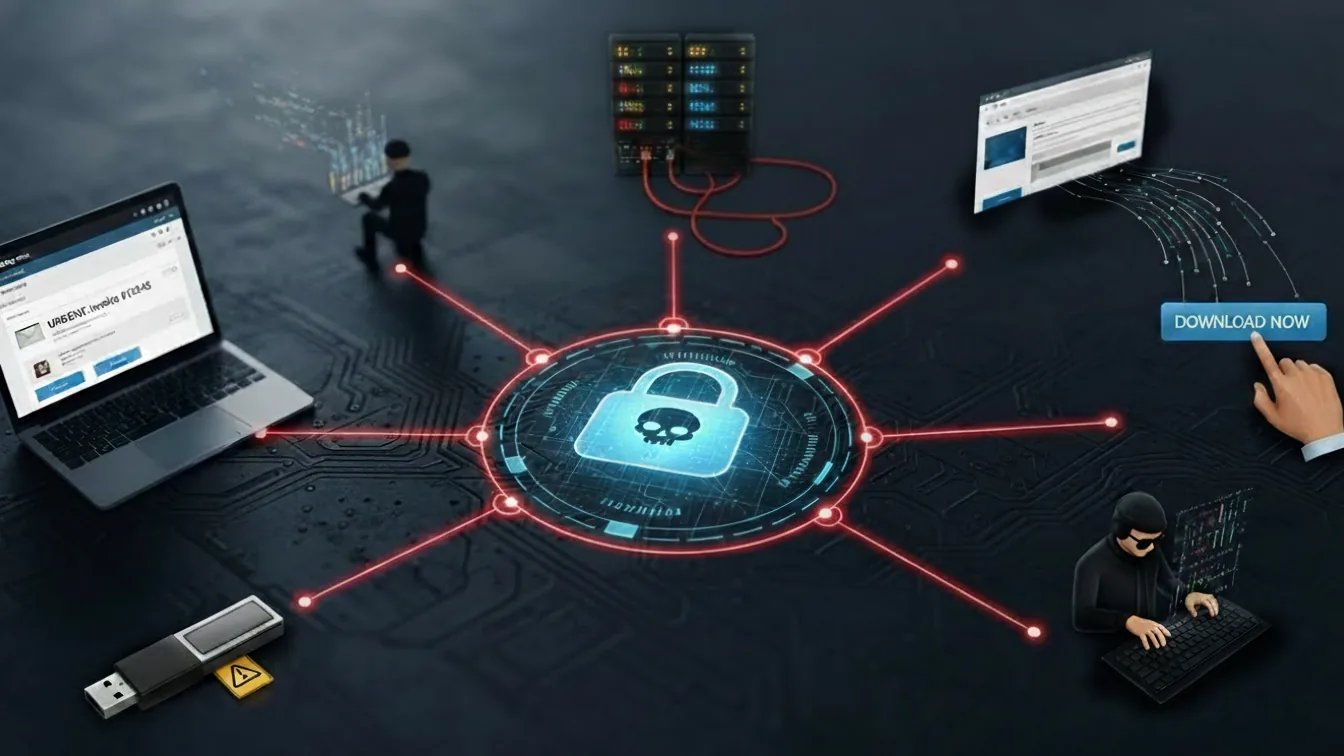
Ransomware intrusion routes change year by year, but in recent years "externally exposed remote access" has become the main point of entry. In fact, a National Police Agency (NPA) report (2025) gives the breakdown of intrusion routes as VPN appliances 62% / Remote Desktop 22%, meaning VPN and RDP alone account for more than 80% of the total.
This shows that "we're fine because we run email training" is not enough on its own. In terms of realistic priorities, updating, reviewing the configuration of and strengthening authentication on external touchpoints such as VPN and RDP must come first.
Infection route ranking (summary of the data presented)
| Rank | Route | Share (example) | Typical cause |
|---|---|---|---|
| 1 | Intrusion via VPN appliances | 62% | Unpatched vulnerabilities, end-of-support devices, misconfiguration |
| 2 | Remote Desktop (RDP) | 12% | Weak passwords, password reuse, no MFA |
We have put together a detailed look at the main infection routes based on statistics.
Why VPN appliance vulnerabilities are targeted
A VPN is "the front door into the company."
Its use has grown with remote work and site-to-site connections, but these devices sit at the network perimeter and are reachable from the outside, which makes them extremely valuable targets for attackers.
The problem is that VPN appliances tend to be "left alone like household appliances." Firmware updates get postponed and end-of-support models stay in service, which increases the likelihood of an intrusion through known vulnerabilities.
Once attackers are in, they may move laterally across the internal network and reach file servers and AD (Active Directory). As a result, the scope of encryption widens, and recovery costs and downtime soar.
Intrusion via Remote Desktop (RDP)
Remote Desktop (RDP) is highly convenient, but exposing it to the internet makes it an easy target.
Typically, internet-reachable RDP is hit with brute-force attacks or reused credentials, and weak or reused passwords are broken.
The most dangerous state is having no MFA and no access restrictions. Once RDP is breached, attackers enter through a legitimate login method, so detection tends to lag. Countermeasures need to be layered: "don't expose it to the internet in the first place," "jump server + MFA," "restrict source addresses" and "separate administrator privileges."
Infection via email and phishing
Email still cannot be ignored.
Phishing that impersonates business partners, delivery companies or invoices is typical, and opening an attachment (Office documents, executables disguised as PDFs and so on) or clicking a link in the body lets attackers in.
In recent years the Japanese in these emails has become natural and sender names are spoofed, which makes them hard for recipients to spot.
Email defenses need to be designed to cover not only "training" but also attachment sanitization, URL filtering, authentication (DMARC and the like) and "detection after someone does click."
What happens when you're hit by ransomware? The real impact
An infection does not simply mean you can no longer open your files.
For a company, core operations such as order taking, shipping, production, accounting and customer support stop, and recovery drags on.
With double extortion, data-leak response (fact-finding, scoping the impact, external communication and preventing recurrence) is added on top, and costs and workload soar. In other words, ransomware is not "an IT outage" but "a business continuity crisis."
What happens right after infection
Immediately after infection, files on endpoints and servers are encrypted one after another, and signs appear such as changed file extensions, file names turning into random strings, and an abnormal spike in changes to shared folders.
In some cases the desktop wallpaper is changed or a ransom note is placed on the desktop.
A ransom note typically states a payment deadline, a payment method (cryptocurrency) and contact details (such as a site on Tor). The important point here is that by the time visible encryption starts, the intrusion has very likely been under way for some time. You therefore need not only to stop the affected devices but also to disconnect from the network and preserve logs at the same time.
The damage companies suffer
The damage to a company falls broadly into "downtime," "recovery costs," "trust" and "legal and business relationships."
First, system downtime halts order taking, shipping and billing, and revenue will drop directly.
Next, recovery requires investigation, containment, rebuilding and data restoration, and including outside support, costs can reach tens of millions to hundreds of millions of yen.
Furthermore, when customer or business-partner information is involved, accountability, notification and inquiry handling follow, and reputational damage leads to long-term losses. For a listed company, management-level impacts such as timely disclosure, effects on financial results and, in some cases, postponed earnings announcements become real.
In supply-chain relationships, burdens that IT alone cannot resolve also arise, such as "audits and recurrence-prevention demands from business partners" and "responses required under contract clauses."
Will paying the ransom even get you back up and running?
There is no guarantee that paying the ransom will always let you recover.
Cases where attackers don't hand over the decryption key, the key is incomplete and decryption fails, or decryption takes so long that business recovery is delayed anyway are well known in practice. Payment also funds the attackers and fuels the next attack.
Even more serious is the risk that a company that paid will be targeted again as "an organization that pays." With double extortion, the stolen data stays in the attacker's hands even after payment, so the risk of publication or resale never drops to zero.
The basic policy, therefore, is to plan on "recovering without paying," covering backups, containment, rebuilding and recurrence prevention (since legal judgment is involved, the final decision follows the organization's governance).
Ransomware cases: the latest from 2024-2025
Ransomware cases are not just news stories. In practice, they are material for checking "whether the same conditions exist in our own company." In recent years, attacks have hit every industry, and in sectors heavily dependent on core systems, such as media, e-commerce and manufacturing, the impact of downtime translates directly into business risk.
Looking at real incidents shows how the damage spread and at what point it might have been contained.
KADOKAWA / Niconico (June 2024)
The KADOKAWA / Niconico incident was emblematic in that the service outage dragged on and spread beyond video streaming into surrounding businesses.
Even for a large organization, once an intrusion route is established and lateral movement is allowed, recovery takes considerable time and cost.
The lesson here is not "large companies are safe," but that if weaknesses remain in externally exposed entry points (authentication, privileges, endpoint management, log monitoring), any organization can be brought to a halt regardless of size. Designing the "mechanisms" is what matters, especially ID management that includes group companies and contractors, separation of privileged IDs and isolation of backups.
(Reference: DWANGO Co., Ltd., "Report and Apology Regarding the Cyberattack on Our Services")
ASKUL (October 2025)
ASKUL runs e-commerce for both businesses and consumers, so any outage hits sales and customer experience directly. What makes ransomware so dangerous for e-commerce is that lost sales begin the moment the systems stop, and customer inquiries and compensation work pile up in parallel throughout recovery.
When member accounts and order information are involved, the burden of explaining the scope of the impact also becomes heavier.
The point here is that "e-commerce = a web application problem" is the wrong framing: the entire business process from order intake to warehouse to delivery to billing depends on IT, so even a single encryption event can stop everything in a chain reaction. From a business continuity (BCP) perspective, you need to decide on alternatives, recovery priorities and external communication lines in advance.
Asahi Group Holdings (March 2025)
For companies responsible for manufacturing and logistics, when production management and shipping stop, the impact quickly spreads beyond the company to business partners and retailers. A pattern we often see in ransomware response is that only the fact that "an old VPN appliance was still in place" gets cited as the cause.
In reality, though, the problem lies less with any individual device than with the fact that the operational practice of continuously tracking and updating perimeter devices was not functioning. A VPN is an entry point that is constantly targeted from outside, and delayed updates become "risk that quietly piles up without anyone noticing."
That is exactly why VPN updates must be treated not as a task to put off, but as an investment in keeping the business running.
We cover 15 more ransomware cases in the article below.
Small and mid-sized businesses are targets too: why it's not someone else's problem
The idea that "we're a small company, so nobody will target us" is dangerous.
There are two reasons small and mid-sized businesses are targeted.
First, they have few dedicated IT staff, so updates to VPN appliances and servers tend to be put off, making them "easy to get into" from the attacker's point of view.
Second, they are valuable as stepping stones into business partners and parent companies (supply-chain attacks). When a small or mid-sized business is compromised, it loses the trust of its business partners and, in the worst case, this can lead to renegotiated terms or terminated contracts.
In other words, what you need to protect is not only your own data but the business relationships themselves. The realistic approach is to treat this as a management issue and start with the minimum entry-point defenses (VPN/RDP, ID management, backups).
Ransomware defenses: five measures you can start today

Defense does not have to start with "buying expensive products." What matters is closing the entry points attackers find easiest, stopping lateral movement and encryption even if they get in, and, at worst, being able to recover.
Here we lay out five measures, in priority order, that are practical regardless of company size or budget. VPN and authentication in particular are statistically at the center of intrusion routes, making them the area with the highest return on investment.
[Top priority] Keep VPN appliances and software up to date
Since most infections start from a VPN, the top priority is updating VPN appliances and related software. From the attacker's point of view, a perimeter device whose updates have stalled looks like "an entry point that could be used at any moment."
In practice, the basics are to work through the following in order:
- Check maintenance end dates and replace end-of-support devices on a planned schedule
Devices whose support has ended do not get fixes even when vulnerabilities are found. In the field, we often see this state left unaddressed for a long time. - Build firmware updates into operations, not into ad hoc "tasks"
Rather than handling them whenever someone remembers, schedule them on the assumption that they will be applied regularly, so no update is missed. - Regularly review external exposure settings and unnecessary features
Management interfaces left at their default settings and unused features often become points of entry.
Update work tends to be postponed "because we can't stop the business," but what actually stops the business is not the update window; it is the intrusion that follows. It is important to set aside maintenance windows in a planned way and keep the risk under control.
Where possible, using automatic updates or update notifications to move away from person-dependent operations where "it's fine because someone remembers" is, in the long run, the safest approach.
Introduce multi-factor authentication (MFA)
In real-world operations, the assumption that passwords alone can protect authentication no longer holds. It is not unusual for legitimate logins to be broken through password reuse, phishing, or credential-stuffing attacks using leaked credentials.
Multi-factor authentication (MFA) combines a password with one-time codes, biometrics or similar factors, greatly lowering the success rate of these attacks. It should be applied first to "entry points with high impact if breached," such as accounts with administrator privileges, VPNs, cloud management consoles and business email.
Many low-cost options exist, making it a highly cost-effective measure. At the same time, running separate accounts for administration and for everyday work makes it easier to contain the damage if one is compromised.
Take regular backups
Backups are extremely important when thinking about ransomware defense. A basic principle to keep in mind is the 3-2-1 rule.
It is a simple rule: "keep three copies of your backups, on at least two types of media, with one of them kept disconnected from the network."
In practice, it is not unusual for backups on the same network to be encrypted along with production data after an intrusion. If all your backups are gathered in one place, you easily end up with backups that "exist but can't be used."
Even more important is not stopping at taking backups. By documenting recovery procedures, the permissions needed and where the encryption keys are, and by testing restores regularly, you can keep downtime within a realistic range when an incident occurs.
Backups should be thought of not simply as a way to keep data, but as preparation for rebuilding without stopping the business.
Deploy security software / EDR
Traditional antivirus alone may fail to catch lateral movement and suspicious behavior after an intrusion. In fact, from the attacker's point of view, there are many situations where moving around inside the company using legitimate privileges and tools is less likely to be detected than running malware.
EDR (Endpoint Detection and Response) is built on this premise: it continuously monitors behavior on endpoints and detects and contains suspicious process activity, privilege escalation, abnormal encryption activity and the like. More and more plans are easy for small and mid-sized businesses to adopt, and EDR is effective for detection and limiting the spread of damage on the assumption that "intrusions can never be reduced to zero."
In practice, however, it is common for organizations to feel safe just because the product is installed. Be aware that unless you design the operation, including who assesses alerts, when and how, it will not help you when it counts.
Provide security training for employees
Email-based attacks and credential theft target gaps in human judgment more than technical weaknesses. So if training ends at a warning to "not open suspicious emails," it will not hold up against real attacks.
In practice, it is important to break it down to the level of concrete actions, such as:
- Verify the sender of attachments and URLs through a separate channel
Don't judge by the display name or email body alone; make a habit of confirming by phone, internal chat or another route. - Don't reuse passwords
This prevents a single leak from letting attackers break into other systems one after another. - Understand why multi-factor authentication (MFA) is necessary
Assume that passwords will leak, and share where MFA serves as the last line of defense. - Report immediately if anything feels off
Sharing quickly keeps damage smaller than agonizing over whether you are right.
It is also important to run regular training emails (phishing simulations) and not to blame people who fall for them as individual failures. Real attacks can catch anyone, so continuing to use the results to improve the organization as a whole makes a big difference to how effective your defenses are.
For a comparison of ransomware protection software for individuals and businesses, see the article below.
Related: Best Ransomware Protection Software Compared (2026 Update): For Individuals and Businesses
Infected with ransomware? Five initial response steps

When an infection is suspected, the decisions you make in the first moments greatly change how far the damage spreads.
In real incidents, rather than reflexively cutting the power, what matters is first stopping communication so the damage does not spread to other endpoints and servers, and getting into a position where you can consult outside experts while the information that shows what happened is still intact.
With double extortion in particular, "whether data was exfiltrated" becomes a major issue later on. You need not only to rush recovery but also to determine how far the impact extends and take steps to make sure it does not happen again.
That is why your initial response must be set up so that people on the ground can act without hesitation.
Step 1: Disconnect from the network immediately
The top priority is preventing the spread. Unplug the LAN cable from suspicious devices, turn off Wi-Fi, disconnect VPN sessions and otherwise isolate them from the network.
The goal here is to stop lateral spread of encryption and further compromise by the attacker (intrusion into other devices, destruction of backups).
We understand the reluctance to stop operations, but if the damage spreads, downtime will be even longer. Where possible, block the affected device's traffic on the network equipment side to limit the spread within the same segment.
Step 2: Identify the scope of the infection
Next, establish which endpoints and servers are affected.
Check the extensions of encrypted files, the wording of the ransom note, the shared folders affected, accounts with suspicious logins, unusual communication destinations and so on, and note them down in chronological order.
If you rush recovery and start operating on things at random, it may later become impossible to tell what actually happened. The attacker's methods and lateral movement paths become visible by tracing communication and activity records.
In actual investigations, logs on servers, Active Directory, VPN appliances, EDR and firewalls are key clues. Work that requires analysis or evidence preservation should be left to specialists; on site, the priority should be not changing the state of systems.
Step 3: Contact the police and specialist organizations
One of the most common mistakes in incident response is spending time trying to handle everything internally.
In real incidents, we have seen many cases where bringing in outside expertise early, while organizing the situation, ultimately kept the damage smaller.
Places to consult include the police's cybercrime consultation desks, IPA and JPCERT/CC, as well as your insurer, SOC and security vendors. CyberCrew also takes consultations from this initial stage, helping to organize the intrusion route and scope of impact and to prioritize the next actions to take.
Especially when double extortion is suspected, you need to consider legal matters, personal information and business-partner response in parallel, from the perspective of whether data was exfiltrated, not just how to deal with encryption.
If "who to contact and who decides" has not been settled at the initial response stage, people on the ground hesitate and time slips away.
CyberCrew operates an emergency desk for businesses facing a security incident. If there is any possibility of an incident, contact us right away.
Organizing contact details and the decision-making flow in peacetime is the foundation for keeping downtime within a realistic range.
Step 4: Check for decryption tools
Depending on the type of ransomware, free decryption tools may be available. A representative source is the No More Ransom project, where you can sometimes find a matching tool based on the wording of the ransom note and the characteristics of the encrypted files.
What often happens in the field, though, is the hope that "if there's a decryption tool, we'll be fine."
Even if decryption succeeds, attackers will come back in the same way if the intrusion route is still open.
And successful decryption does not prove that no data was exfiltrated.
A decryption tool is only one option. In practice, the realistic approach is to prioritize containment and root-cause analysis, then carefully check whether a tool can be used.
Step 5: Restore from backups
When restoring from backups, always confirm before you start that "the attackers can no longer get back in." If you restore in an environment where the intrusion is ongoing, data may be encrypted again right after you restore it.
In practice, we work through the following in order before proceeding with recovery:
- Close off the intrusion route
First, close the entry points that may have been used, such as VPN and remote access. As long as these remain open, recovery cannot proceed safely. - Clean up accounts that may have been misused
Focusing on administrator privileges and privileged IDs, disable unnecessary accounts and change passwords to return to a legitimate state of use. - Decide how much of the endpoints and servers to rebuild
Depending on the infection, determine whether fixing configurations is enough or whether a rebuild is needed. Get this wrong and the problem will recur after recovery. - Set recovery priorities and execute
Proceeding in the order core systems → peripheral systems → endpoints lets you recover while keeping business impact to a minimum.
Even after recovery is complete, strengthen monitoring for a while and focus on checking whether suspicious communications, logins or signs of encryption reappear. Only once all of this is done can you judge that "recovery is complete."
We have summarized recovery methods and costs in case of infection in the article below.
Related: Recovering from a Ransomware Attack (2026 Update): Costs, Timelines and Success Rates
[Important] Don't pay the ransom
In ransomware response, you may be faced with deciding whether to pay the ransom. Having seen many cases, what we can say is that paying the ransom is high-risk and rarely a stable solution.
In reality, there is no guarantee that paying will get you back up and running, and the very fact that you paid can mark you as "an organization that pays," leading to being targeted again. With double extortion, even if decryption succeeds, the exfiltrated data does not come back. Furthermore, the ransom becomes funding for the attackers' activities, which cannot be ignored as it leads to further damage.
The final decision is an organizational one involving legal and executive management, but what matters is building, in peacetime, a state where you are never forced to decide "whether to pay." By having backups in place, entry-point defenses, detection and containment, and a communication structure for the initial response, you can keep recovery routes other than payment as realistic options.
The initial response to take first when infected is described in the article below.
For ransomware defense, CyberCrew's vulnerability assessments and penetration testing
We have been involved in many investigations and tests, and in almost every case, ransomware damage does not happen because someone "happened to get infected"; it happens as a result of easy entry points being left open.
Starting from entry points such as VPN, RDP, public-facing servers and gaps in ID management, attackers seize privileges step by step, gain a thorough understanding of the internal environment, and only then carry out encryption at the very end.
These attacks are not haphazard; they are clearly planned. That is exactly why, for defenders, identifying "where someone could get in" first and closing it is the most cost-effective preventive measure.
Through vulnerability scanning and penetration testing, CyberCrew takes the attacker's position to verify whether an intrusion is actually possible, and makes visible "how far an attacker can get" and "where they should have been stopped." We then place emphasis on breaking this down into prioritized measures so you can make realistic improvements even with a limited budget and resources.
Why vulnerability assessments are a ransomware defense
The statistics cited show that the main intrusion routes are VPN and RDP. These tend to be caused by misconfigurations, known vulnerabilities and weak authentication, and a vulnerability assessment can find these "holes in the entry points" early.
What matters even more is assessing "whether the vulnerabilities found actually lead to intrusion and lateral movement."
That is where penetration testing comes in: it lets you verify how far an attacker can get and whether there is a realistic path to encryption. As a result, defenses can be implemented by "priority" rather than by "covering everything," and you can invest in the most effective points even on a limited budget.
Getting ahead of attackers and eliminating weaknesses first is the essence of ransomware defense.
What sets CyberCrew's vulnerability assessments and penetration testing apart
CyberCrew has specialists in the attacker's perspective (offensive security) on staff and digs into "holes in configuration, privileges and operations" that simple tool scans tend to miss.
In particular, we focus our assessment on VPN, remote access, authentication infrastructure, network perimeters and shared storage, which are frequent problem areas with ransomware because they lead directly to lateral movement after an intrusion.
Our reports go beyond technical detail for engineers. So that they can be explained to executives too, they lay out the reasons for each risk, the expected impact, its priority and concrete improvement proposals (short- and medium-term).
We also place emphasis on proposing practical, achievable compromises rather than "ideal" defenses, based on the operational constraints on the ground (systems that cannot be stopped, few staff, a budget ceiling).
Our strength is realistic support for finding and closing weaknesses before attackers do.
Pricing and cost guide
The cost of vulnerability assessments and penetration testing varies with the scope (VPN appliances, public-facing assets, web applications, cloud, internal networks, etc.), the number of assets, the depth (scenario-based or comprehensive) and the duration.
That is why CyberCrew clarifies your goals (ransomware defense, a request from a business partner, audit readiness, etc.) and priorities in an initial hearing, and presents a quote covering exactly the scope you need.
Rather than going large-scale right away, you can also proceed with "a focus on public-facing assets and the VPN/RDP entry points first." Even starting with an assessment of your current state, you can settle on a direction through a free consultation.
Frequently asked questions about ransomware (FAQ)
Here we answer, briefly and accurately, the questions readers tend to have when searching. We have written them so they can also be used as-is to supplement internal explanations or approval documents.
Q1: What is the difference between ransomware and malware?
In a word, malware is "the umbrella term for malicious software," covering many types such as viruses, worms, Trojan horses and spyware.
Ransomware is one of them: it encrypts data or locks devices and demands a ransom in exchange for restoring them.
More and more often, attacks no longer end with encryption; attackers first steal data and threaten to publish it, so the damage tends not to be resolved by recovery alone.
Q2: What is the most common ransomware infection route?
The reality of ransomware today is that "entry points exposed to the outside," such as VPN appliances and remote access (RDP), are targeted more than email.
A National Police Agency report (2025) gives the breakdown of intrusion routes as VPN appliances 62% / Remote Desktop 22%.
That is why, rather than relying solely on email training and filtering, it is important to prioritize hardening the entry points, such as updating VPN/RDP, making MFA mandatory and restricting source addresses.
Q3: If we're infected with ransomware, should we pay the ransom?
The bottom line: we generally do not recommend paying the ransom.
Even if you pay, there is no guarantee you will recover, and there are cases where the attacker does not hand over the decryption key or decryption is incomplete.
There is also the risk of being seen as "an organization that pays" and being targeted again, and of the money helping fund criminal organizations.
With double extortion, even if decryption succeeds, the stolen data does not come back.
The final decision falls to legal and executive management, but the realistic approach is to have "a structure that lets you recover without paying" in place in peacetime.
Q4: What are some well-known examples of ransomware?
Well-known ransomware families often cited include WannaCry, LockBit, Qilin and 8Base.
However, the ransomware landscape changes rapidly: variants with slightly different internals appear under the same name, and groups often rebrand and resurface under a new name after law-enforcement takedowns or internal disputes.
That is why, rather than memorizing names, understanding where attackers get in (VPN/RDP/leaked credentials) and how to stop them (updates, MFA, backups, detection and operations) is what really helps in practice.
Q5: Which countries are ransomware attacks coming from?
The news tends to focus on "which country an attack came from," but in practice the origin often cannot be pinned down to a country.
Today, with models such as RaaS (Ransomware as a Service), attack methods and tools have been "turned into a service," and operators can take part from anywhere in the world.
So rather than chasing "where it came from," it is more realistic and effective to shore up these three things: close entry points such as VPN/RDP, detect signs of intrusion early, and build a structure that lets you recover from backups.
Q6: How long does it take to recover from ransomware?
Recovery time varies greatly depending on "how much was hit" and "how well prepared you were."
For example, if only a handful of endpoints were encrypted, you may be able to get back on your feet in a few days through isolation and restoration.
On the other hand, once AD (authentication infrastructure), servers and even backups are affected, recovery becomes much heavier, and it is not unusual for it to take weeks or months.
Ultimately, the biggest factors determining downtime are whether you have healthy backups, including offline copies, and whether you have tested recovery, and whether you managed to stop the damage from spreading during the initial response.
Q7: Are small and mid-sized businesses targeted by ransomware too?
Small and mid-sized businesses are routinely targeted.
In fact, in the field, conditions that make them easy targets for attackers often line up: with few dedicated IT staff, updates fall behind, and VPNs and servers tend to be left alone "because they're working."
Even more troublesome is supply-chain risk, where they are targeted as "stepping stones" into business partners and parent companies.
"We're a small company, so we're safe" is wrong; if your entry points (VPN/RDP) and day-to-day operations are weak, you will be targeted. That is closer to the reality.
Summary: start your ransomware defenses now
Ransomware is malware that halts operations by encrypting data or locking systems and then demands a ransom.
In recent years, double extortion, which combines data theft with the threat of publication, has become dominant, and the fact that the risk of a leak remains even after recovery makes it especially serious.
Intrusion routes are not limited to email; externally exposed entry points such as VPN and RDP are at the center, and the top priorities are "updates," "configuration" and "stronger authentication (MFA)."
Finally, here is a checklist you can start on right now.
Checklist you can start on now (in order)
- Check the maintenance end dates and firmware update status of your VPN appliances
- Inventory internet-exposed RDP and, where necessary, disable it or apply MFA and source-address restrictions
- Make MFA mandatory for administrator accounts and separate them from everyday work accounts
- Make sure backups include offline copies, and run recovery tests
- Decide on endpoint detection (EDR, etc.) and how alerts will be handled (who does what)
- Document the contact list for an infection (police, IPA, specialist vendors, business partners)
As reference points to check in peacetime, look to IPA, the National Police Agency, NISC and the No More Ransom Project.
And the fastest way to find out "whether your own entry points are really closed" is a vulnerability assessment and penetration test. To find and close weaknesses before attackers do, contact CyberCrew if you need help.
Reference: public contact points and primary sources to check
- CyberCrew: Cybersecurity consultation desk for businesses and organizations (initial-response consultation and triage)
- National Police Agency: Consultation desks for cyber incidents (guide to prefectural police consultation desks)
- JPCERT/CC: Incident reporting form (technical reports and consultation)
- NISC: Cybersecurity portal site (alerts and basic information)
- No More Ransom (check whether a decryption tool exists)