In the IPA (Information-technology Promotion Agency, Japan) "10 Major Information Security Threats", the No. 1 threat to organizations is "damage from ransomware attacks," and the 2026 edition explicitly notes it was selected for the "11th consecutive year, 11th time."
That it has been featured so consistently shows ransomware is not "a special incident that only targets a few large companies," but a risk that can hit any business directly, regardless of organization size.
Beyond business disruption, dealing with business partners and recovery costs, once a data leak is involved the impact extends to trust and contracts, and it easily becomes a matter for management decisions, so situations tend to escalate.
First, it is important to understand the fundamentals of ransomware as a whole.
In this article, built around statistics from the National Police Agency (NPA), we explain clearly the main ransomware infection routes (that is, entry points) and their shares, then cover high-priority countermeasures and the initial response if you are infected.
Note that preventive measures are essential against ransomware attacks, and vulnerability assessments and penetration testing are effective. CyberCrew has multiple white-hat hackers on staff who evaluate risk through realistic testing that starts from the points attackers actually target. Contact us for a free consultation.
What Is Ransomware? Incidents and the Latest Attack Techniques
Ransomware is not just an attack where files are suddenly encrypted and a ransom is demanded. There are several stages between intrusion and encryption, and recently the approach of "preparing without being noticed, then stopping operations all at once at the end" stands out.
First, we explain the characteristics of ransomware, the latest attack techniques and real incidents.
Characteristics of ransomware (definition and the overall picture of damage)
Ransomware is a name that combines Ransom and Software.
Once infected, files on PCs and servers are encrypted, and business data becomes unreadable.
Then the attackers demand "pay the ransom in exchange for the recovery key," effectively holding business continuity itself hostage.
Moreover, in recent years it no longer ends with simple encryption. In the NPA document "Threats in Cyberspace in the First Half of 2025", data theft (exfiltration) was confirmed in 74% of the cases surveyed, suggesting that double extortion, which threatens publication of information on top of encryption, has become "a standard technique."
What makes ransomware countermeasures difficult is that you cannot flatly say "we're fine as long as we have backups." The same document shows that only 7 out of 48 cases, or 14.6%, were able to restore to the pre-infection state. In other words, recovering data is difficult and tends to take time and money.
The number of reported cases also continues to rise. According to the NPA document, ransomware damage reports in the first half of 2025 numbered 116, tying the second half of 2022 for the highest ever. Regardless of the size of a company or organization, it needs to be faced as a real management risk.
The latest ransomware attack techniques (2025–2026 trends)
Ransomware attacks in recent years tend to follow the pattern of "exploit an entry point, prepare quietly, and stop things in a big way at the end."
There are four key points:
- From "spray and pray" to "targeted"
Rather than infecting indiscriminately, more attackers find an easy entry point (VPN/RDP/contractor connections) and come to shut you down for certain. This is also why measures for "entry points" are the top priority. - Double extortion has become the norm
In NPA materials, by reported technique, 70 out of 75 cases (93.3%) were the double extortion type. The response extends beyond recovering from encryption to handling the leak, explaining to business partners and dealing with legal issues, greatly increasing the impact on corporate management. - No immediate encryption after intrusion (there is a preparation period)
The typical flow is searching for credentials, privilege escalation and lateral movement (spreading inside the network), with encryption coming last. That is why "entry-point logs," "authentication logs" and "EDR detections" are "the last chance to stop it midway." - With the spread of generative AI, phishing has become "more natural"
The era when you could spot attack emails by their unnatural Japanese is coming to an end. It has been pointed out that the abuse of generative AI raises the quality of the text and lowers the barrier to disguise.
(That does not mean email has become the main route again. As discussed later, statistically VPN/RDP are at the center.)
In addition, the expansion of RaaS (Ransomware as a Service) has divided the labor among "those who develop," "those who break in" and "those who negotiate," broadening the base of attackers.
5 ransomware incidents
To make the infection routes easier to picture, we organize them around "where they got in and what happened."
1. A major game maker (2020): suspected intrusion via VPN, personal data leaked
In its report on the 2020 unauthorized access, the major game maker Capcom mentioned the possibility of intrusion via a VPN device and disclosed the leak of personal information and other data.
It shows that "VPN = a safe passage" is not true; rather, "the moment a VPN device or its authentication is breached, it becomes an 'entrance into the company.'"
2. KADOKAWA / Dwango (2024): service outages cascaded, widening the social impact
In June 2024, KADOKAWA announced that, in connection with outages at multiple group websites, it had shut down related servers to preserve data. (Reference: Dwango Co., Ltd., "Report and Apology Regarding the Cyberattack on Our Services")
Later announcements showed that it was also continuing to respond to the data leak resulting from the ransomware attack.
3. Healthcare organizations (hospitals): an EMR outage leads directly to "a halt in patient care"
As an example of damage at a healthcare organization, there is the case at Tsurugi Town Handa Hospital in Tokushima Prefecture, where a ransomware infection made electronic medical records, billing and other systems unusable. (Reference: Tsurugi Town Handa Hospital, "About the Investigation Report of the Expert Panel on the Computer Virus Infection Incident")
Because healthcare "cannot stop" and "rushes to recover," the reality is that, from the attacker's point of view, it is easily targeted as an industry where negotiations are likely to succeed.
4. A major manufacturer (via the supply chain): "even if your own company is solid," partners and contractors become the entry point
There is a case in which an incident at the supplier Kojima Industries Corporation set off a chain reaction that stopped production at Toyota's plants in Japan.
Even if you are not targeted directly, maintenance vendor connections, contractor VPNs and subsidiary IT can become weak points.
5. A major overseas manufacturer: the more global the footprint, the more "the scope of infection" translates directly into business losses
Overseas, cases keep recurring in which the more sites a company has, the wider the impact and the higher recovery costs soar (mass rebuilding of PCs and servers, operational shutdowns, supply chain impact and so on). Statistically as well, NPA materials (2025) show that 59% of cases had investigation and recovery costs of 10 million yen or more, and that for recovery time, "less than one week" was 21%, while one week or longer (including those still recovering) totaled 79%.
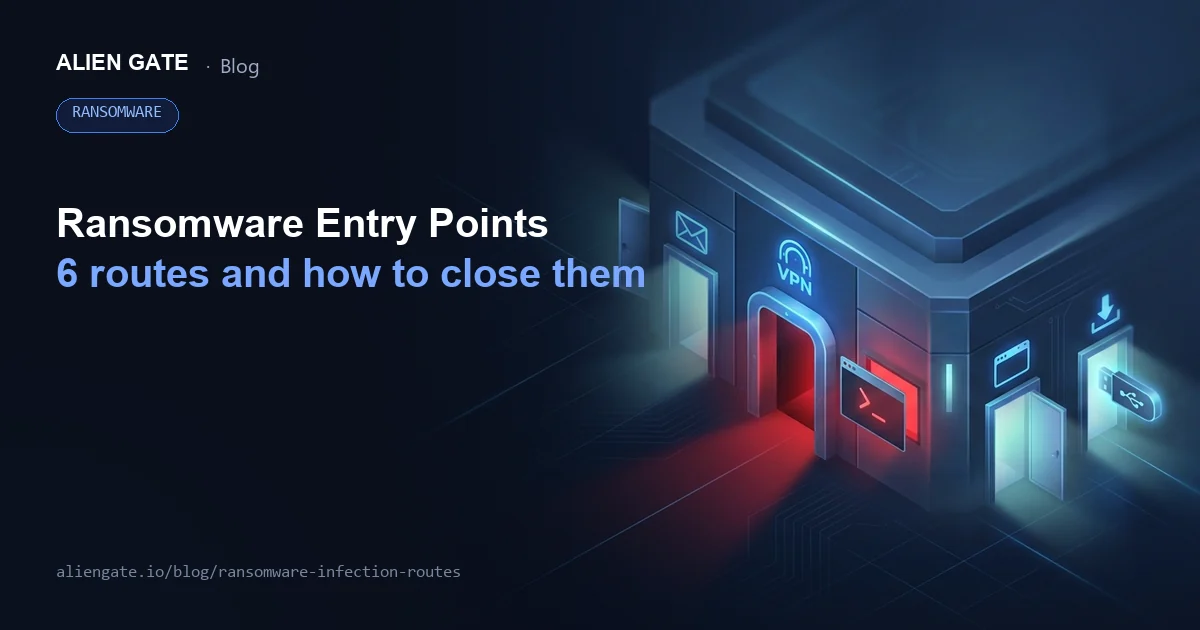
The 6 Ransomware Infection Routes (in Order of Share)
Now to the main topic. Based on NPA statistics, we lay out the six main infection routes "in order of frequency."
To put the conclusion first, the core of your countermeasures is "VPN and RDP (Remote Desktop)."
NPA materials (2025) show the breakdown of entry points as VPN devices 62% / Remote Desktop 22% (the rest is "other").
1. Intrusion via VPN devices (62%)
VPNs are targeted because a VPN is the "door" for getting into the internal network from outside.
As more companies use VPNs for remote work and connections between sites, attackers have settled into a routine of "first find the VPN device, and if there's a hole, get in through it."
Because the entry point tends to be consolidated into one, the risk of being targeted goes up.
The three typical risks are:
- Firmware not updated:
Known vulnerabilities tend to be left unaddressed, and missed updates become openings for intrusion as is. Also beware that if update work depends on one specific person, it is easiest to miss precisely when an urgent response is needed. - Old devices left in place:
Devices that are out of support or cannot be updated have no way of closing weaknesses once they are found. There are limits to covering this through operations, and it tends to become a state where "the longer you keep using it, the greater the risk." - Leaked or guessed credentials:
With password-only operation, reuse of leaked credentials and guessing succeed more easily, lowering the difficulty of breaking in through that entry point.
Example countermeasures include:
- Always keep firmware up to date:
Start by taking inventory of devices (model number, location, maintenance expiry, person in charge) and setting up an update plan so you can keep them current. - Introduce MFA (multi-factor authentication) on the VPN:
This creates a state where a leaked password alone cannot get through. It is a highly cost-effective way to lower the attacker's chance of success. - Replace old devices:
For devices that cannot be updated, the risk can easily outweigh the reasons to keep them. Even when replacement is difficult, consider reviewing exposure and tightening connection conditions as a set.
As long as VPNs are statistically listed as a major infection route, the longer you put this off, the lower the cost-effectiveness of money spent on other measures.
Close the entry point first: VPN is that "top-priority point."
2. Intrusion via Remote Desktop (RDP) (22%)
RDP (Remote Desktop) is a feature for logging in to and operating PCs and servers from outside.
It is convenient for maintenance and remote work, but if misconfigured it amounts to setting up an internal device "directly connected" to the internet yourself.
From the attacker's point of view, it is like hanging your front door key on the outside, and in reality it easily becomes "an entry point worth trying" the moment it is found.
The main reasons it is targeted are:
- It tends to be structured so it can be connected to directly from outside:
If a public setting remains, it becomes an entry point reachable from anywhere outside the company. In particular, there are quite a few cases where RDP opened in a hurry for remote work has simply been left that way. - The default port 3389 is an easy target:
Attackers start by "finding it first." RDP is a typical target of scanning, and once found, it is easy to move on to the next attack (bypassing authentication or exploiting vulnerabilities). - Weak passwords become targets for brute force and password spraying:
Short and reused passwords, of course, as well as patterns using birthdays or names, are easily cracked, and if account lockout is not properly configured, the success rate rises.
The basic countermeasure is to "eliminate RDP" or "minimize its exposure."
- Do not expose RDP to the internet (top priority):
If possible, stop exposing RDP altogether. If you can do this, the risk drops dramatically. - If you must use it, allow it only via VPN:
Do not expose RDP on its own; use a configuration in which users first get inside via VPN and then use it. - Restrict source IPs:
Allow access only from fixed IPs or specific sites, eliminating "a state where anyone can get in from anywhere outside the company." - Strong authentication (long passphrases + MFA):
It is realistic to move toward a design that does not rely on passwords alone for protection. - (As a supplementary measure) Changing the port:
It can lower how "easy to hit" it is in scans, but it is not a fundamental fix. As long as it is exposed, you should assume it will be found eventually.
As long as RDP statistically ranks near the top of entry points, RDP needs to be designed and operated not as "a convenient feature" but as an entry point that must be managed.
It is safest to put checking its exposure and tightening connection conditions as "the first items to check."
3. Email attachments and links
Email is said to be an "old-school" infection route, but it has still not dropped to zero.
What is particularly troublesome is that techniques continue that get people to open attachments or click links by blending naturally into a business context, such as invoices, quotes, delivery notices and messages from business partners.
Common intrusion patterns include:
- Attachments disguised as Office files or PDFs that prompt actions such as "Enable" or "Allow":
Being asked to take an extra action after opening is a sign that you should stop. The problem is that the more a document seems necessary for work, the harder it is to doubt. - The link looks like a legitimate site, but the domain is slightly different:
Even if it looks similar, small oddities can remain in how the sender or link destination is written. When URL shortening or redirects are involved, it becomes even harder to tell. - Pressure to reply quickly (dulling judgment psychologically):
When elements that create urgency, such as "urgent," "by end of today" or "immediate action required," are included, the accuracy of judgment drops. The more a message pushes you to hurry, the more you need a moment to check.
It is realistic to think of countermeasures in terms of both "technology" and "operations." Here are four specific methods:
- Email filtering (inspecting attachments and URLs):
Drop what can be dropped at the entrance, and put in place a mechanism that can automatically quarantine or warn about suspicious attachments and links. - Disable automatic macro execution (controlled by organizational policy):
Rather than leaving it to each person's judgment, create a state where macros are unlikely to run as a matter of system design. - A reporting flow for suspicious emails:
Deciding whom to report to, what to include (subject, sender, screenshots, etc.) and how urgently reduces hesitation. - Employee training:
The key is less about strictly enforcing "don't open it" and more about making "when in doubt, stop and report" a habit. Operations become stronger when even people unsure of their judgment can err on the safe side.
Note that it has also been pointed out that the spread of generative AI is making email text more natural, so you cannot judge safety by "the writing is polite" or "the Japanese is clean" alone.
It is important to build the habit of checking the structure, such as the sender, the link destination and the action being requested, rather than the overall impression.
4. Browsing websites (drive-by downloads)
There are cases where tampered legitimate sites or malicious ads (malvertising) are used as a stepping stone, so that "having viewed the page" is itself the entry point for damage.
While it is statistically less prominent than VPN or RDP, what makes it troublesome is that the mindset "I don't visit suspicious sites, so I'm fine" does not hold.
Even on sites you browse every day for work, dangerous content can be unintentionally mixed in through ad slots, external scripts, updates by contractors and so on.
In other words, even if you raise awareness, relying ultimately on "individual caution" alone will always leave gaps. The busier people are, the faster they make decisions about clicking and browsing, and that creates room for attacks to slip in.
Narrowed down to measures that are easy to run in practice, the following three are realistic:
- Keep browsers and plugins up to date:
Attacks often succeed by exploiting vulnerabilities, and environments where updates have stopped become a breeding ground. The basics are to keep things "up to date as a matter of course," including not just the OS but browsers, extensions and related components. - Access control for dangerous sites (DNS / proxy / filtering):
Rather than relying on users' judgment, enable the organization to block dangerous domains and categories. Even if you cannot reduce it to zero, just reducing the entry points lowers the probability of an incident. - Endpoint protection (detecting and blocking suspicious behavior):
On the assumption that some things will slip through, put in place a setup that can detect suspicious behavior on endpoints and isolate or block it. It works as "the last line of defense" to stop spread after infection.
Precisely because this is an area that "let's be careful" alone cannot protect, the realistic approach to web browsing defense is a design that absorbs "careless mistakes" through technology.
5. Downloading software and files
Malicious files disguised as pirated software, free tools or handy utilities remain a staple entry point. Especially at SMEs, staff tend to install things on their own judgment "because they want to get work done faster" or "because they don't want to spend money," and as a result devices easily become "unmanaged."
Once this happens, nobody knows what is installed on which device, and updates and removals cannot keep up.
From the attacker's perspective, the less managed an environment is, the higher the probability of a successful intrusion.
The countermeasures are simple; first, it is important to enforce the rules:
- Obtain software only from official sites and official stores:
Avoid downloads from distribution sites of unknown origin or via ads, and fix the sources you obtain software from. - No installation without administrator permission (provide a request flow):
If you only prohibit it, staff will look for workarounds. It is realistic to create a mechanism that can quickly approve the software people need. - Consider application control (allowlisting, etc.):
Moving toward a state where only approved applications can run makes it hard for malicious files to run in the first place.
Not leaving "install it because it's convenient" unchecked is the most cost-efficient entry-point measure.
6. USB drives and other external storage media
External storage media such as USB drives are a "physical infection route."
Not plugging in USB drives of unknown origin goes without saying, but what is often overlooked in practice is workplaces where data exchange with business partners and contractors relies on USB drives.
If USB use has become routine for reasons such as "email has size limits" or "we can't use file sharing services," it can become an entry point.
Another risk is that it is hard to track who plugged what into which device and when, making it difficult to identify the cause when an incident occurs.
It is realistic to proceed in stages:
- Do not connect USB drives of unknown origin (document it as a rule):
Verbal warnings alone will not be followed consistently. Document it as an internal rule and standardize the criterion for when in doubt ("if unknown, don't plug it in"). - Establish a policy for using external media:
Decide who may take media out or bring it in, for what purpose and how. For example, defining usage requests, a management ledger, virus scanning procedures and storage methods makes operations stable. - In high-risk environments, controlling or disabling USB ports is also an option:
For critical servers and specific devices, closing the physical entry point is more reliable. Apply it gradually by department or device, balancing it against business impact.
The basic approach to USB defense is to assume "someone will plug something in by mistake" and lower the probability of incidents through mechanisms and rules.
3 Ways to Identify a Ransomware Infection Route
If damage is already suspected, you cannot prevent recurrence unless you know not only "what you were infected with" but also "where they got in."
If you rush only to recover and leave the entry point open, the risk of re-intrusion through the same weakness remains.
To narrow down the cause, it is a good idea to work through checks that are easy to carry out on the ground, in order.
1. Identifying the entry point through log analysis
The easiest place for a company to start on its own is checking logs.
When an infection is suspected, do not stop at "which device was hit"; trace the flow from the entry point to lateral movement using the records you have on hand.
To get an initial lead, at a minimum, secure the following logs:
- Authentication logs:
VPN, AD, cloud (unfamiliar logins / a string of failures / late-night access, etc.) - Network / firewall logs:
Connections from outside, block events, unexpected traffic (destinations that don't normally appear, sudden spikes in traffic volume, etc.) - Server / application logs:
Logins to admin screens, configuration changes, unknown executions (any operations that don't occur in normal operation) - Endpoint event logs:
Suspicious processes, traces from the time encryption began (clues to what ran just before)
The key is not to look only at "the infected device."
In practice, damage often spreads via the VPN device that served as the entry point, the authentication infrastructure (AD) and servers easily used as stepping stones, and the story only becomes clear once you connect the surroundings as well, in chronological order.
Logs are also important material when consulting outside parties. The NPA also recommends preserving logs and similar data when consulting, so be careful not to delete or overwrite them in a panic.
2. Commissioning a forensic investigation
"No logs remain," "we don't know what to look at," "it looks like legal action or external explanations will be needed": if these conditions apply, forensics (digital forensic investigation) is worth considering.
In ransomware incidents, the more you rush recovery, the more you touch the environment, and it is easy to end up in a state where you later "cannot explain what happened." Forensics is not only for determining the cause; it is also "laying the groundwork" to protect later decisions.
There are three main benefits:
- Evidence preservation:
Logs and traces on devices are easily overwritten or altered, and can disappear just through normal recovery work. Securing them with professional procedures makes it easier later to explain "when, what and how it happened." - Identifying the entry point and lateral movement:
If you can trace how far it spread from the entry point (VPN/RDP/contractors, etc.), the accuracy of recurrence prevention improves. You can avoid the worst-case pattern of leaving the same entry point in place after recovery. - Preparing for accountability:
Reports to business partners, explanations to regulators, cyber insurance procedures and the like require the facts to be organized. It is important to be in a position to explain things with evidence.
As a guideline for when to commission one, it is not "when business impact appears" but when you judge that "a leak is possible."
Because double extortion has become mainstream, data may have been taken out even at a stage when no encryption is visible. Note that judging only by whether encryption has occurred tends to leave your external response a step behind.
3. Visualizing the scope of infection with security tools
In environments with EDR (Endpoint Detection and Response) or SIEM (Security Information and Event Management) in place, understanding infected devices and the scope of impact becomes much easier.
What makes ransomware response hard is that if you look only at devices where encryption has visibly begun, it is easy to miss the movements going on behind the scenes.
EDR focuses on device behavior and SIEM cuts across various logs, making it easier to see the connections between anomalies. Used well, they give you the material to judge "how far it has spread" and "what needs to be stopped."
Specifically, you can understand the situation from perspectives such as:
- Suspicious endpoint behavior:
It becomes easier to detect "changes in behavior" on the endpoint side, such as mass file operations or the execution of encryption-related processes that rarely occur in normal work. - Signs of lateral movement:
"Movements that spread inside the network," such as reuse of credentials, privilege changes and abuse of admin tools, are the precursor to greater damage. Whether you can catch this early changes how hard containment will be. - Identifying the scope of impact:
When you can see which devices and servers were affected, you can carry out isolation and network blocking in a "targeted" way. This leads to decisions that do not stop more than necessary while reliably stopping what must be stopped.
Above all, it is important not to assume "only one device was encrypted."
In attacks with a preparation period after intrusion, multiple devices may be used as stepping stones, with encryption running on all of them together at the end.
Proceeding with checks on the premise that other entry points or lateral movement may remain behind the visible damage leads directly to preventing recurrence.
8 Ransomware Countermeasures You Can Take Now (in Order of Priority)
If infection routes are skewed, building countermeasures with the same mindset avoids waste.
In practice, rather than spreading yourself thin, closing off the "entry points" most directly linked to intrusion first makes results easier to see, even on a limited budget.
Here are eight highly cost-effective ransomware countermeasures.
1. Vulnerability measures for VPN and network devices
Statistically, VPN devices are cited as a major entry point, so addressing them first is the shortest route.
Where VPN measures tend to stumble is the state of "we want to update, but we don't even know what is where."
So the first thing to do is lay a foundation so that operations do not depend on sheer willpower.
- Device inventory (model number, location, maintenance expiry):
List not only VPN devices but also related remote access devices. If you also capture the person in charge, management method and whether configuration backups exist, you will be able to act in an emergency. - Regular updates (operations based on urgency):
In addition to regular quarterly or monthly updates, set rules that allow ad hoc responses when "highly urgent vulnerabilities" appear. If each update requires coordinating downtime, building agreement with the business side is part of the package. - Removing and replacing out-of-support devices ("can't be updated" is the biggest risk):
Devices that cannot be updated have no defense the moment a vulnerability is found. Even when replacement is difficult, it is important to apply interim measures, such as reviewing exposure and strengthening access control, while bringing the replacement plan forward.
A VPN's security is determined not by "we have one, so we're safe" but by "whether updates and management are actually running." Getting this in order alone can realistically lower the risk of intrusion.
2. Introducing multi-factor authentication (MFA)
If you use VPN or Remote Desktop (RDP), authentication at the entry point should be designed on the premise of MFA (multi-factor authentication).
Password-only operation is easily breached through reuse, phishing, guessing (spraying attacks) and infostealer malware, and once a password leaks even once, "the door to intrusion" opens.
What matters is deciding first "where to apply MFA."
- VPN:
Use the device's own MFA feature, or make additional authentication mandatory at login via SAML/IdP integration (e.g., Microsoft Entra ID) or RADIUS integration. - RDP:
Do not expose it directly to the internet; route it via VPN or via RD Gateway and make MFA mandatory on the gateway side (the basic rule is not to expose RDP on its own).
For authentication methods, it is safest to prioritize FIDO2 / passkeys where possible, then authenticator apps (one-time codes / push), keeping SMS as an exception.
In addition, only once the operations are in place (not creating too many exception accounts, being stricter the more privileged the user, and having a re-enrollment procedure for lost devices) does it function as an "entry-point measure."
3. The "3-2-1 rule" for backups
Simply "taking" backups is not enough; what counts is whether they are designed so you can restore from them.
The basis is the well-known 3-2-1 rule. The concept is simple, but how you put it into practice makes a difference in your risk countermeasures.
- Three copies:
In addition to production data, keep at least two backups. With only one, the risk of losing both at once to corruption or encryption rises. - Two types of media:
If you rely on the same type (the same storage product or the same mechanism), you will be hit by the same failure or attack all at once. The basic approach is to combine storage destinations from different systems. - One stored offline (or isolated / immutable):
This is the most important point. If backups are constantly attached to the network, ransomware may encrypt them "backups and all." Make them hard for attackers to reach through offline storage, isolation (separating access paths) or immutability.
And finally, the thing you must make sure of is restore testing.
Backups only mean something once you have tested "whether you can actually restore them." It is important to check regularly, including the recovery procedure, the time restoration takes, the privileges and keys required, and whether business can run after restoration, so that it does not end as peace of mind on paper.
4. Regular OS and software updates
Updates stopped = known vulnerabilities likely to remain, so the more an environment has "reasons to stop updating," the more valuable a target it is for attackers.
Moreover, rather than "unknown holes," vulnerabilities that are "already published, with attack methods in circulation" are more likely to be exploited, and attackers prioritize entry points they can get through without spending much.
The more you put off updates, the longer that entry point stays open. As a countermeasure, it is important to make applying automatic updates the baseline, and to clearly manage only the devices and servers that need exceptions.
Even when stopping updates because of business impact, unless you pair it with "until when we will hold off" and "what the alternative measures are (isolation, access restrictions, enhanced monitoring)," it simply becomes neglect.
Even more serious are end-of-support products. Once support ends, no patches are released even when vulnerabilities are found, so protecting them through operations alone becomes realistically difficult.
That is why building asset management and a replacement schedule on the premise of planned replacement is the foundation of ransomware countermeasures.
5. Security training for employees
If employee training is just "don't open suspicious emails," the countermeasure inevitably becomes a mere formality.
In reality, many messages take the form of business emails, and if you leave "whether it's suspicious" to individual judgment every time, accidents happen the busier people get.
To make security training an effective countermeasure, what matters is not a perfect way to tell emails apart but aligning, as an organization, behavior that errs on the safe side the moment someone hesitates.
At a minimum, run the following three as a set:
- When in doubt, stop:
The less confident you are in your judgment, the more you should not go on clicking or opening. Building a culture where people can stop there comes first. - Make clear where to report (manager / IT / external contact):
Deciding whom to report to, what to include (subject, sender, screenshots, etc.) and how urgently reduces hesitation. - Share what you must not do in the initial response:
In situations where infection is suspected, there are surprisingly many "actions that make things worse," such as repeatedly rebooting or continuing to log in. Documenting prohibited actions in advance reduces mistakes even in a panic.
In addition, rather than ending with a once-a-year lecture, making "stop → report" a habit through short drills and regular reminders leads to early detection not only of email-borne threats but also of device anomalies. It is effective to design training on the premise that it aligns "behavior" more than "knowledge."
6. Deploying security software and EDR
Reducing unknown attacks to zero is not realistic. Even if you strengthen entry-point measures, the possibility of intrusion remains through some gap, human error, a contractor and so on. That is why the idea of noticing quickly after intrusion and containing it before the damage spreads becomes important.
Ransomware in particular does not necessarily encrypt right after intrusion; damage may appear all at once at the end after a preparation period. Whether you can catch this "preparation time" determines recovery costs and the length of downtime.
In that sense, security software and EDR are an investment not only in "prevention" but also in detection and containment. When selecting products, prioritize whether they will actually run in operation over the number of features. Specifically:
- Readability of detection logs:
If staff cannot understand what happened, the initial response will be delayed. Being able to follow the basis for an alert and the state of the device is important. - Ease of isolation:
Can you immediately disconnect a suspicious device from the network? If the operation is complicated, it will not be used fully in an emergency. - Operational burden:
If people are swamped with handling false positives and tuning settings, it becomes a formality. Use as your criterion whether it can be operated in a way that matches your staffing.
Rather than aiming only for "not letting them in," creating a state where "even if they get in, we can stop them" is a realistic ransomware countermeasure.
7. Network segmentation
If critical servers and ordinary PCs coexist on the same network, lateral movement advances rapidly the moment an intrusion occurs.
Ordinary PCs have many points of contact with the outside and easily become the starting point of an infection, so a structure in which they reach critical systems via a "straight path" is dangerous. As a result, the damage does not stay with a single device, and the targets of encryption and data theft multiply in a short time.
The basic approach is to design critical systems (core, backup, authentication infrastructure) on the premise of separation from the start.
- Examples of critical systems to prioritize separating:
Core systems, backup infrastructure, authentication infrastructure (AD, etc.), management servers, areas storing important data - Ways to separate in stages:
Restrict traffic to critical servers to the necessary minimum (allowlist-based), dedicate devices to administration, and unify server management via a bastion (jump server) - Key point of the approach:
Abandon "everything connected is convenient," and create "a structure that is hard to spread through" even if intruded
Network separation may seem like a hassle, but it is highly effective at limiting the spread of damage after intrusion and realistically lowers recovery costs and downtime.
8. Minimizing access privileges
The broader administrator privileges are, the greater the "spread" of ransomware damage.
The attacker's goal is not to destroy one device but to stop operations all at once, including shared folders, servers and even backups.
When strong privileges are involved, the range that can be encrypted grows and the difficulty of recovery soars.
That is why the basic approach is to manage privileges not by "granting them because they're needed" but by leaning toward a design that does not increase them.
- Privilege inventory:
Make visible who holds which privileges, and remove unnecessary administrator rights and excessive permissions on shared folders. Privileges left behind for people who have left or changed roles are also a typical hole. - Separate administrator IDs:
Separate accounts for normal work from administrator accounts, and operate so that people do not normally log in with administrator privileges. Reading email or browsing the web with administrator privileges is a risk in itself. - Elevate only when needed (JIT: Just-In-Time):
Move toward a mechanism that grants privileges only for the time administrative work is needed and automatically revokes them when finished. Simply ending permanent administrator rights realistically shrinks the scope of damage.
Privilege management may feel like a small effort, but it is a measure that directly reduces "how well" lateral movement and encryption work.
Together with entry-point measures, put it in place as the foundation for keeping damage small.
For choosing protection software based on infection routes, please refer to the following article.
Best Ransomware Protection Software Compared (2026): A Guide for Individuals and Businesses
[Emergency Response] What to Do If You Are Infected With Ransomware

In an emergency, the decisions you make right now determine the scale of the damage.
Before rushing to recover, prioritize actions that stop the spread of damage and actions that preserve evidence.
Here are examples of what to do and what not to do immediately after a ransomware infection.
Checklist of signs of infection
If any of the following apply, a ransomware infection is possible.
Even if not all of them apply, do not let your guard down.
First prioritize "not making things worse," and if you have any suspicion, consider disconnecting from the network, contacting the people concerned and consulting experts, starting with a security company.
- □ Files won't open / errors suddenly increase, and file extensions have changed to unfamiliar ones
- □ A ransom demand message (payment instructions, deadline, contact details, etc.) appears on screen
- □ PCs or servers are abnormally slow / fans keep running, as if mass file processing is under way
- □ Unfamiliar programs or processes are running / there is suspicious behavior requesting administrator privileges
[Do Immediately] 5 steps for the initial response
In the initial response, the top priority is "not adding operations, stopping the bleeding and preserving evidence."
The more you keep touching things in a rush to recover, the more the damage may spread or the cause become impossible to trace later. Start by acting in the following order.
Taking the wrong actions from the start will make the situation more serious. If you have any doubts, we recommend contacting a security company's emergency consultation desk right away.
- Disconnect from the network (unplug the LAN cable / turn off Wi-Fi)
First separate "the outside from the inside" to stop the progress of encryption and lateral movement. If possible, also cut off shared folders and VPN connections. - Don't reboot without a reason (don't change the situation / for evidence preservation)
Rebooting or cutting power can destroy traces (logs and information in memory). Until the situation settles, it is safest not to add operations without a decision. - Check whether the infection has spread (other devices and servers / shared folders)
It is important not to assume "it's just this one machine." Assuming multiple devices may have been used as stepping stones, check broadly for similar anomalies. - Contact the people concerned (manager / IT / executives)
Because external communication and business decisions will be needed, centralize decision-making. When staff push ahead with recovery on their own, the response tends to become fragmented. - Save evidence (screen photos / logs / times / nature of the anomaly)
Record what is shown on screen, the time the anomaly appeared, device names, scope of impact and so on. This ties directly into identifying the cause later and into accountability.
The NPA also advises that, in the event of damage, you should bring the communication logs and other data you have preserved and report to or consult your nearest police station or cybercrime consultation desk.
It also notes, in effect, that arranging things by phone in advance to confirm what materials are needed makes the process smoother.
[Never Do These]
In situations where infection is suspected, actions taken with good intentions can backfire.
In particular, avoid the following three, as they easily lead to the spread of damage or loss of evidence.
- ❌ Paying the ransom:
There is no guarantee of decryption even if you pay. You may face additional demands, and your "payment record" may be exploited to make you a target for another attack. Including the fact that it encourages crime, it is not recommended as a rule. - ❌ Rebooting repeatedly:
Besides changing the situation and making the cause harder to identify, traces in logs and memory may be lost. In some cases encryption resumes or accelerates, ultimately making things worse, so it is important not to add operations without a decision. - ❌ Continuing to log in on the infected device:
There is a risk that the IDs and passwords you enter will leak as well. Logging in with an administrator or cloud account can make the damage spread all at once, so refrain from authentication operations, and carry out any necessary response from a separate device, after aligning the approach among the people in charge.
List of where to report
When a cyber incident such as ransomware is suspected, it is important not to keep it within the company but to consult public agencies and specialist desks early.
Because double extortion in particular has become common, do not judge only by whether encryption has occurred; keep the contact details at hand so you can reach out as soon as you feel "a leak is possible."
- NPA: Consultation desks for cyber incidents (guidance on the nearest police station and consultation desks)
https://www.npa.go.jp/bureau/cyber/soudan.html - NPA: Ransomware damage prevention measures (guidance on reporting damage and points to note)
https://www.npa.go.jp/bureau/cyber/countermeasures/ransom.html
When you get in touch, consultations go more smoothly if you organize, as far as possible, "the date it occurred and the time you noticed," "the scope of impact (devices, servers, shared folders)," "the message or file extensions displayed," "the actions taken (network disconnection, etc.)" and "whether logs have been preserved."
If you need a cause investigation or an emergency response, we recommend contacting a security company. CyberCrew offers free consultations, so start by seeking an expert's opinion.
Exploring the possibility of decryption (No More Ransom)
In some cases decryption tools have been published, and No More Ransom is a well-known initiative.
Depending on the type of ransomware, decryption tools are provided that exploit problems in the encryption method or its implementation, and if conditions match, you may be able to recover your data.
You can search for decryption tools on the list page.
However, note here that "a tool exists = you will definitely get your data back" is not true. Ransomware has many variants even under the same name, and the conditions for decryption vary with the time of infection, configuration and encryption method.
Even if you find a tool, it is not unusual for it to not cover your version or to succeed only in specific situations. Before trying decryption in a hurry, preserve the target files and environment, and proceed carefully, consulting experts if necessary.
It is also important not to end decryption or restoration as merely "the work of getting data back."
Unless you pair it with recurrence prevention, such as removing malware from infected devices, fixing the entry point (VPN/RDP, etc.), reviewing accounts and confirming the safety of backups, the risk of re-intrusion right after recovery remains.
Decryption tools are one strong option, but think of the ultimate goal as "returning to business safely."
For Ransomware Defense, CyberCrew's Vulnerability Assessments and Penetration Testing
To sum up everything so far in a phrase, ransomware defense means "closing the entry points (VPN/RDP), creating a state where you can notice after an intrusion, and being prepared to recover."
For entry points in particular, finding and closing "holes" in advance is the shortest route and more cost-effective than scrambling after an intrusion.
Why vulnerability assessments and penetration testing work as ransomware countermeasures
Statistically, as long as VPN/RDP rank at the top of infection routes, the starting point for countermeasures is identifying, from the attacker's perspective, "whether weaknesses that lead directly to intrusion remain at the entry points."
Weaknesses here are not limited to simple misconfigurations.
VPN devices with outdated firmware, out-of-support devices, RDP exposed to the internet, exception accounts, no MFA, unnecessary public services: these "frayed entry points" become the trigger for intrusion.
What matters is not treating every problem you find as equal, but prioritizing and closing those that lead directly to intrusion. Even if it is hard to perfect everything at once, simply closing first the points attackers target first (reachable from outside / with known vulnerabilities / with weak authentication) can realistically lower the probability of being hit.
Conversely, if you only beef up internal measures and training while the entry point stays open, attackers are still left with a "once we're in, we win" situation. VPN devices and public-facing assets are usually inconspicuous, but for attackers they are the "map" they look at first.
That is why taking inventory regularly, checking vulnerabilities and exposure, and deciding even the order of fixes form the foundation of ransomware defense.
Features of CyberCrew's vulnerability assessments and penetration testing
CyberCrew has white-hat hackers on staff who verify, from the attacker's perspective, "weaknesses that could become entry points," following practical priorities.
Rather than simply sweeping everything with tools, we focus on starting from the points most likely to lead directly to intrusion and breaking things down into "an order the team can actually fix."
What works in ransomware defense is not flashy initiatives but the steady work of reliably closing holes at the entry points.
We support that shortest route through both verification and improvement proposals.
- Priority investigation of surfaces that lead directly to intrusion, such as VPN, remote access and public-facing assets:
We focus on the entry points attackers look for first and evaluate them, including exposure, configuration and update status. - Not "just finding" issues, but organizing them by business impact and fix priority:
We assign priorities based on scope of impact, exploitability and recurrence risk, so you can close the most important weaknesses first. - Broken down into an order of improvements that IT and management can easily explain:
Rather than ending with technical findings, we aim for reports that convey what to do next, in a form that stands up to internal approval processes and external explanations.
By making clear not only "where the danger is" but also "what to fix first to get results," it becomes easier to move countermeasures forward even on a limited budget.
Pricing plans and cost
Assessment costs vary depending on the scope (number of sites, number of systems, volume of public-facing assets), the duration and the depth of testing (vulnerability assessment / penetration test / reassessment).
To start, we understand your current situation by asking about the model numbers and operational status of your VPN devices, a list of externally exposed assets and your remote connection methods (VPN / RDP / cloud, etc.), prioritize from the points most directly tied to intrusion risk, and then present a quote for the minimum configuration.
Free consultations tailored to your budget are also available, so please feel free to contact us.
Frequently Asked Questions About Ransomware Infection Routes (FAQ)
Can ransomware infect personal PCs too?
Yes, personal PCs can be infected too.
Cases where VPN/RDP serve as the entry point are relatively rarer than at companies, but phishing email attachments and links, or visiting malicious or tampered sites, can lead to damage.
Especially when messages blend into everyday contexts such as "billing," "delivery notices" or "account verification," judgment tends to dull, and a careless action easily becomes the entry point.
Starting with updates and backups as the basics, the habit of stopping when something feels suspicious is effective.
Will I get my data back if I pay the ransom?
Even if you pay the ransom, there is no guarantee your data will come back.
In reality there are risks such as the data not being decrypted, being threatened with continued demands, or being attacked again because of your record of paying.
It is safest to prioritize network isolation and evidence preservation first, and to consult the police, IPA and experts early.
How can I identify the infection route?
Log analysis is the basis for identifying the entry point. Cross-reference authentication logs (VPN / AD / cloud), firewall and network logs and endpoint event logs, and trace the signs of "the first intrusion" and "lateral movement" in chronological order.
If logs are insufficient, accountability is required or a leak is possible, the reliable approach is to consider involving experts, including a forensic investigation.
Are SMEs targeted by ransomware too?
SMEs are very much targets.
In statistics published by the NPA for the first half of 2025, there were 116 reports of ransomware damage, of which 77 (about two-thirds) were SMEs, a high level in both number and share.
For attackers, SMEs can be an entry point that is "lightly defended and easy to get into" and "easy to spread from to business partners," so regardless of company size, it is realistic to prioritize measures for routes that can be entered from outside, such as VPN and RDP.
Am I safe as long as I have backups?
Even with backups, you cannot say you are safe unless they are offline (isolated / immutable).
Backups that are constantly connected to the network can be encrypted along with everything else during an infection.
NPA materials also show that "restored to the pre-infection state" was achieved in only 7 out of 48 cases (14.5%), making it clear that preparation that includes designing the storage method (isolation, immutability) and restore testing / restore drills is important.
Am I safe as long as I use a VPN?
VPNs are convenient, but statistically VPN devices are shown to be a major entry point, so you cannot say "we're safe because we use a VPN."
What matters is not "using" a VPN but whether you are "operating" the VPN safely.
Specifically, the essential difference is whether you are keeping up device inventory and updates, replacement of out-of-support devices, mandatory MFA and reduction of unnecessary exposure.
We cover VPN, the largest infection route, in detail in the article below.
VPNs Are a Leading Ransomware Entry Point: What Japan's Police Data Shows and 7 Steps to Take Now
Summary

As we have seen, the most rational approach to ransomware defense is not "strengthening anything and everything" but closing off the entry points most likely to be breached first.
NPA materials (2025) also show that VPN devices and RDP are the top entry points, making it clear that reviewing how VPN and remote connections are operated is the top priority.
In addition, double extortion has become mainstream in recent years (by reported technique, 70 out of 75 cases (93.3%) were the double extortion type), and we are no longer in an era where stopping encryption alone is the end of it.
Recovery also tends to take time, and as figures such as one week or longer (including those still recovering) at 76% show, the business impact swells as "downtime × trust × response costs."
That is why it is important to address inventory and updates of VPN and network devices (including replacing out-of-support devices), MFA that makes breaching the entry point difficult, and backups you can actually recover from (3-2-1 + restore testing) so you can come back even if encrypted.
Furthermore, if you share the initial response "disconnect → avoid rebooting → check for spread → contact → preserve evidence" within the company in preparation for the worst, and decide in peacetime whom to consult, such as the police, IPA and JPCERT/CC, you will not hesitate in an emergency.
If you can find out early "whether weaknesses that lead directly to intrusion remain in our VPN, remote connections and public-facing assets," you can realistically lower the probability of ransomware damage.
CyberCrew verifies the points that could become entry points from the attacker's perspective, prioritizing what matters in practice, and organizes everything through to clarifying the risks and the order of improvements. If you want to move forward with practical countermeasures, start with a free consultation.