VPNs are one of the entry points for ransomware that deserve particular attention.
Ideally, you should also check the infection routes beyond VPNs.
The National Police Agency's "Threats in Cyberspace in the First Half of 2025 (Reiwa 7)" also identifies external connection routes such as VPN devices and remote desktop as the main intrusion routes in ransomware incidents in Japan.
In real cases, KADOKAWA suffered large-scale service outages and booked extraordinary losses, and at Tsurugi Town Handa Hospital, vulnerabilities in VPN equipment and the abuse of credentials became the entry point, seriously disrupting medical care.
For companies that use VPNs, ransomware protection is no longer a problem for a handful of large companies only.
This article explains why VPNs are so often targeted in ransomware attacks, then walks through real cases in Japan and the measures you should put in place right away.
What you will learn in this article
- How VPNs become an entry point for ransomware
- The main incidents that have actually occurred in Japan
- Realistic measures to put in place now
The numbers behind VPNs and ransomware
VPNs are not just "vaguely risky"; the National Police Agency's statistics repeatedly list them as an intrusion route.
This chapter uses public data to explain why VPN security must not be put off.
What the National Police Agency's data shows about "infection route No. 1"
The damage analyses the National Police Agency publishes every year consistently rank VPNs near the top of intrusion routes.
Including RDP, the share has been around 80% every year since 2022 and reached 86% in 2024.
For the first half of 2025 as well, the National Police Agency reports that intrusions via VPN or RDP account for more than 80% of the total, making it clear that managing internet-exposed remote access routes is the top priority.
| Year | Via VPN | Via RDP | Total |
|---|---|---|---|
| 2021 | 54% | 20% | 74% |
| 2022 | 62% | 19% | 81% |
| 2023 | 63% | 18% | 81% |
| 2024 | 55% | 31% | 86% |
Source: National Police Agency, "Threats in Cyberspace"
Even with some year-to-year fluctuation, the picture that "VPN and RDP are the main infection routes" has not changed. If you are thinking about ransomware protection, start by checking the state of your VPN devices.
Not just a big-company problem: the reality for small and medium-sized businesses
The idea that "we're a small business, so we're not worth targeting with ransomware" is dangerous.
In the National Police Agency's 2024 figures, 140 of the 222 incidents involved small and medium-sized businesses, a clear majority. In the first half of 2025, SMB incidents numbered 77, reportedly the highest ever, so being a small company or organization offers no protection.
What matters to ransomware attackers is not revenue or name recognition but "Is it easy to get in?", "Can we cause serious damage by stopping operations?" and "Can we move laterally to other companies or group companies?"
SMBs are easy targets because they often have no dedicated security staff, updates to VPNs and firewalls tend to be postponed, and they can serve as stepping stones into their clients and business partners. In fact, incidents that spread from a contractor or supplier have occurred repeatedly in Japan.
Why are VPNs targeted by ransomware? Three structural reasons
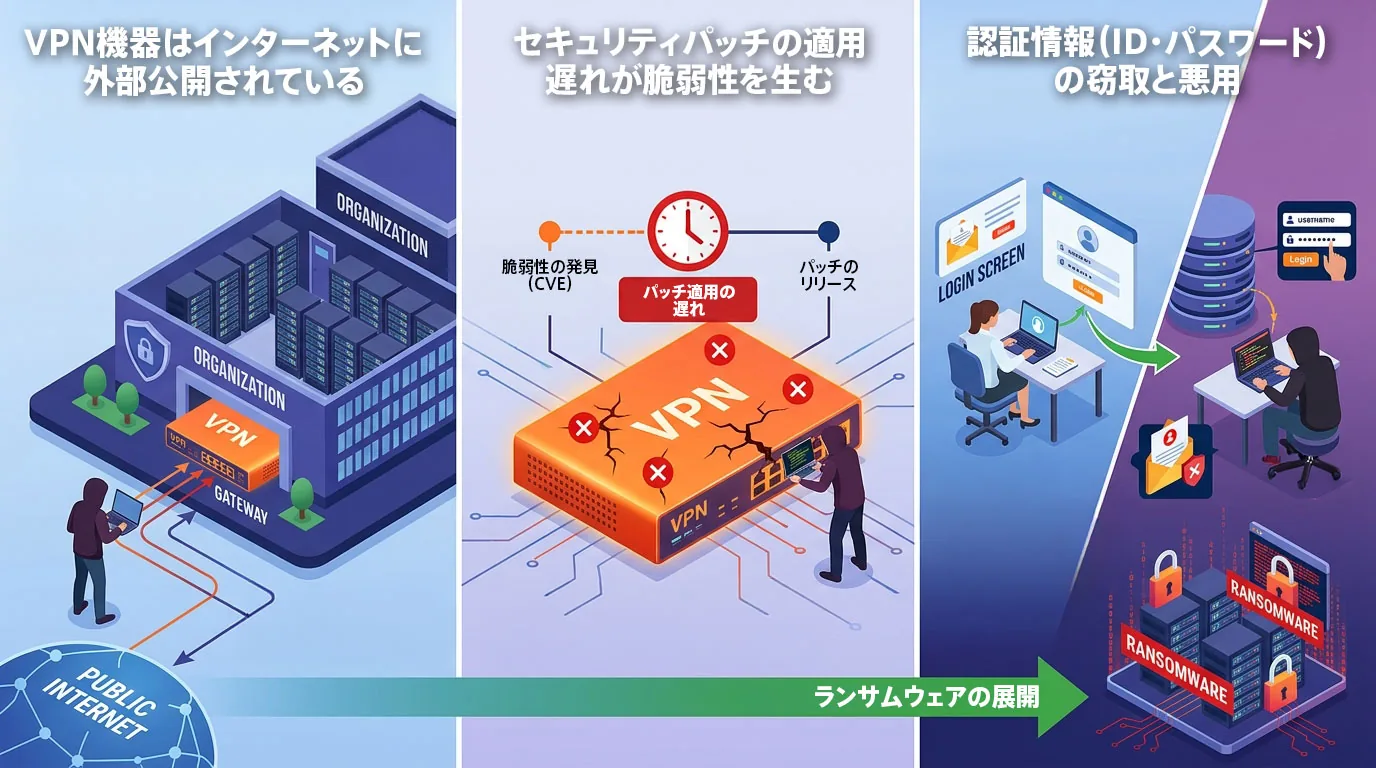
Here we look at the reasons VPNs are targeted from a structural point of view.
Ransomware attacks via VPN are common because the structure makes attacks easy to pull off: VPNs tend to be exposed to the internet, and their vulnerabilities and credentials are prime targets.
Reason 1: VPN devices are exposed to the internet
The first reason VPNs are targeted by ransomware attacks is that VPN devices are exposed to the internet.
A VPN is a mechanism for connecting securely from outside the company into the internal network. In other words, it is useless unless it can be reached from the internet.
That means, like mail servers and web servers, it tends to be constantly visible as an external-facing "entrance."
What makes this troublesome is that it is also easy for attackers to find. As long as it is published on a global IP address, the device's very existence is relatively easy to discover. Moreover, because a VPN is "a device for getting inside," once it is breached, the subsequent damage spreads rapidly into the internal network.
Rather than ending in a one-off incident like website defacement, it tends to set off a chain reaction: credential theft, lateral movement, destruction of backups and business shutdown.
Many companies are conscious of anti-spam measures for email and defenses such as WAFs for the web, but they tend to let their guard down with VPNs because "it's an entrance for internal use, so it's fine." From an attacker's point of view, however, a VPN is one of the most valuable external-facing surfaces. As long as it is exposed, it cannot be left unattended.
Reason 2: Delays in applying security patches create vulnerabilities
The second reason VPNs are targeted by ransomware attacks is that their structure makes it easy for vulnerabilities to arise from delays in applying security patches.
Even after a vendor discloses a vulnerability and releases a fix, it is not unusual for it not to be applied right away on the ground. Waiting for a holiday to avoid business impact, needing to schedule with the maintenance company, taking time to confirm configuration backups: "delays of a few days to a few weeks" like these are more than enough opportunity for attackers.
The National Police Agency has warned about exploitation of vulnerabilities in internet-exposed devices, and IPA has also repeatedly stressed the importance of vulnerability management and log review for network and security devices.
The problem is not just delayed patching. What is more easily overlooked is that "credentials that were already stolen do not become invalid even after you patch."
For example, the report on Tsurugi Town Handa Hospital, which was hit by ransomware in 2021, points out that a known FortiGate vulnerability had gone unaddressed for a long time and that previously leaked VPN credentials were in a state where they could be abused.
In other words, applying a fix is not enough; you must also change passwords and review your authentication method at the same time. The understanding that "patching makes you safe" is only half right. The correct view is: "Leaving patches unapplied is out of the question. Even after applying them, you are only at the starting line once you have reviewed credentials, logs and configuration."
Get this wrong, and you will let a ransomware intrusion in while believing you have taken security measures.
Reason 3: Theft and abuse of credentials (IDs and passwords)
The third reason VPNs are targeted by ransomware attacks is that attackers can get in by stealing credentials (IDs and passwords).
VPN intrusions do not happen through vulnerability exploitation alone. In practice, stolen IDs and passwords are also a very large cause. Phishing emails trick users into entering login details, infostealer malware steals passwords saved on devices, and previously leaked information gets reused.
With credentials obtained this way, attackers can get into the VPN "as legitimate users."
KADOKAWA, which was hit by ransomware in 2024, explained in its disclosure that the theft of an employee account was the starting point. Even more troublesome is that leaked credentials and access rights are bought, sold and shared on the dark web.
The National Police Agency states explicitly that it collects IDs, passwords and information for unauthorized access relating to Japanese companies on the dark web and issues warnings in cooperation with relevant organizations.
In other words, lax practices such as "keeping old passwords," "reusing them across services" and "leaving former employees' accounts in place" become entry points in themselves.
Easily guessed passwords and accounts left at their default settings are dangerous. Because attackers target the parts humans "have not fully managed," making MFA mandatory and regularly taking inventory of accounts are important measures for preventing intrusion via VPN.
The ransomware attack flow, from intrusion to damage
Human-operated ransomware does not only take the form of "encryption on the day they get in."
In reality, it is more common for attackers to lurk for weeks or months after intrusion, escalating privileges and exploring before attacking all at once.
Knowing the flow from intrusion to damage makes the need for log monitoring and early detection all the clearer.
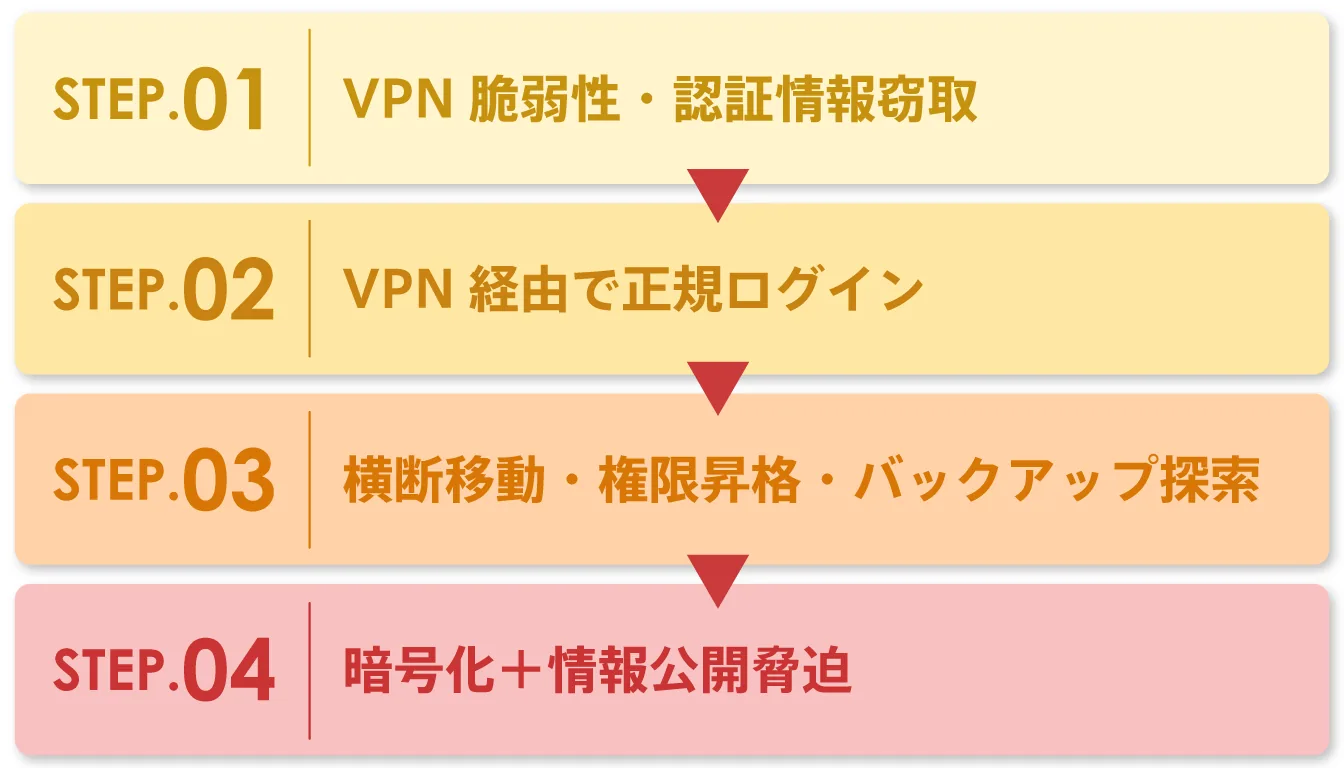
STEP 1: Exploit a VPN vulnerability to steal credentials
The initial entry point is a vulnerability in an internet-facing VPN device, or leaked credentials. Attackers use automated tools to scan internet-exposed devices widely, looking for those with known vulnerabilities or misconfigurations still in place.
In the Handa Hospital case too, a known FortiGate vulnerability and already-leaked credentials were the entry point. The key point here is that the attack is not "the handcrafted work of a hacker."
The discovery process is highly automated, and devices with delayed updates become candidates in a short time.
That is why version management of internet-facing VPN devices cannot be put off.
STEP 2: Use the stolen credentials to break into the internal network
Once attackers have credentials, they log in to the VPN just like anyone else.
In the logs it easily looks like "a legitimate connection," and simple perimeter defenses struggle to spot it, so the intrusion is hard to notice.
In the report on Osaka General Medical Center, hit by ransomware in 2022, an access route via a contractor was the problem.
With password-only authentication, it becomes almost impossible to prevent intrusion once the password is stolen. Conversely, if MFA (Multi-Factor Authentication) is in force at this point, the intrusion success rate can be reduced dramatically.
The security of a VPN is determined not only by the device itself but by the design of its authentication.
STEP 3: Move laterally inside the network while lying low
After getting inside, attackers do not necessarily start encrypting right away. They first look for critical servers, backups, the authentication infrastructure and management machines, and go after stronger privileges.
If they are not discovered during this dormant phase, the eventual damage grows dramatically. JPCERT/CC also advises that with human-operated ransomware, you should assume internal reconnaissance and privilege escalation take place after the compromise.
If the attackers find the backup servers at this stage, the assumption that "we're fine because we have backups" collapses.
The National Police Agency's "Threats in Cyberspace in 2023 (Reiwa 5)" reports that of the 126 cases that tried to restore from backups they had taken, 105 (83%) could not restore to the level just before the incident. Backups must be evaluated not by "whether they exist" but by "whether they are isolated and have been through restore testing."
STEP 4: Encrypt data and demand ransom with double extortion
In the final stage, attackers not only encrypt business data and systems to halt operations; double extortion, threatening to "publish the stolen information," is now the norm.
There are many incidents, such as the Port of Nagoya, KADOKAWA and Iseto, that had a major impact in terms of both business disruption and data leakage.
What we want to stress here is that paying the ransom does not guarantee things will go back to normal.
JPCERT/CC and No More Ransom also advise that paying is not a fundamental solution and does not guarantee decryption, prevention of leaks or prevention of recurrence. What matters far more is getting the initial response right and moving on to evidence preservation and expert support.
Major incidents in Japan: cases where VPNs or external connections were the entry point
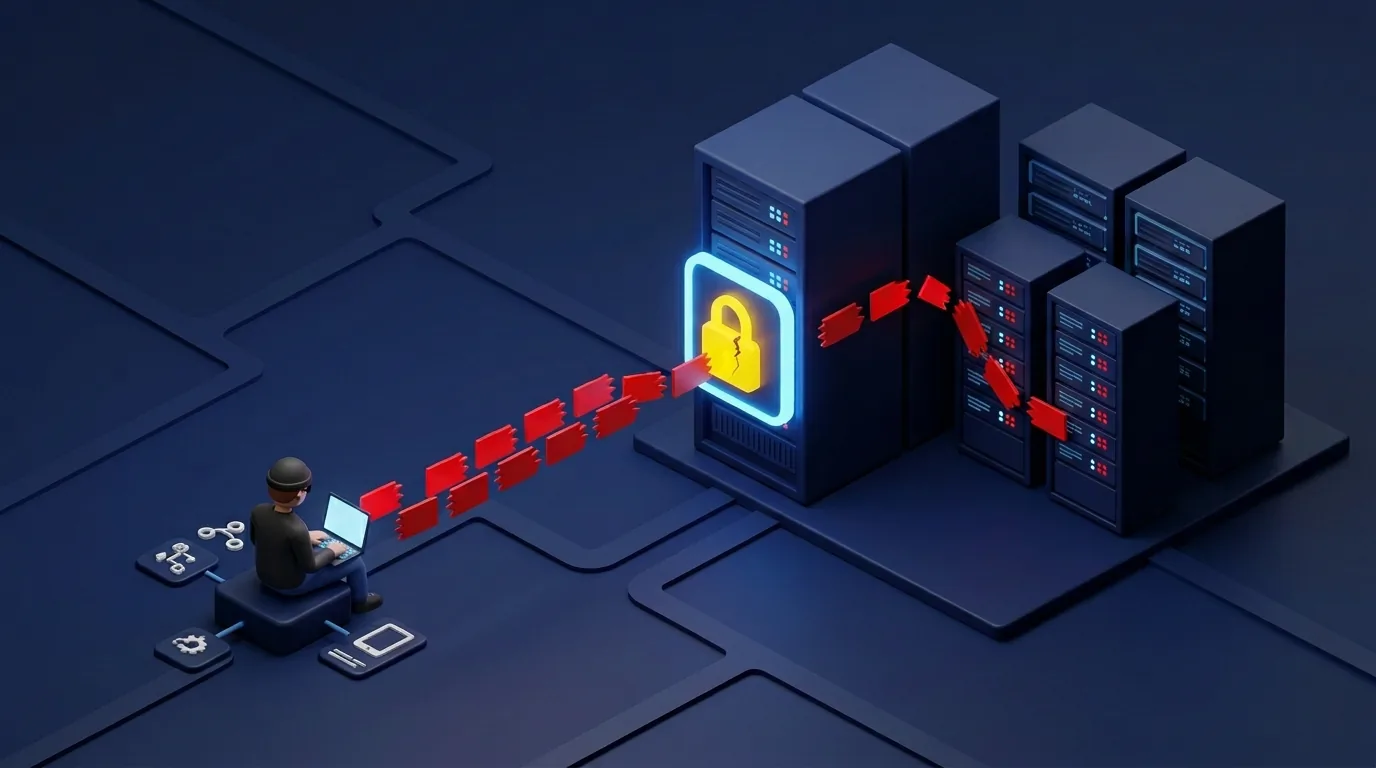
VPNs and external connection routes have repeatedly been a problem as entry points in real ransomware incidents in Japan.
The damage extends not only to SMBs but to large companies, medical institutions, social infrastructure and information processing service providers, so you cannot say "we're big, so we're fine" or "we're in a different industry, so it doesn't concern us."
Here we look at representative cases that are easy to verify from public information and offer important lessons.
Attacks on medical institutions (Handa Hospital, Osaka General Medical Center)
Medical institutions are targeted not simply because they tend to lack IT staff and budget. It is also because they have many operations that are hard to stop, such as electronic medical records, testing, surgery and emergency admissions, and a shutdown has a large social impact.
Tsurugi Town Handa Hospital was hit by ransomware on October 31, 2021, and the resumption of normal medical services was pushed back to January 4, 2022. The investigation report points to a known vulnerability in Fortinet's FortiGate, together with the abuse of previously leaked VPN credentials, as the entry point.
It is known as a case in which in-hospital systems, including electronic medical records, were widely shut down, with a major impact on regional healthcare.
(Reference: Tsurugi Town Handa Hospital, "On the Investigation Report of the Expert Panel on the Computer Virus Infection Incident")
At Osaka General Medical Center, a system failure was also recognized on October 31, 2022.
The investigation indicated that there were problems with vulnerabilities and credential management in VPN equipment installed in the systems of the hospital's catering contractor, and that the attackers may have entered the hospital from there.
Core systems resumed after 43 days and all clinical systems were restored after 73 days, and in addition to investigation and recovery costs, large losses resulted from restrictions on medical services.
(Reference: Osaka General Medical Center, "On the Incident Investigation Report")
For attackers, "organizations that cannot afford to stop" are targets where it is easier to gain the upper hand in ransom negotiations.
In healthcare, managing VPNs, contractor connections, RDP and the like cannot be put off.
Attacks on manufacturing and infrastructure (Toyota, Port of Nagoya)
Manufacturing and infrastructure are especially vulnerable to damage because, given just-in-time production and 24-hour operation, "the cost of stopping" is extremely high. A single day of shutdown translates directly into lost sales, delayed deliveries, impact on business partners and loss of public trust.
In 2022, Toyota Motor Corporation halted all 28 lines at its 14 plants in Japan following a system failure at its supplier Kojima Industries.
Toyota published the dates of the shutdown and restart, and Kojima Industries' report explained that unauthorized access originating from a vulnerability in a remote connection device used by a subsidiary had been confirmed, and that some servers and PCs had been encrypted by ransomware.
The impact on production was enormous, making it a textbook example of damage rippling across an entire supply chain.
(Reference: Kojima Industries Corporation, System Outage Investigation Report)
At the Port of Nagoya, the Nagoya United Terminal System was hit by a cyberattack in July 2023, and container loading and unloading stopped for about three days. The Ministry of Land, Infrastructure, Transport and Tourism's review materials suspect intrusion via a maintenance VPN and conclude that there were problems with vulnerability management of servers and network equipment, backup arrangements, the CSIRT structure and more.
When a failure hits social infrastructure such as a port, the impact does not stay with one company but spreads across the entire logistics chain.
(Reference: Nagoya Harbor Transportation Association, "Report on the Background of the NUTS System Failure")
Poor management of VPNs and contractor connections is not merely an IT department issue; it is a business risk in itself.
Attacks on IT and service companies (KADOKAWA, Iseto)
With ransomware protection, the reality is that "protecting only your own company is not the end of it."
Weaknesses in credential management and contractor connections cascade not only into damage to your own company but also to customers, clients and users.
Especially in businesses with many external connections, such as information processing services, SaaS, BPO, logistics and healthcare networks, reviews that include contractor risk are essential.
In June 2024, KADOKAWA suffered a large-scale cyberattack in which servers in its data center were hit by ransomware, causing a prolonged outage of Niconico-related services.
Subsequent disclosures indicated that the theft of an employee account was believed to be the cause, and an impact on personal information was also reported.
It took time for major services to resume, and extraordinary losses were booked on the financial side, so the impact on the business was very large.
(Reference: DWANGO Co., Ltd., "Report and Apology Regarding the Cyberattack on Our Services")
Iseto also announced in 2024 that unauthorized access had led to file encryption and data theft.
Reports and related materials mentioned the possibility that a VPN was the intrusion route and that stolen files were posted on the dark web, and the impact was reported to extend to 54 client companies and about 1.5 million records.
This is a textbook example of one company's security incident spreading to many business partners and customers.
(Reference: Iseto Corporation, "Notice of Ransomware Damage")
Watch out for concentrated attacks on specific VPN devices
A characteristic of VPN devices is that when a serious vulnerability is found in a particular vendor's product or a specific model, every organization using that product can become a target at once. Products from Fortinet, Ivanti, Citrix, Palo Alto Networks and others have been the subject of widespread warnings in Japan and abroad each time vulnerability information is published.
In fact, CVE-2018-13379 in FortiGate, which was widely known to be exploited, CVE-2019-11510 in Pulse Secure, CVE-2019-19781 in Citrix ADC / Gateway and CVE-2024-3400 in PAN-OS GlobalProtect are textbook examples of VPN devices being targeted intensively.
The key point is that from the moment vulnerability information is published, your company may become a target without exception. The first things to check are the vendor name, model number, firmware version and maintenance arrangements of the VPN devices your company uses. Protection starts with knowing that.
7 VPN ransomware defenses to put in place now

From here, we set out the measures to prioritize on the ground to prevent ransomware damage that starts from a VPN.
All of them are important, but it is not realistic to complete them all perfectly at the same time. So here they are listed in order of priority, taking into account ease of implementation and size of impact. In particular, the first to tackle are (1) updating your devices and (2) making multi-factor authentication (MFA) mandatory.
If these remain inadequate, stacking up other measures will not raise your defenses enough.
Defense 1: Update VPN device firmware to the latest version (top priority)
The top priority is to confirm the vendor, model number and firmware version of the VPN devices you currently use.
What to do is simple: first check the model number on the device's management screen or in your asset register, then check the latest vulnerability information and fixed versions in the vendor's security advisories. Major vendors publish information continuously: Fortinet through its PSIRT, Palo Alto Networks through Security Advisories, and Cisco through Security Advisories.
When updating, do not push straight to production; take a configuration backup, secure a maintenance window, confirm whether a reboot is needed and run connection tests as a set. You should also make sure you always receive update notification emails, RSS feeds and alerts from your support contract. In some cases, learning about a vulnerability "from the news" is too late.
Patching does not make you 100% safe. But leaving an unpatched device exposed to the internet is even more dangerous. With VPN devices, considering the recovery costs if you are hit, "we'll do it later" can turn out to be the most expensive option.
It is also important to identify vulnerabilities in your VPN devices through assessments.
We have listed 15 recommended vulnerability assessment companies below.
https://cyber.spool.co.jp/vulnerability-assessment-company-guide/
Defense 2: Make multi-factor authentication (MFA) mandatory
Multi-factor authentication (MFA) is a must. With password-only authentication, a leak hands attackers almost the same privileges as the user.
Looking at cases like KADOKAWA, where account theft was the starting point, the importance of stronger authentication is clear. The basic implementation methods are one-time codes from an authenticator app, push authentication and hardware tokens.
SMS is also an option, but in many situations an authenticator app or token is preferable where possible. Major VPN products often support integration with external IdPs and MFA services, so the realistic approach is to make it mandatory first for administrator and privileged accounts and then roll it out company-wide.
A VPN without MFA is like "a locked door with copies of the key in circulation."
To counter stolen credentials, you need a second factor.
Defense 3: Take inventory of and remove unnecessary VPN accounts
Unused accounts, former employees' accounts, and accounts left in place after a contractor's work has ended are classic entry points. It is recommended to check regularly "who" each account belongs to, "for what purpose" and "whether it is still needed," and to disable or delete it if not. Setting expiry dates on contractor accounts is an effective practice.
Also check the last login time, source IP and privilege level. Accounts are not dangerous merely by existing; what is dangerous is "accounts whose existence administrators are not aware of."
Defense 4: Set up log monitoring and early detection of abnormal access
Even if it is hard to prevent 100% of intrusions, finding them early changes the extent of the damage considerably. The basics to look for in VPN logs are suspicious foreign IPs, connections late at night or on holidays, repeated authentication failures in a short time, and logins from unusual devices or regions.
IPA also stresses the importance of log review alongside vulnerability management for network and security devices. It is fine to start manually. Simply starting a routine of checking VPN connection logs every morning is progress.
For larger organizations, it is a good idea to expand gradually to Syslog collection, SIEM, XDR and EDR integration. The important thing is not to make "not being breached" your only goal. "Noticing quickly even if you are breached" is the realistic defense.
Defense 5: Contain damage with network segmentation
Segmentation is the idea of dividing the network so that, even if it is breached, the damage is less likely to spread across the whole company. For example, simply separating networks for general endpoints, servers, backups, OT and management greatly changes how hard lateral movement is.
In terms of a fire, segmentation is a firewall in the literal sense. Even if a fire starts, a wall can stop it from spreading. For VPN users too, rather than a design where anything can be reached once inside, reachability should be narrowed to the minimum necessary.
Defense 6: Take offline backups regularly
You need to take offline backups regularly. With human-operated ransomware, "backups on the same network" can be encrypted along with everything else.
National Police Agency data also includes many cases where recovery was a struggle even though backups existed.
The basis is the 3-2-1 rule.
Keep three copies, store them on two types of media, and keep one offsite or offline.
Even more important is testing restores regularly. A backup is meaningless unless it is not "an insurance policy" but "an escape route you can actually use."
Defense 7: Consider moving to a zero trust architecture
VPNs are convenient, but structurally they are prone to being targeted.
That is why zero trust is worth considering as a long-term direction. The idea is simple: rather than "trusting something because it is inside the company," "verify the user, device and destination every time."
Concretely, this means a phased migration to SASE or ZTNA (Zero Trust Network Access). There is no need to replace everything at once. The realistic approach is to narrow the scope, starting with administrator VPNs, contractor connections and connections to critical systems.
Even keeping the VPN while tightening the destinations and device conditions is effective. It is not a binary choice between "dropping the VPN or keeping it." What matters is making visible how dependent your company is on VPNs and which connections are really necessary.
We have compiled a comparison of recommended ransomware protection software in the article below.
Best Ransomware Protection Software Compared (2026): A Guide for Individuals and Businesses
If you have concerns about designing and running a zero trust architecture, asking experts to assess your current state is the shortest route.
Patched is not the same as safe: three commonly overlooked risks
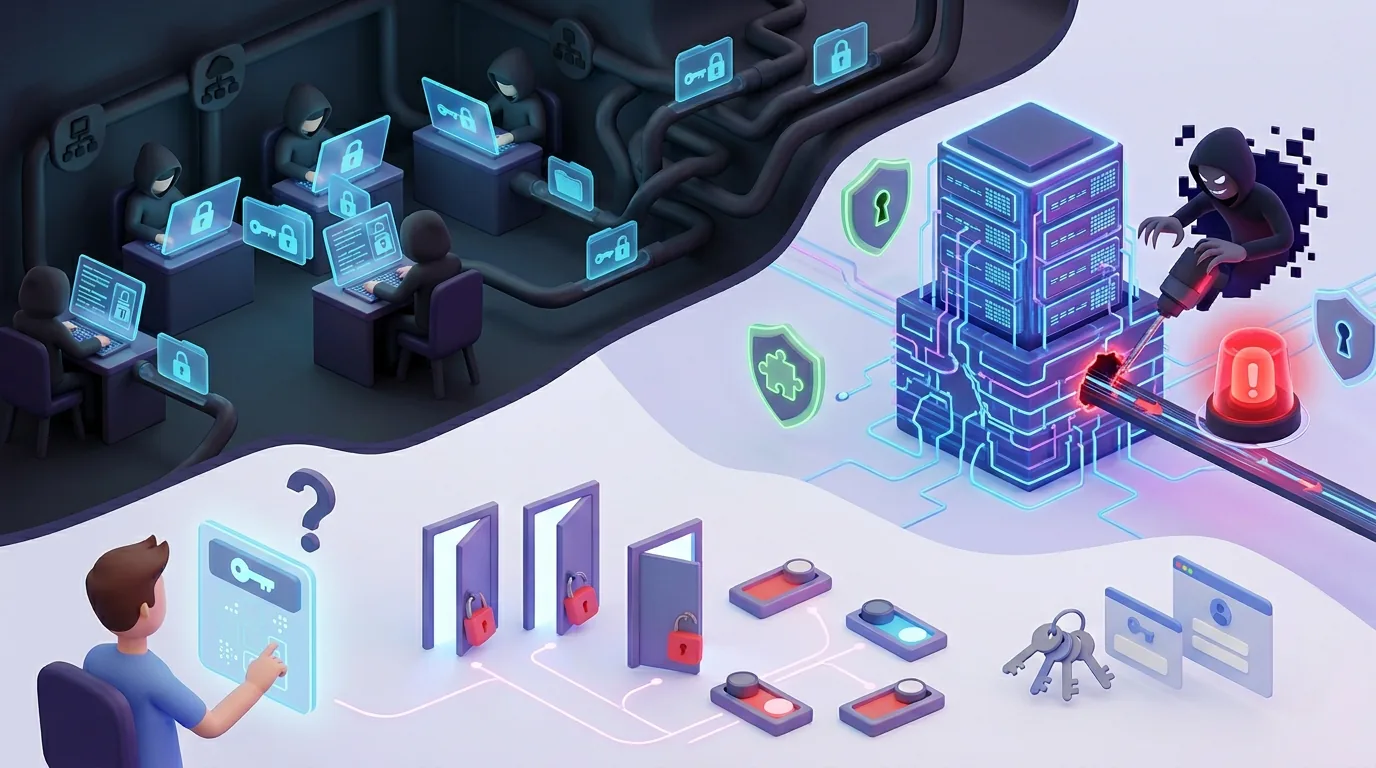
VPN devices do not become safe just because an update has been carried out. Even after the update, if previously stolen credentials or misconfigurations remain, intruders may still get in.
What matters is looking not only at "whether you patched" but also at "whether you have checked the risks that remain after the update."
Here we explain three commonly overlooked risks.
Previously stolen credentials are circulating on the dark web
If credentials were stolen during the period before a patch was applied, fixing the vulnerability itself does not automatically invalidate the stolen IDs and passwords.
In the Tsurugi Town Handa Hospital case as well, addressing the VPN device vulnerability was not enough, and the abuse of previously leaked credentials was the problem.
In other words, it is dangerous to feel safe the moment a patch is applied. After responding, you need to change passwords for related accounts, revoke existing sessions and check MFA settings as a set.
Measures only become effective when you review everything including authentication, rather than stopping at applying the fix.
Zero-day attacks are exploited before a patch is available
A fixed version is not always ready at the same time a vulnerability is discovered. As with vulnerabilities related to Palo Alto Networks' GlobalProtect, there are also cases where exploitation is a concern before a fix exists.
For zero-days like these, you need interim measures other than "waiting for the patch." Specifically, these include restricting exposure of the management interface, limiting access to specific IPs only, disabling unnecessary features and stepping up monitoring.
During a zero-day period, the mindset of reducing your attack surface first, rather than waiting for a permanent fix, becomes important.
Misconfigurations and default passwords left in place become blind spots
Intrusions do not happen through vulnerabilities alone. Misconfigurations are also a classic cause: authentication left at default settings, unnecessary ports exposed, maintenance accounts left behind, shared passwords and so on.
Other National Police Agency statistics also show that misconfigurations and problems with ID and password management account for a share that cannot be ignored.
In other words, attackers can get in even when there is no vulnerability. That is the point of having your current configuration assessed from a third-party perspective. It is not unusual for there to be holes in operational design even when "the vulnerability scan found no problems."
The first step in security is making the risks your company faces visible.
For ransomware protection, choose CyberCrew's vulnerability assessments and penetration testing
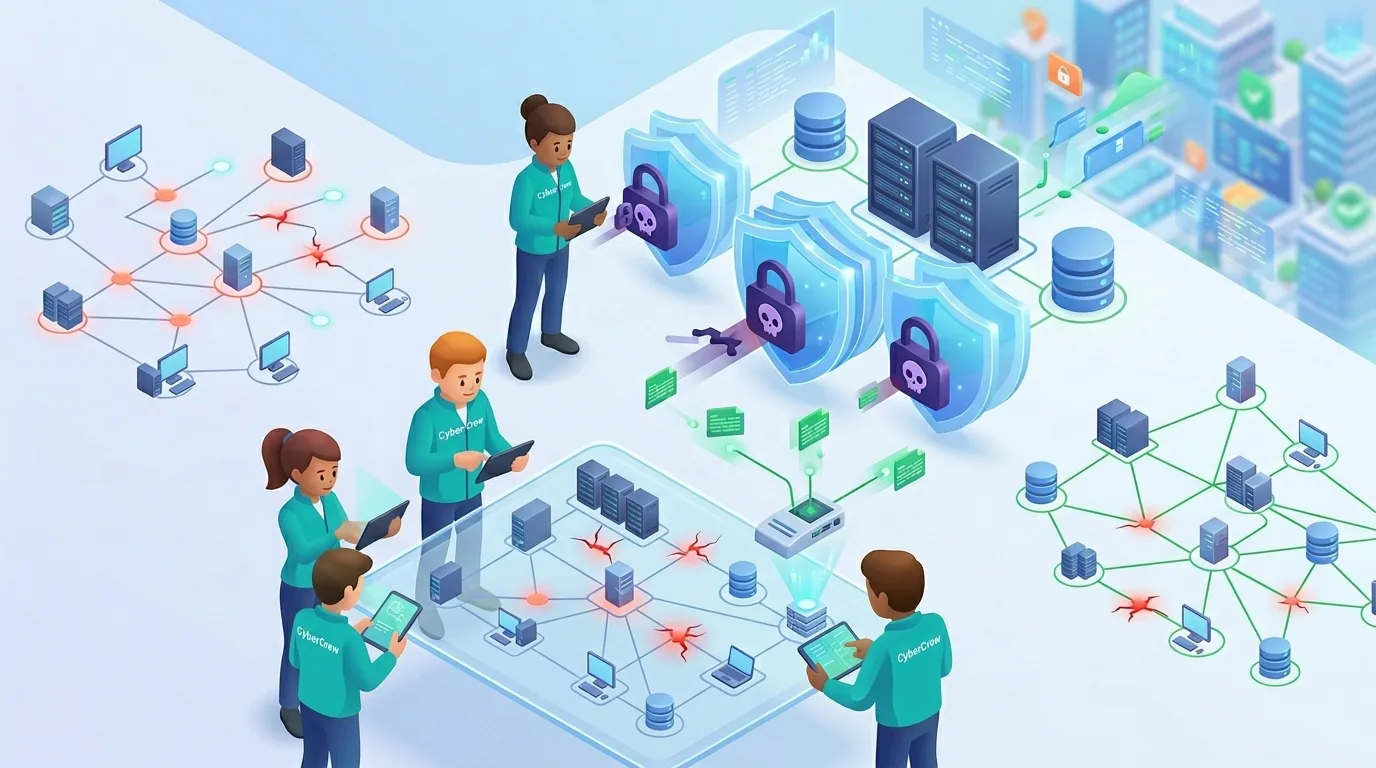
Ransomware protection takes more than deploying EDR or security training. Since most intrusion routes are concentrated on external connection surfaces such as VPN and RDP, you first need to find "the weaknesses that let attackers in" before they do. That is where the value of vulnerability assessments and penetration testing lies.
Why vulnerability assessments and penetration testing count as ransomware protection
As the National Police Agency's published data shows, human-operated ransomware often spreads from weaknesses in VPN, RDP and internet-facing devices, so you must first identify those entry points and deal with them as a priority.
A vulnerability assessment is a way to find weaknesses in your exposed surface before attackers do.
A penetration test goes a step further, verifying how far those weaknesses could actually lead to damage.
With VPNs in particular, you cannot grasp the real situation without looking not only at whether vulnerabilities exist but also at MFA status, reachable scope, administrator privileges, logging, maintenance accounts and contractor connections.
Regular assessments let you find missed updates and configuration drift "before an incident."
Features of CyberCrew's vulnerability assessments and penetration testing
Through vulnerability assessments and penetration testing, CyberCrew helps make visible the risks across your internet-facing assets and authentication infrastructure.
According to publicly available information as well, our vulnerability assessment service combines tool-based and manual assessment, and our penetration testing offers verification from an attacker's perspective and covers multiple areas, including networks.
In addition, CyberCrew's penetration testing and vulnerability assessment services are listed as registered services under the Ministry of Economy, Trade and Industry's Information Security Service Standards. For companies that want help that includes easy internal explanation, prioritized reports and improvement proposals, a strength is how easily the results translate into practice.
Pricing plans and cost guide
Costs vary depending on the number of target IPs, the scope of the assessment, how much of the web, network, cloud and VPN devices is examined, and the depth of manual verification.
At CyberCrew, we first hear about the target scope and your concerns, then provide a quote. Because the work required differs by environment, confirming things in advance and agreeing on content and cost leads to a proposal that fits your actual situation better than applying a flat fee.
Frequently asked questions (FAQ) about VPNs and ransomware
Here we focus on questions that genuinely come up about VPNs and ransomware and answer them conclusion-first, so they are easy to act on in practice.
Q1. Can ransomware infect you via a VPN?
Ransomware intrusions frequently use vulnerabilities in VPN devices or stolen credentials as a foothold.
The National Police Agency's published data also lists external connection routes such as VPN devices and RDP as the main intrusion routes in recent years.
Note that it is important to understand that the VPN itself does not carry the malware; it is abused as an entrance into the internal network.
Q2. What causes VPN intrusions?
The main causes can be grouped into three.
The first is that fixes have not been applied to VPN devices or related systems, leaving known vulnerabilities in place.
The second is the abuse of weak passwords, reused credentials, or previously leaked IDs and passwords.
The third is configuration and operational shortcomings, such as MFA not being set up or unnecessary accounts being left in place.
Looking at the cases of Handa Hospital, Osaka General Medical Center and KADOKAWA, these factors sometimes occur on their own and sometimes combine to allow an intrusion. In other words, addressing just one of them is not enough; it is important to update devices, manage authentication and review configuration together.
Q3. What are some concrete examples of VPN vulnerabilities?
Representative examples include CVE-2018-13379 in FortiGate, CVE-2019-11510 in Pulse Secure, CVE-2019-19781 in Citrix ADC / Gateway and CVE-2024-3400 in PAN-OS GlobalProtect.
Each of them showed that precisely because VPN devices and remote access infrastructure are so widely used, many organizations can become targets at once the moment a vulnerability is published.
What really matters in practice, however, is not memorizing individual CVE numbers. It is knowing accurately the vendor, model number and firmware version of the products your company uses, and having a structure in place to keep checking vendor advisories and warnings.
Vulnerability information becomes a risk the moment it is published, so it is essential to build operations that prevent "we didn't know" or "we noticed too late."
Q4. What should we do if we are infected with ransomware?
If you suspect an infection, the top priority is first to disconnect the affected devices and servers from the network and stop the damage from spreading. Immediately create a state in which it cannot spread to other equipment, for example by unplugging LAN cables and disabling Wi-Fi.
Then, without rashly powering anything down, preserve evidence such as on-screen messages, error messages and connection status, and promptly share the situation with the company's IT staff and management.
At the same time, consult IPA, JPCERT/CC and, where necessary, the police, and it is important to contact experts who can handle incident response early.
Paying the ransom does not guarantee recovery, and there is no guarantee it will prevent your information from being published.
Rather than making decisions in a panic, it is important to prioritize preventing the spread of damage, preserving evidence and contacting outside experts.
Q5. Are there alternatives to VPNs?
A realistic alternative to VPNs is moving to zero trust access, including ZTNA and SASE. That said, replacing all VPNs at once is a heavy burden and likely to cause operational confusion, so the suitable approach is to review things in phases, starting with high-risk, high-priority areas such as connections to critical systems and contractor connections.
The practical approach is first to identify connections that depend heavily on VPNs and migrate in order, starting with the parts that are easiest to replace. For details, see "Defense 7: Consider moving to a zero trust architecture" above.
Summary: key points for VPN and ransomware protection
Finally, here are three key points on protecting against ransomware that comes in through VPNs.
- In ransomware incidents in Japan, VPN and RDP are the main intrusion routes. In 2024, VPN accounted for 55% and RDP for 31%, a combined 86%. VPN security is not "something to do if we can" but the top priority.
- The damage is not limited to large companies. Incidents have occurred widely across healthcare, manufacturing, logistics, information processing and SMBs. Because damage spreads through contractors and suppliers, looking only at your own company is not enough.
- The core of the measures is clear: updating VPN devices, MFA, account inventory, log monitoring, segmentation, offline backups and, in the long term, a move to zero trust. It is important to make steady, grounded progress in this order.
There are three things you can do today.
(1) Check the vendor, model number and version of your VPN devices and see whether any patches are missing
(2) Enable MFA on your VPN and take inventory of unnecessary accounts
(3) If it is hard to judge on your own, consider a vulnerability assessment by experts
If you have even the slightest concern about your current VPN security, we recommend not leaving it to your own judgment. Ransomware protection is an area where acting after the damage is too late. Start taking inventory of your external attack surface with a free consultation or an assessment of your current state.